Show Guests Your Amazing Transformation
Create professional before/after galleries showcasing your space's transformation. Build guest trust and demonstrate your property's potential.
1K: 1 credit · 2K: 6 credits · 4K: 10 credits · Trial previews have a watermark. See credit packs
Loading photo editor…
Before/After Stories Build Trust and Drive Bookings
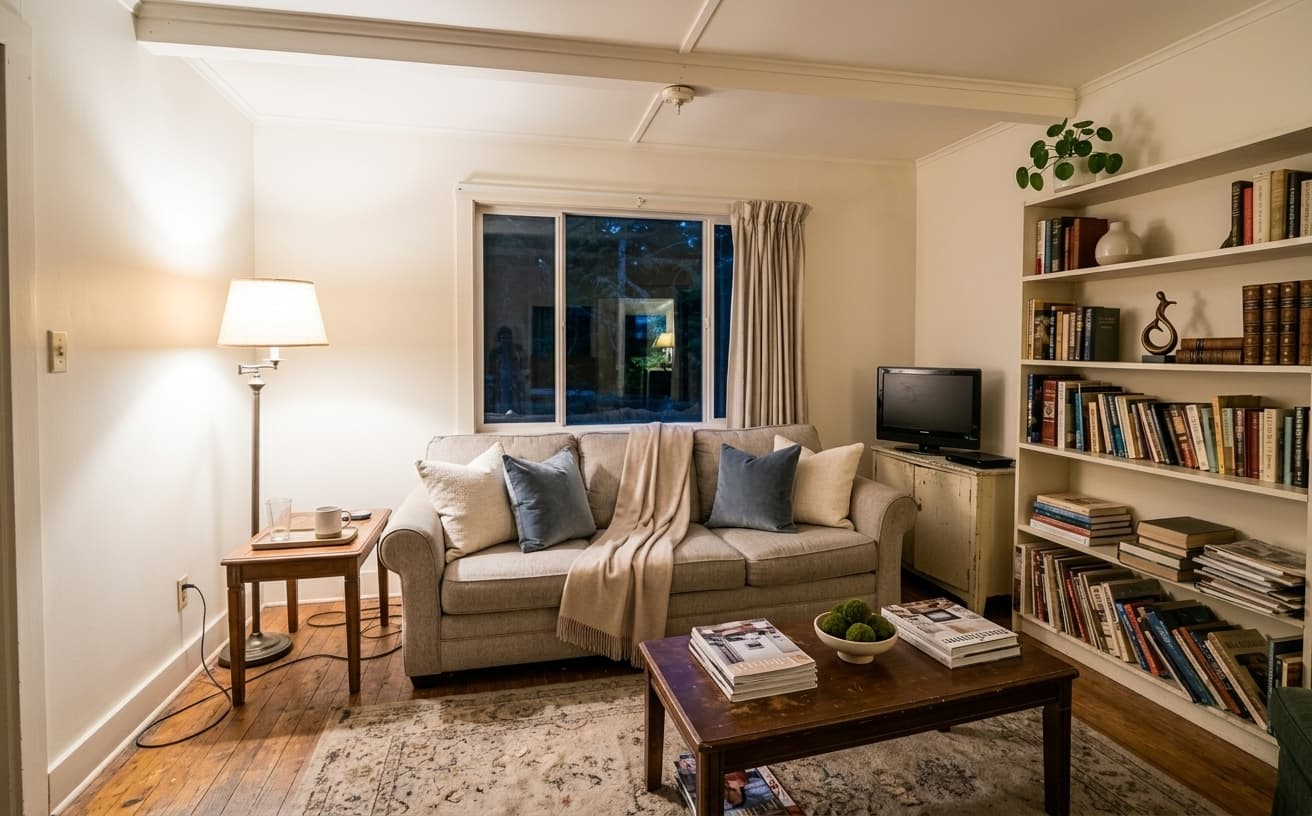
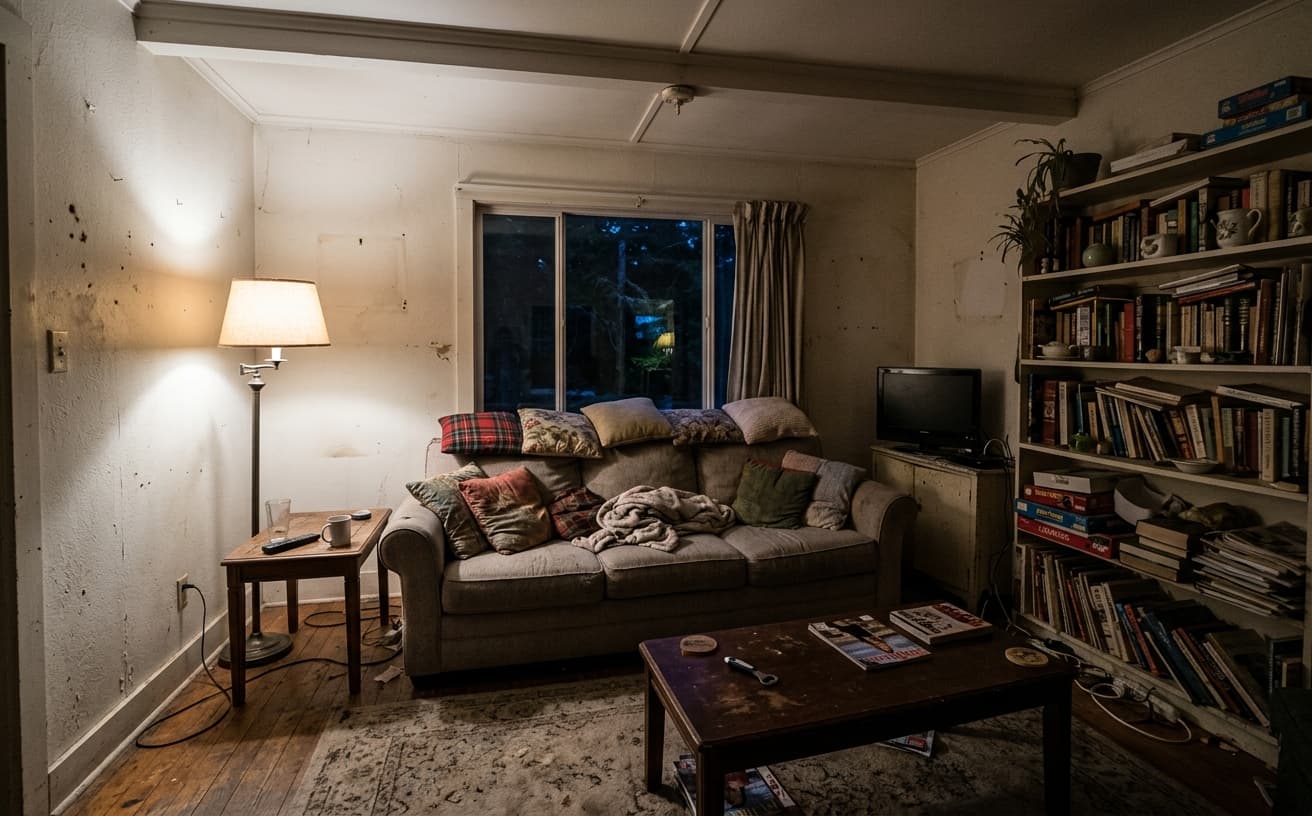
Guests love transformation stories. Before/after galleries show your dedication to the space, build trust, and differentiate your listing. Our tools create professional comparison galleries that highlight your property's transformation—from renovation to seasonal updates to staging improvements.
Gallery Types
Showcase different transformations
Renovations
Show before/after of property renovations
Staging
Empty to fully staged transformation
Seasonal
Seasonal decor and updates over time
Improvements
Ongoing property improvements and upgrades
Real Results Gallery
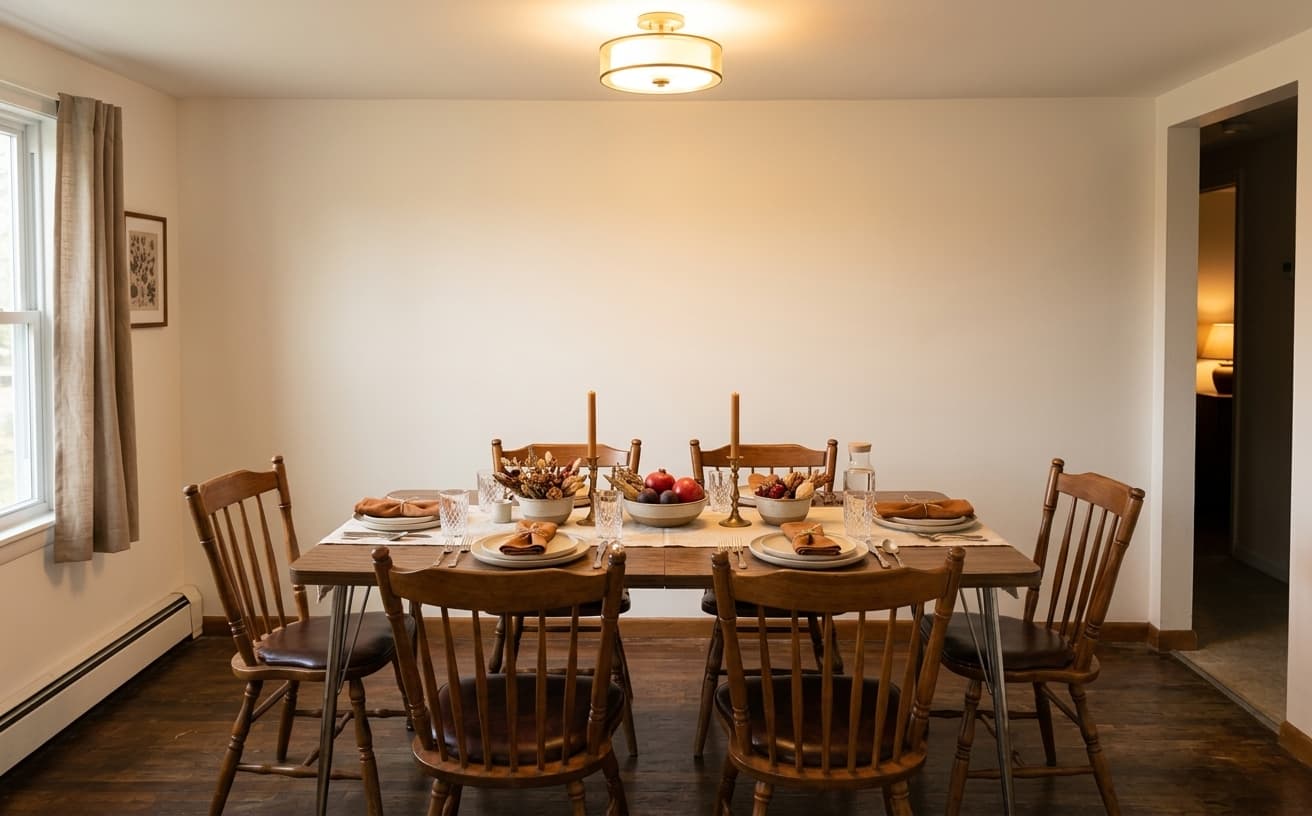
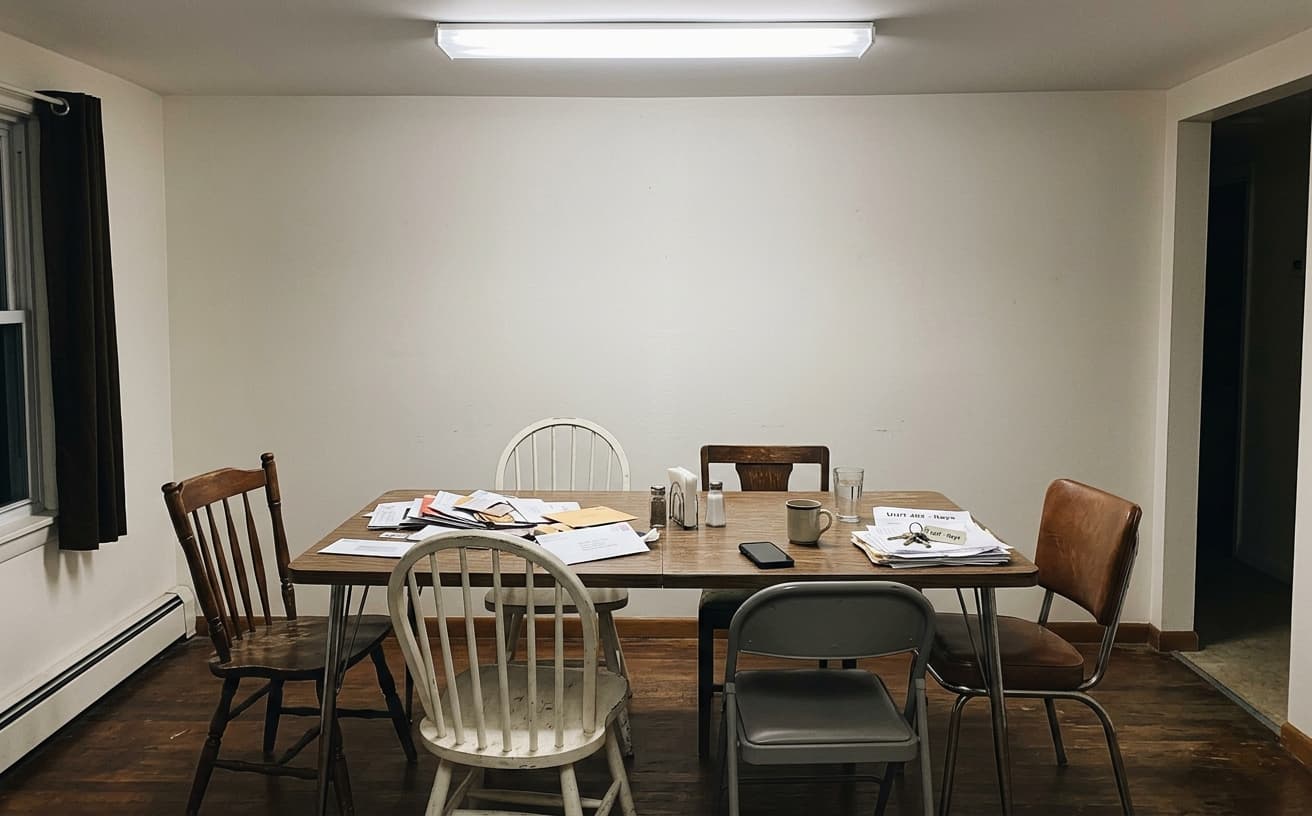
See how AI transforms photos with professional editing
Professional AI Editing
Compare the original and edited image
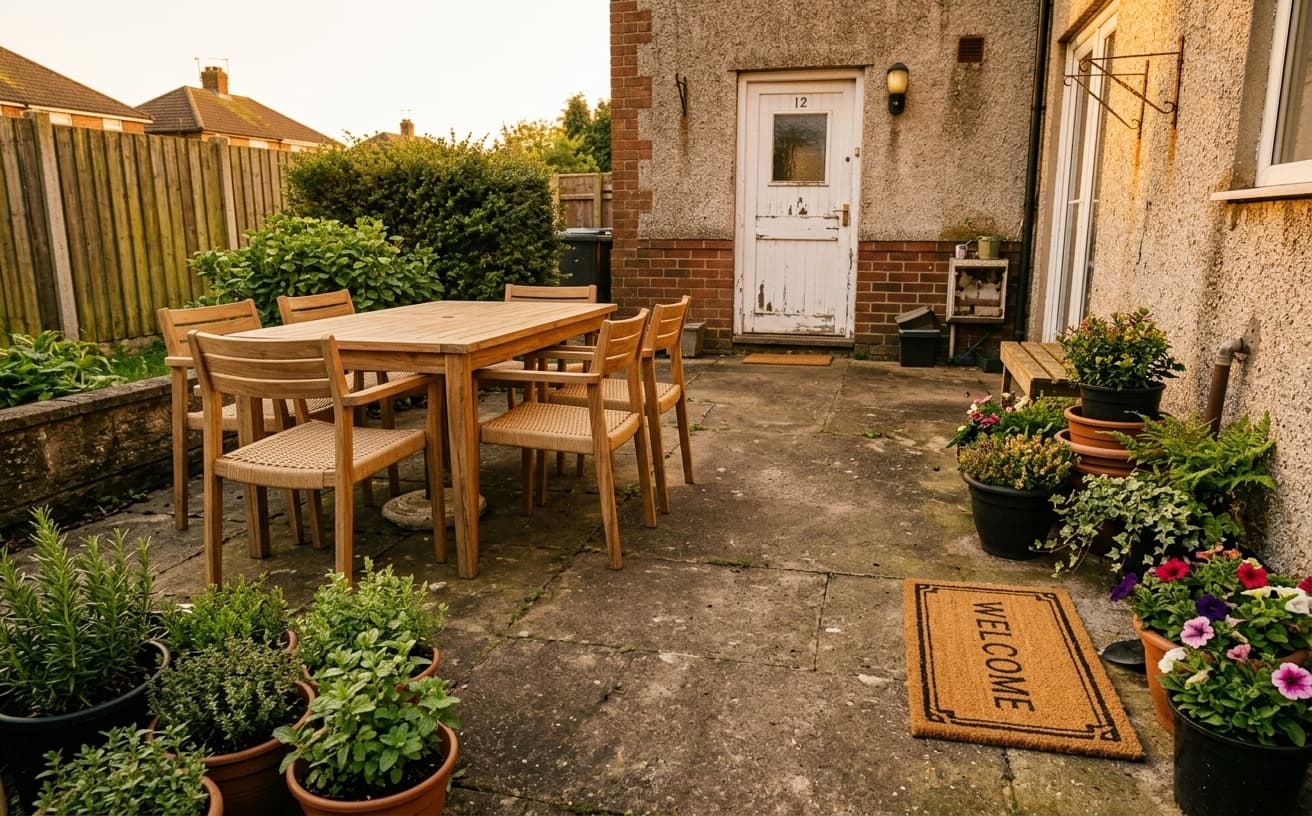
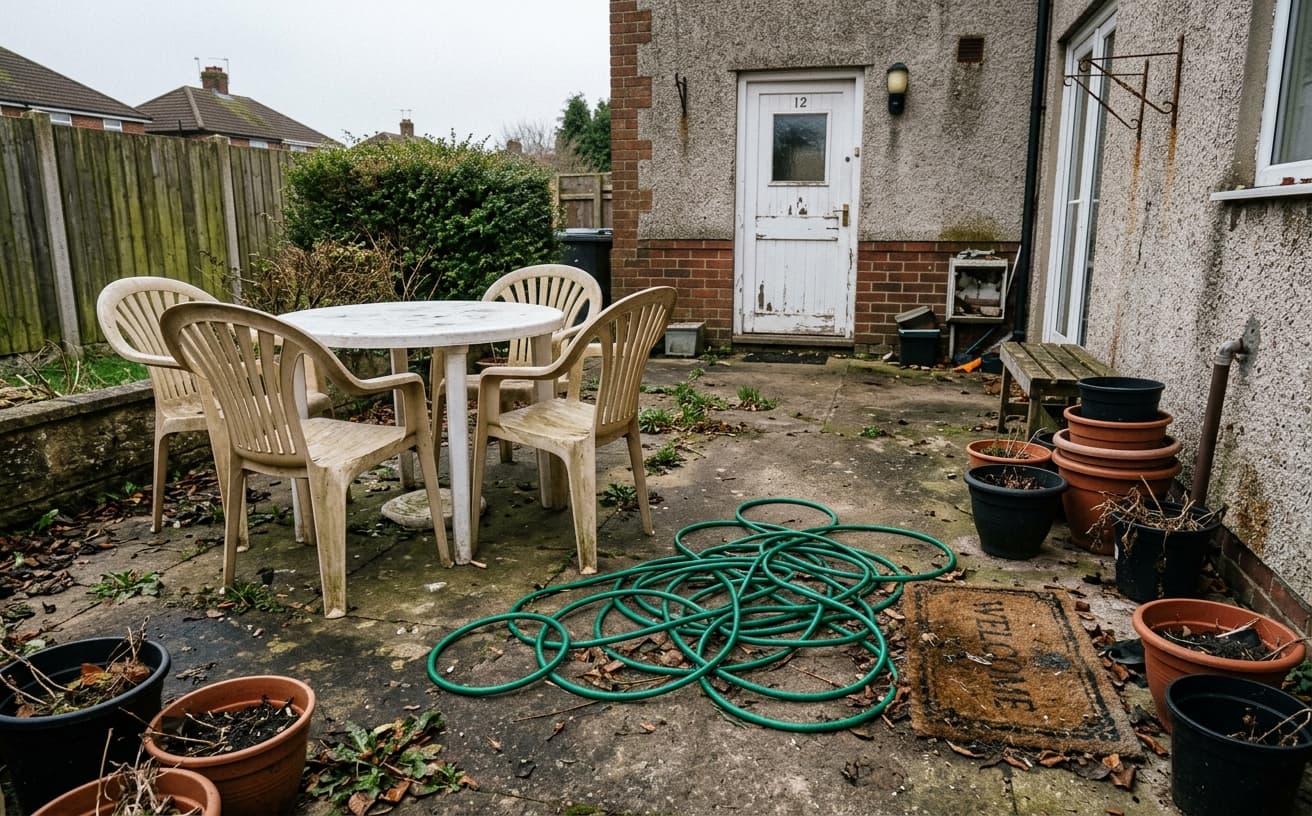
Natural Results
Check edges, lighting, and fine details
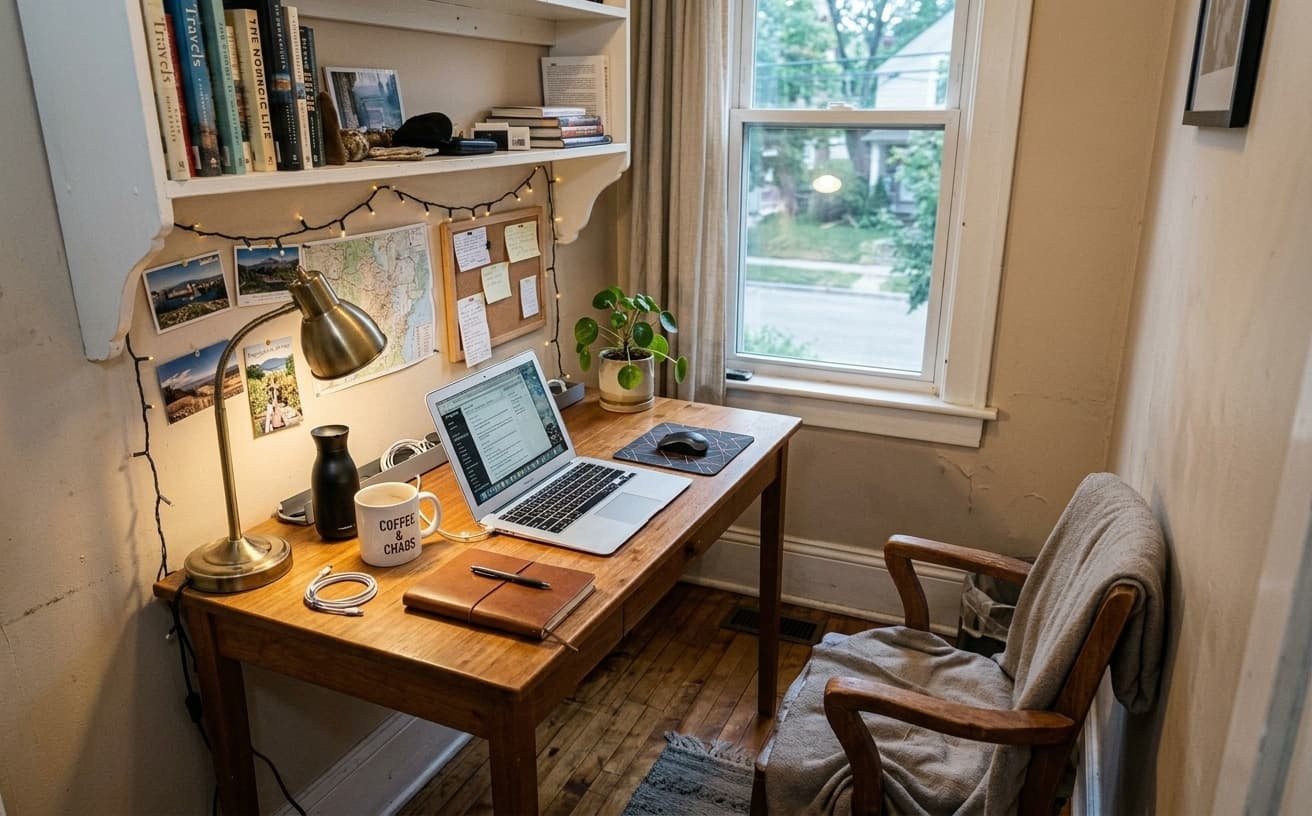
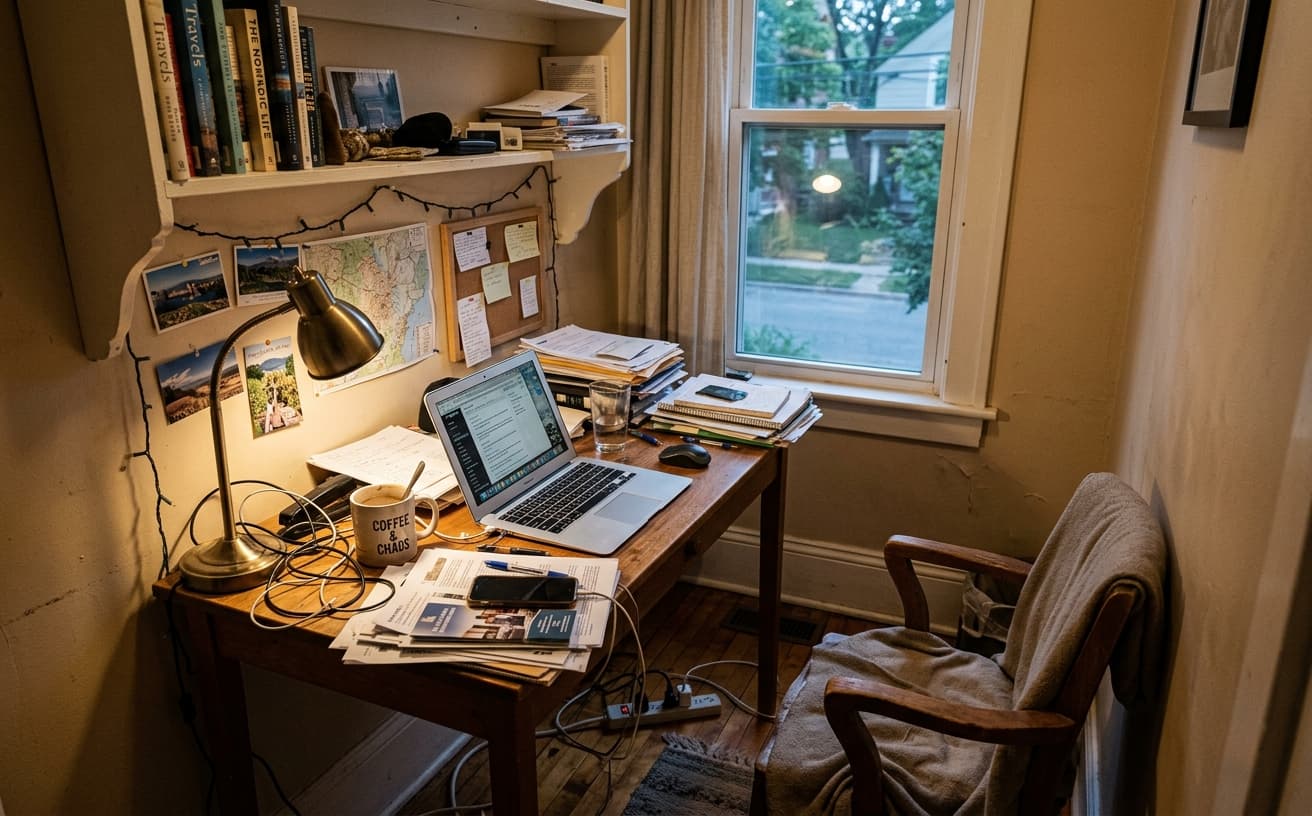
AI Transformation
AI-powered enhancement
Premium Quality
Review the result before downloading
How to Transform Your Airbnb Listing Photos
Create galleries easily
Upload Photos
Before and after photos of your transformation.
Create Gallery
Automatic side-by-side or slider comparisons.
Share Everywhere
Use in listing, social media, or website.
Why Show Transformations
Marketing power of before/after
A practical way to review your edit
Keep your original and check the generated image before you use it.
Start with one photo
Choose a clear source image and describe one specific change. A focused request makes the result easier to compare with your original.
Review the important details
Compare faces, lettering, edges and other important details with the original. AI can change parts of an image you asked it to preserve.
Choose the result before exporting
Each AI edit uses 1 credit at 1K. Your first credit is free after signup and email verification. Free exports have a watermark; paid credits unlock watermark-free exports.
Questions & answers
How does the free trial work?
You get 1 free credit when you sign up, so you can run a real edit before paying. AI processing costs 1 credit at 1K, 6 credits at 2K or 10 credits at 4K. No credit card required for the trial.
How is it different from traditional software?
Our AI-powered tools work in the cloud, requiring no downloads or installations. Results are faster and more accurate than traditional photo editing software.
What happens to the photos I upload?
They are sent to our AI providers for processing and returned to your browser. We do not save your images to your account: the only thing kept is the text of the edit and its settings, so you can see what you ran. Nothing is shared or resold.
How does billing work?
Credits, not seats. One edit costs 1 credit at 1K, 6 credits at 2K or 10 credits at 4K. A credit pack is a one-off purchase and its credits sit in your balance until you use them. Pro is $30 a month and tops your balance back up to 250 credits at each renewal, keeping anything above that which you bought separately. If a Pro subscription ends, the remaining balance is cleared with it, so spend it before you cancel.
Do you recommend pay as you go or prepaid credits?
If you edit a listing or a shoot now and then, a credit pack is simpler and cheaper: $7 for 30, $15 for 75, $30 for 200, $60 for 500. If you are editing every week, Pro at $30 a month gives 250 credits per cycle, which is the better rate at that volume.
The Power of Transformation Stories in Vacation Rentals
Hosts believe their listings when they see proof, not promises. Before-and-after galleries demonstrate exactly what enhancement achieves for spaces like yours.
Transformation examples serve three purposes: They set realistic expectations (this tool improves good photos, doesn't fix terrible ones), they inspire specific applications (seeing a dark bedroom fixed shows you how to handle your north-facing room), and they build confidence in the technology. You're more likely to invest time photographing your space well if you've seen similar properties transform.
Why some hosts skip this resource: They assume their property is unique and examples won't apply. But lighting challenges, clutter problems, and styling inconsistencies are universal. A Barcelona apartment and a Denver condo face identical photo optimization challenges.
Stephanie owns a mountain cabin in Colorado. After viewing before-and-after galleries showing ski lodges with enhanced lighting and decluttered fireplaces, she photographed her space differently—using natural light angles shown in the examples. Her photos required less enhancement because she learned from other hosts' transformations. Her listing photos now consistently earn "beautiful space" comments in reviews.
When galleries mislead: Heavily edited examples create unrealistic expectations. If every before photo looks terrible and every after looks magazine-perfect, you'll assume dramatic changes where subtle improvements are more honest. Look for examples where the before is decent and the after is noticeably better—that's the realistic range.
Browse transformations similar to your property type and see which enhancements would elevate your listing photos.
Next step
Related AI photo tools
Choose the tool that matches your next photo edit.
Run the makeover on your own photos
The workflow behind every example on this page.
Declutter a room shot
The single edit that changes the before-and-after most.
Virtual staging
For an empty unit, furniture matters more than cleanup does.
AI photo editor online
The general editor for anything the listing workflows do not cover.
Ready to Transform Your Photos?
Try an edit on your own photo and inspect the result before downloading.
1 free credit after signup and verification • No card required