Clean Airbnb Photos Without Actually Cleaning
Digitally remove clutter, toiletries, kitchen items, and personal belongings from photos. Show clean, staged spaces that guests want to book.
1K: 1 credit · 2K: 6 credits · 4K: 10 credits · Trial previews have a watermark. See credit packs
Loading photo editor…
Cluttered Photos Cost You Bookings Every Single Day
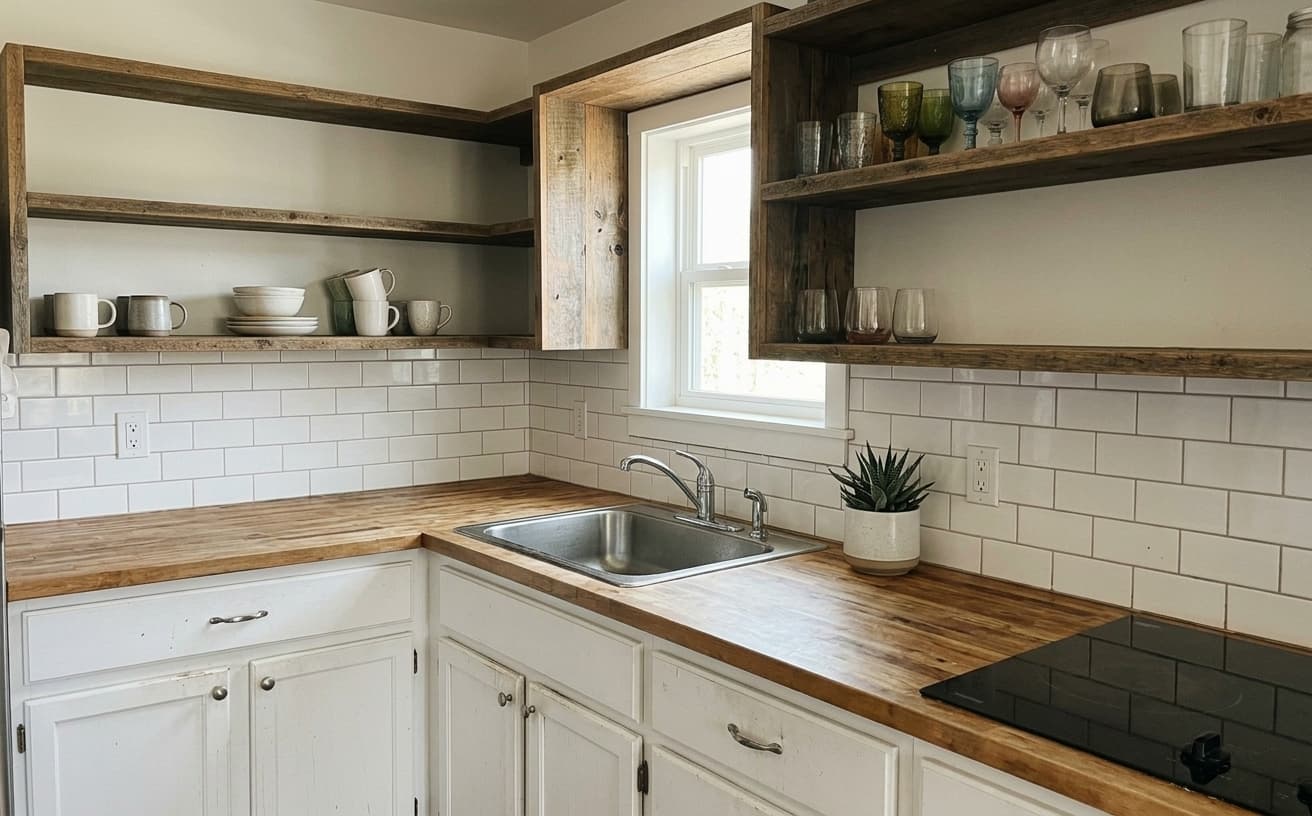
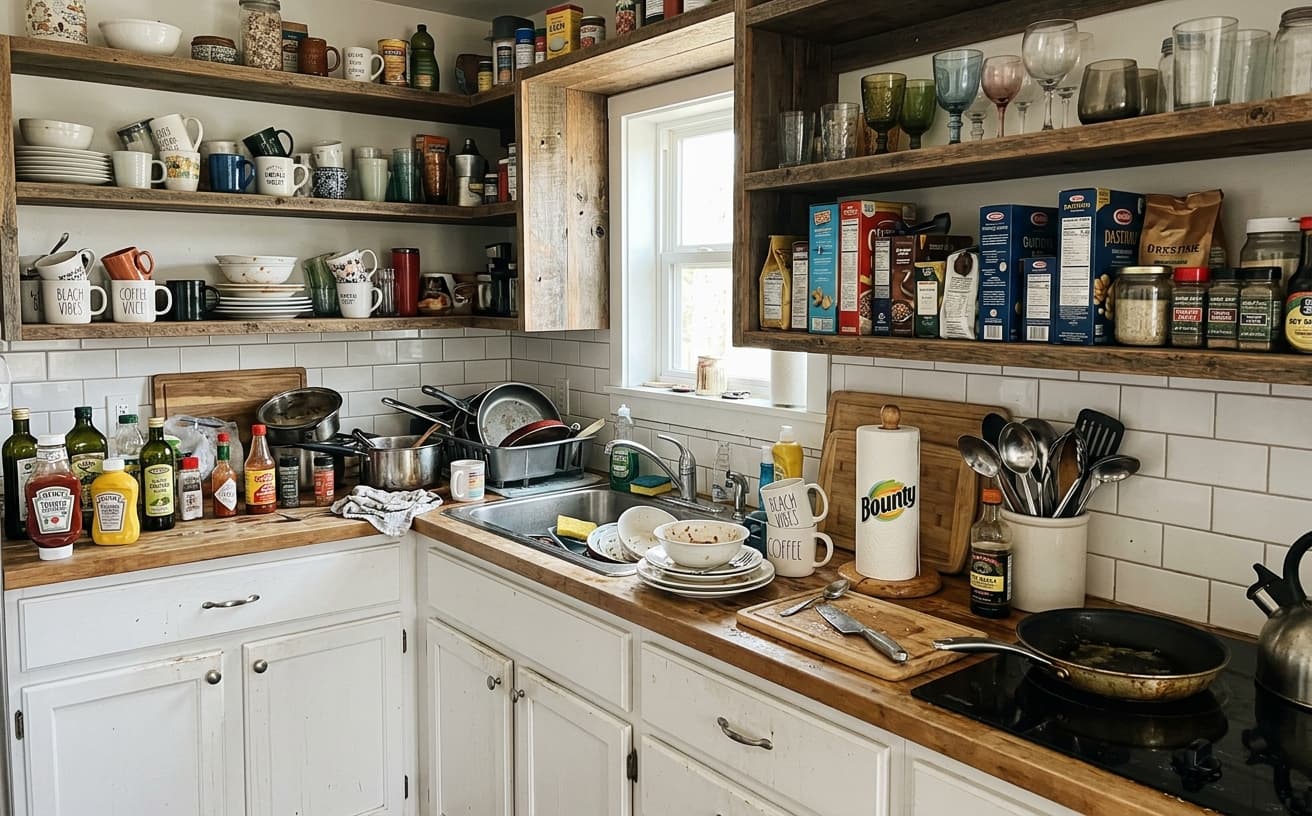
Guests scroll past cluttered listings instantly. Visible toiletries, kitchen clutter, and personal items make spaces look dirty and uninviting. Asking cleaners to stage perfectly is expensive and time-consuming. Our AI removes clutter digitally—clean countertops, hide personal items, clear surfaces—showing the clean space guests expect.
What We Remove
Digital decluttering for all spaces
Bathroom Items
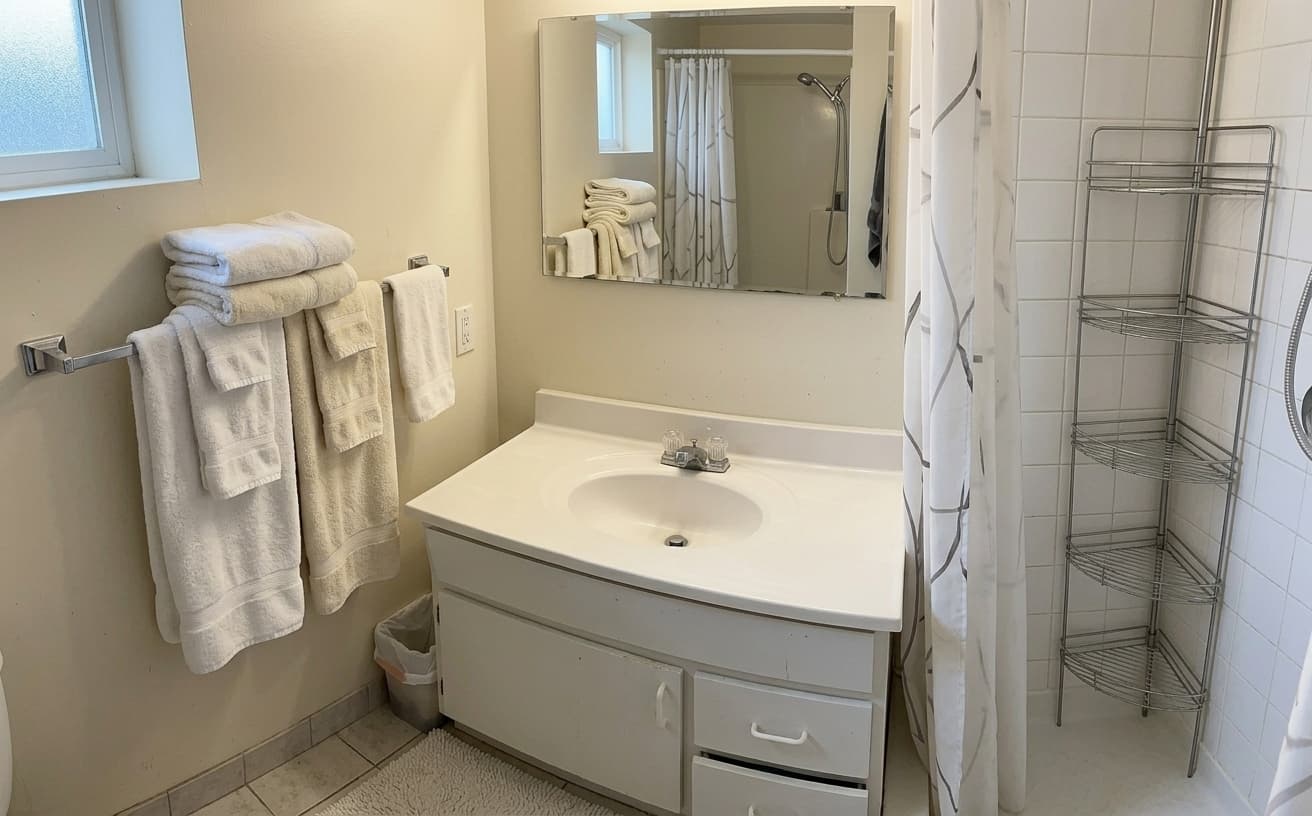
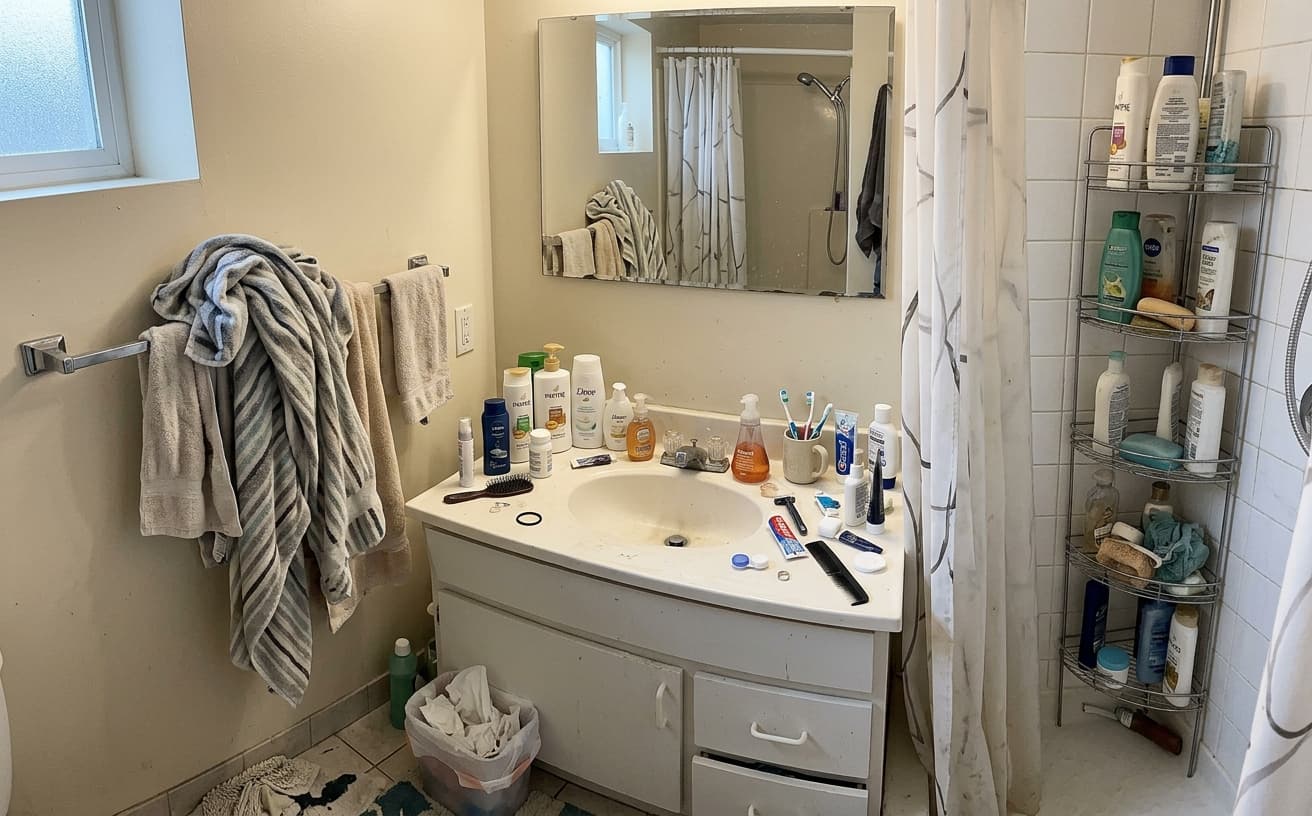
Remove toiletries, towels, personal care products
Kitchen Clutter
Clear countertops, appliances, dish racks, utensils
Personal Items
Hide boxes, bags, decorations, personal photos
General Mess
Remove any visible clutter or disorganization
Real Results Gallery
See how AI transforms photos with professional editing
Professional AI Editing
Compare the original and edited image
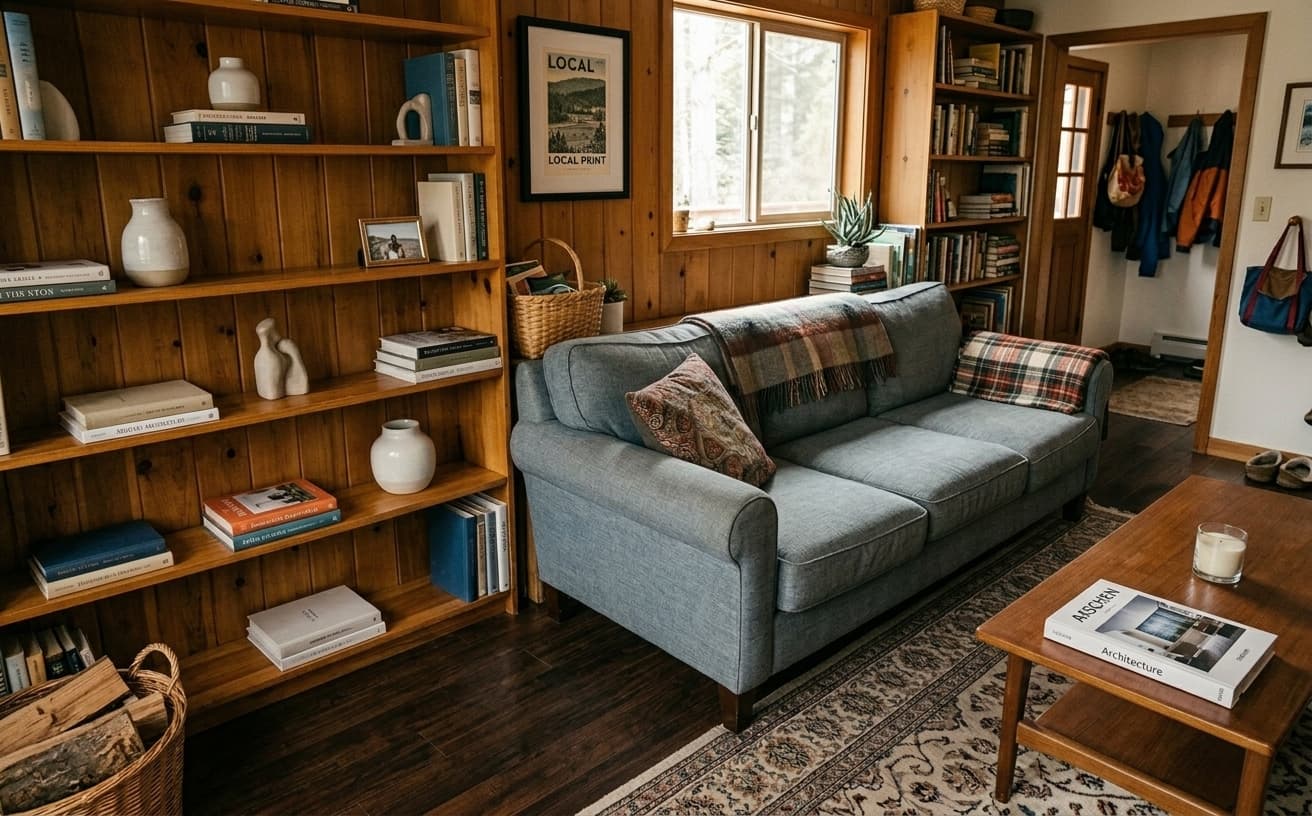
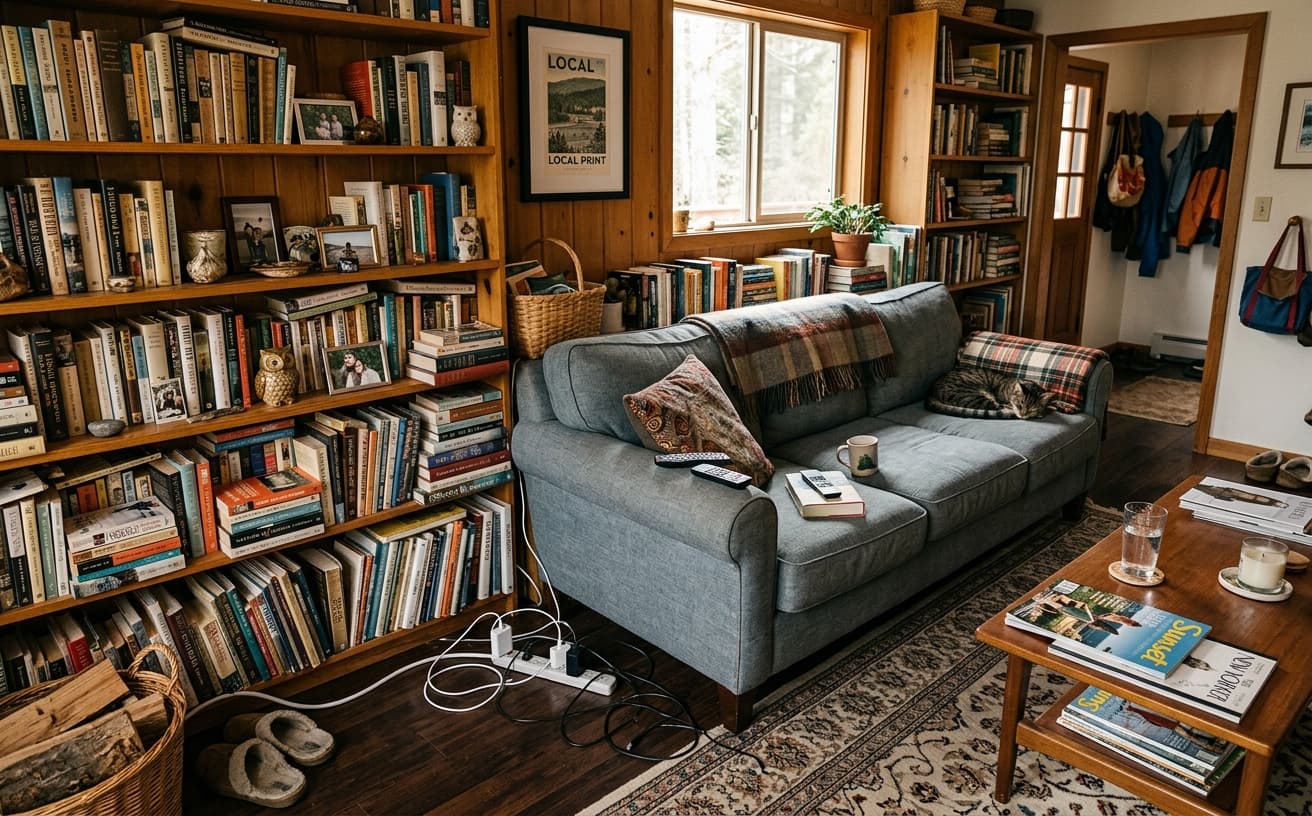
Natural Results
Check edges, lighting, and fine details
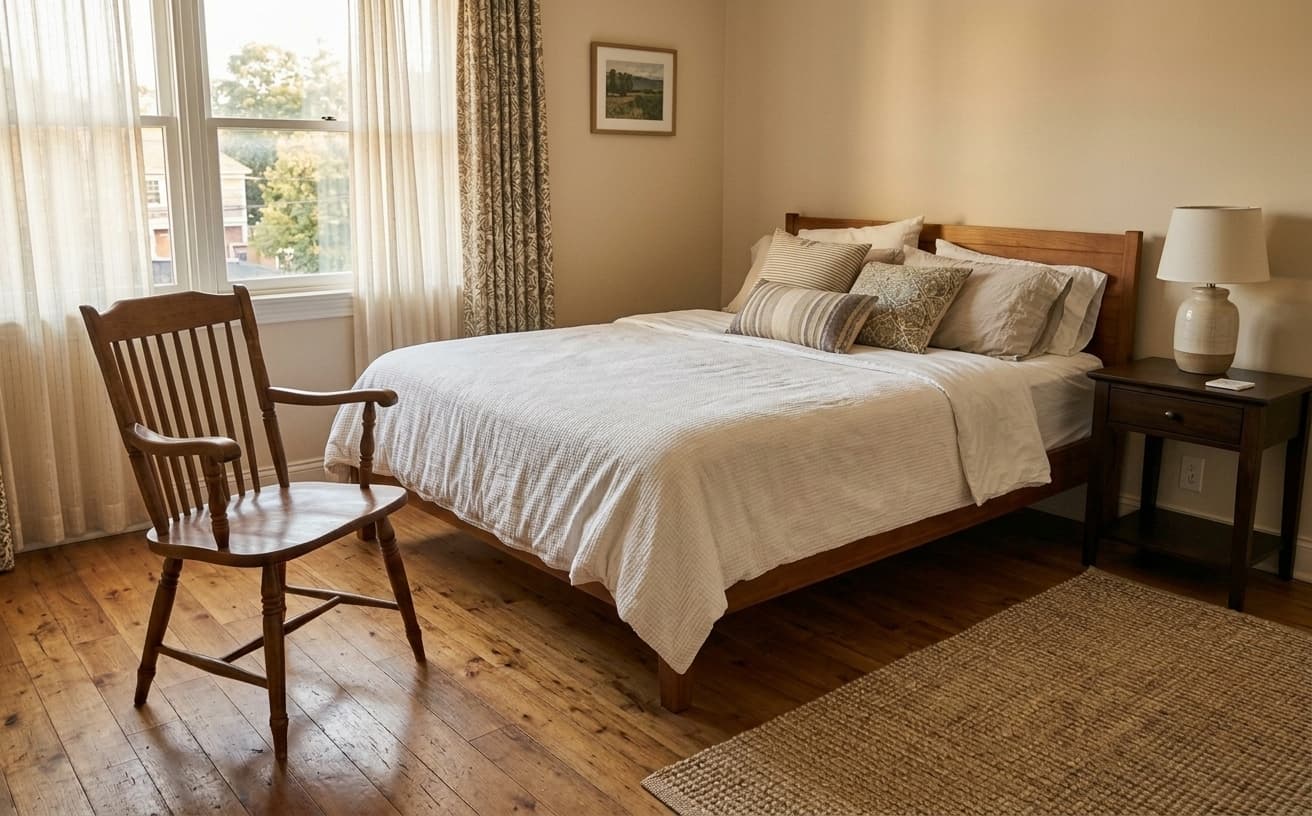
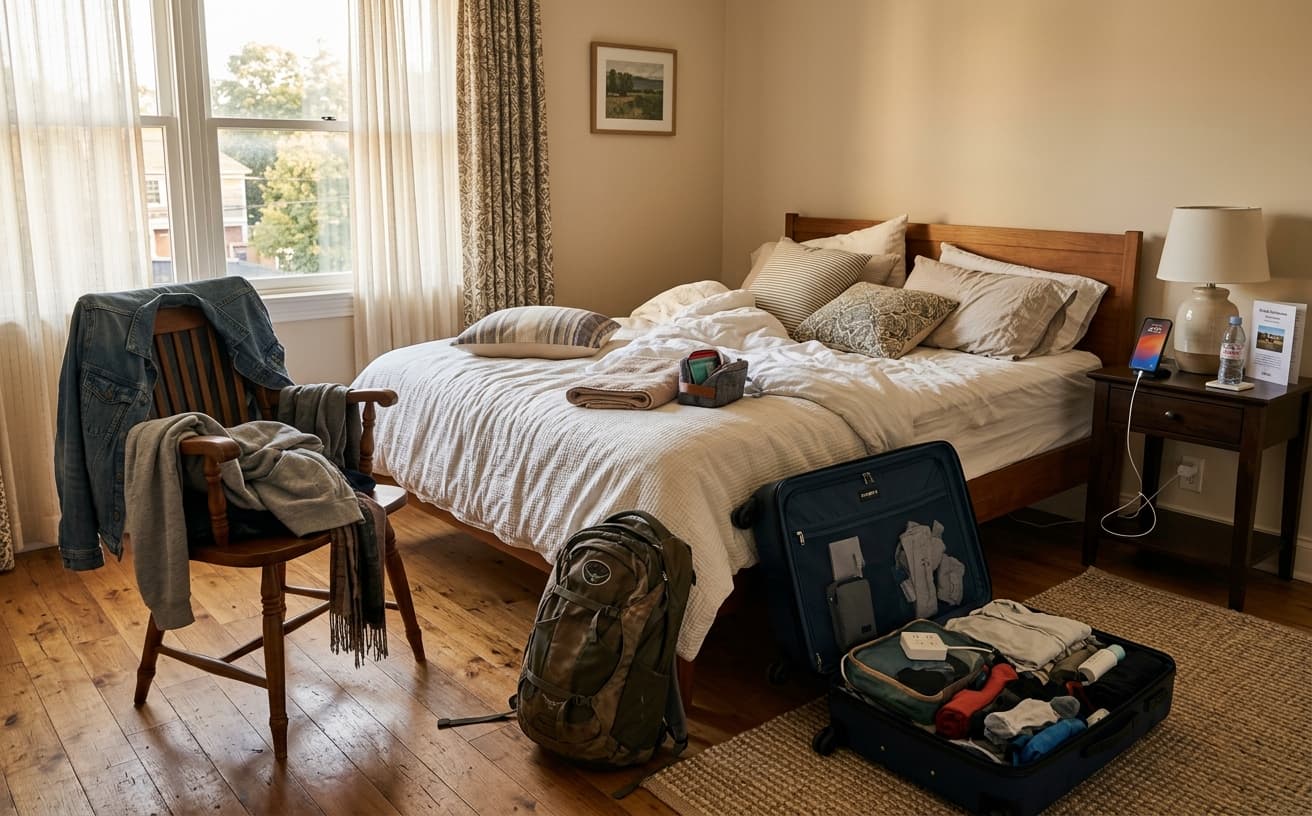
AI Transformation
AI-powered enhancement
Premium Quality
Review the result before downloading
How to Digitally Declutter Airbnb Photos in 3 Steps
Clean photos in seconds
Upload Photos
Photos with visible clutter, items, personal belongings.
AI Declutters
Automatically removes clutter while preserving room.
Download Clean
Professional, clutter-free photos for your listing.
Benefits of Clean Photos
Show your space at its best
A practical way to review your edit
Keep your original and check the generated image before you use it.
Start with one photo
Choose a clear source image and describe one specific change. A focused request makes the result easier to compare with your original.
Review the important details
Compare faces, lettering, edges and other important details with the original. AI can change parts of an image you asked it to preserve.
Choose the result before exporting
Each AI edit uses 1 credit at 1K. Your first credit is free after signup and email verification. Free exports have a watermark; paid credits unlock watermark-free exports.
Questions & answers
How does the free trial work?
You get 1 free credit when you sign up, so you can run a real edit before paying. AI processing costs 1 credit at 1K, 6 credits at 2K or 10 credits at 4K. No credit card required for the trial.
How is it different from traditional software?
Our AI-powered tools work in the cloud, requiring no downloads or installations. Results are faster and more accurate than traditional photo editing software.
What happens to the photos I upload?
They are sent to our AI providers for processing and returned to your browser. We do not save your images to your account: the only thing kept is the text of the edit and its settings, so you can see what you ran. Nothing is shared or resold.
How does billing work?
Credits, not seats. One edit costs 1 credit at 1K, 6 credits at 2K or 10 credits at 4K. A credit pack is a one-off purchase and its credits sit in your balance until you use them. Pro is $30 a month and tops your balance back up to 250 credits at each renewal, keeping anything above that which you bought separately. If a Pro subscription ends, the remaining balance is cleared with it, so spend it before you cancel.
Do you recommend pay as you go or prepaid credits?
If you edit a listing or a shoot now and then, a credit pack is simpler and cheaper: $7 for 30, $15 for 75, $30 for 200, $60 for 500. If you are editing every week, Pro at $30 a month gives 250 credits per cycle, which is the better rate at that volume.
Digital Decluttering for Vacation Rental Success
Guests judge your cleanliness standards within three seconds of viewing kitchen and bathroom photos. Visible dish soap, toiletries, and random objects signal "not ready for guests" even when the space is clean.
Digital decluttering removes visual noise without requiring physical staging before every photo session. This matters most for kitchens (where countertop clutter reduces perceived value) and bathrooms (where personal items destroy the hotel-like expectation). You maintain your actual setup while presenting an idealized version to potential guests.
The pitfall many hosts miss: Over-decluttering creates sterile spaces that feel cold. Leave deliberate design elements—a fruit bowl, a candle, folded towels. Remove randomness, but preserve warmth. The goal is "professionally styled" not "empty apartment."
Jake runs a beach condo in San Diego. His bathroom photos showed toothbrush holders and hand soap, cutting his inquiry rate. After digitally removing these items while keeping decorative shells and rolled towels, his bathroom photos generated 34% more saves on the Airbnb platform, directly correlating with increased bookings.
When this approach fails: If you digitally declutter but guests arrive to find the actual space cluttered, your reviews will tank. Use this tool to show your space at its best maintained state, not a fictional version. The photos should represent what guests actually experience.
Transform your kitchen and bathroom photos to match guest expectations—start with your messiest room first.
Next step
Related AI photo tools
Choose the tool that matches your next photo edit.
The full listing makeover
Decluttering is step one — lighting and framing are what close the booking.
Remove objects from photos
The general tool underneath: photobombers, clutter, and unwanted items.
Declutter a property room
The sale-listing version of the same edit, tuned to empty-room expectations.
Before-and-after examples
How much a decluttered room actually changes the first-impression shot.
Ready to Transform Your Photos?
Try an edit on your own photo and inspect the result before downloading.
1 free credit after signup and verification • No card required