Professional Airbnb Photos That Triple Your Bookings
Digital decluttering, perfect lighting, designer styling (Scandi, Boho, Minimal). Turn amateur shots into professional listing photos that guests love.
1K: 1 credit · 2K: 6 credits · 4K: 10 credits · Trial previews have a watermark. See credit packs
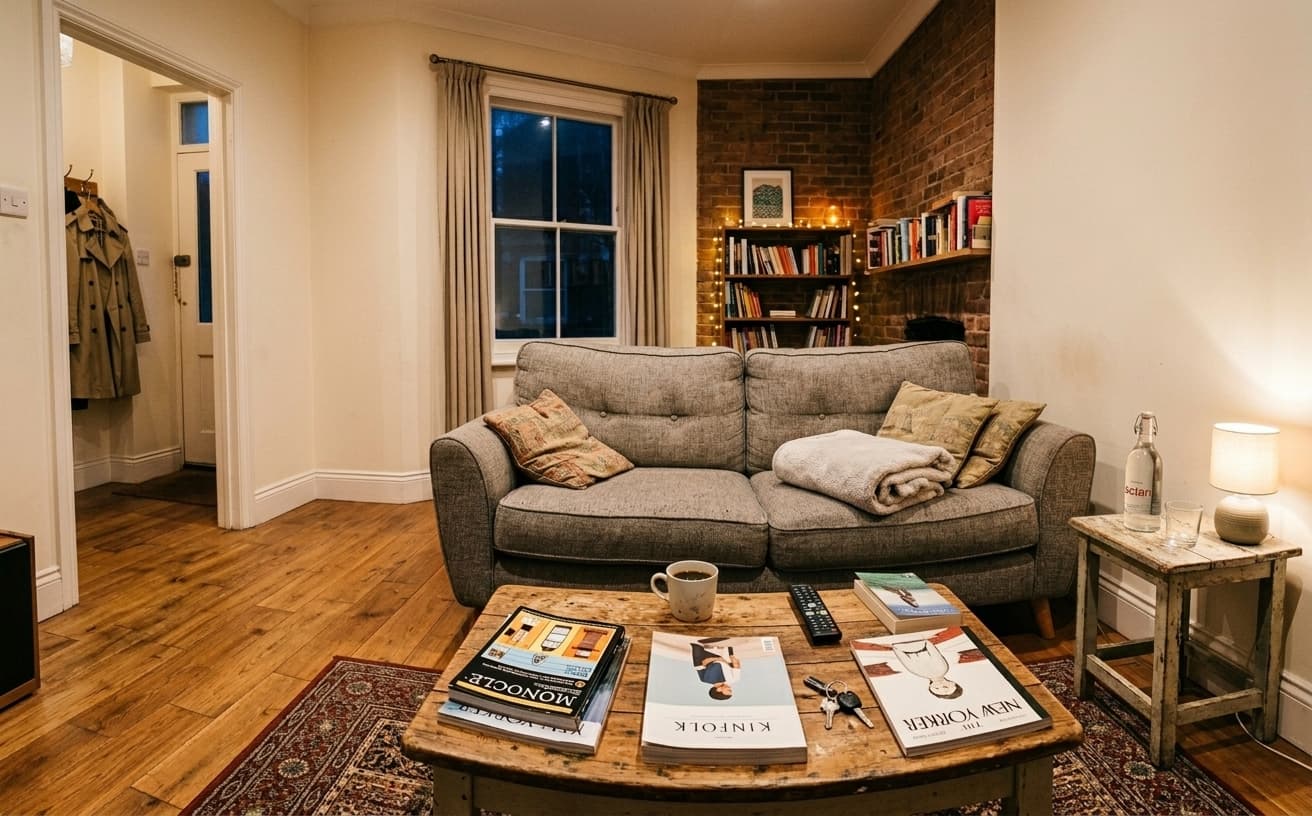
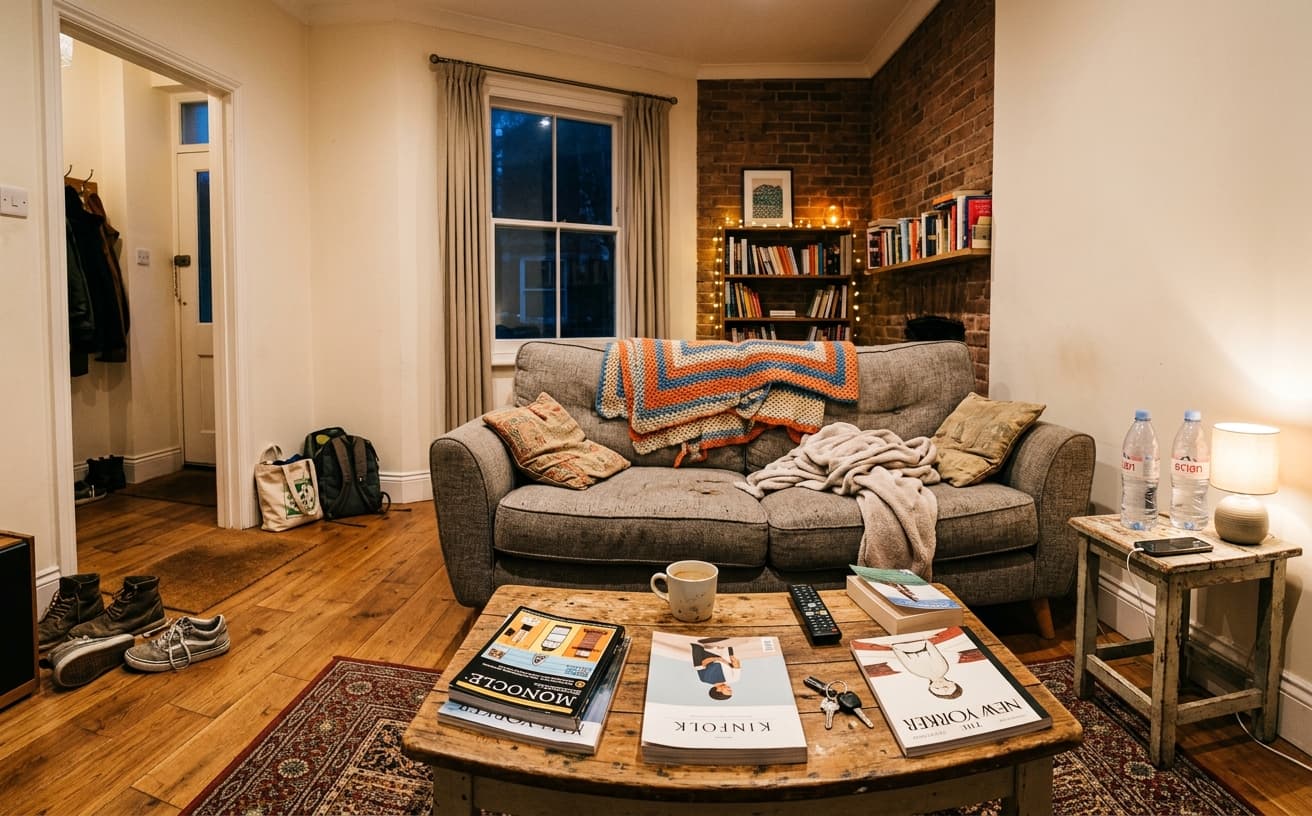
Loading photo editor…
Professional Photos Generate 3x More Bookings and 20% Higher Rates
Airbnb listings with professional photos get 3x more inquiries and command 20% higher nightly rates. But professional photography costs $200-400. Our AI transforms your phone photos into professional listing images—declutter digitally, enhance lighting, apply designer styles—in seconds. Show your space at its absolute best without expensive reshoot.
Photo Enhancements Available
Everything to make your listing stand out
Digital Decluttering
Remove clutter, personal items, and mess from photos
Lighting Enhancement
Fix dark rooms, add warm inviting ambiance
Design Styles
Scandi, Boho, Minimal, Modern styles available
Professional Touch
Magazine-quality finish for all listing photos
Real Results Gallery
See how AI transforms photos with professional editing
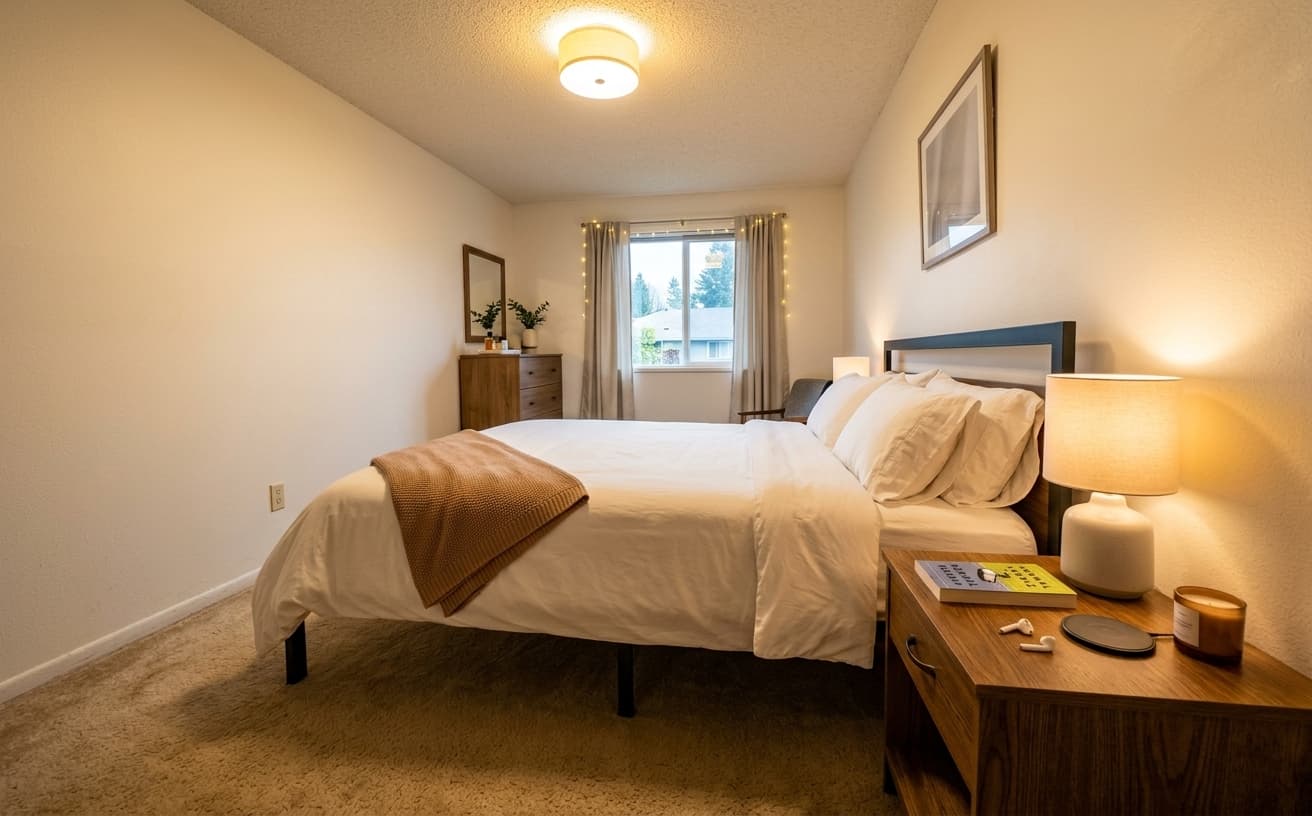
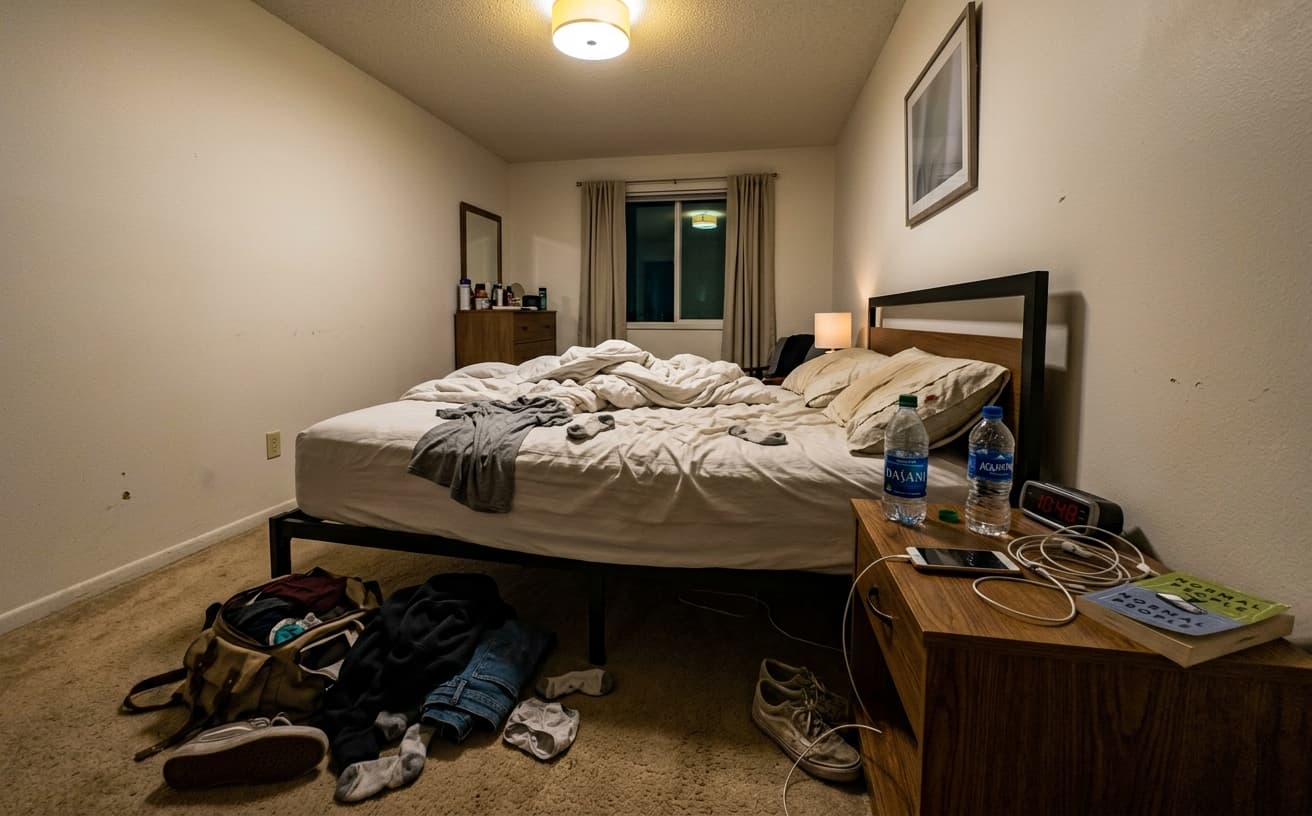
Professional AI Editing
Compare the original and edited image
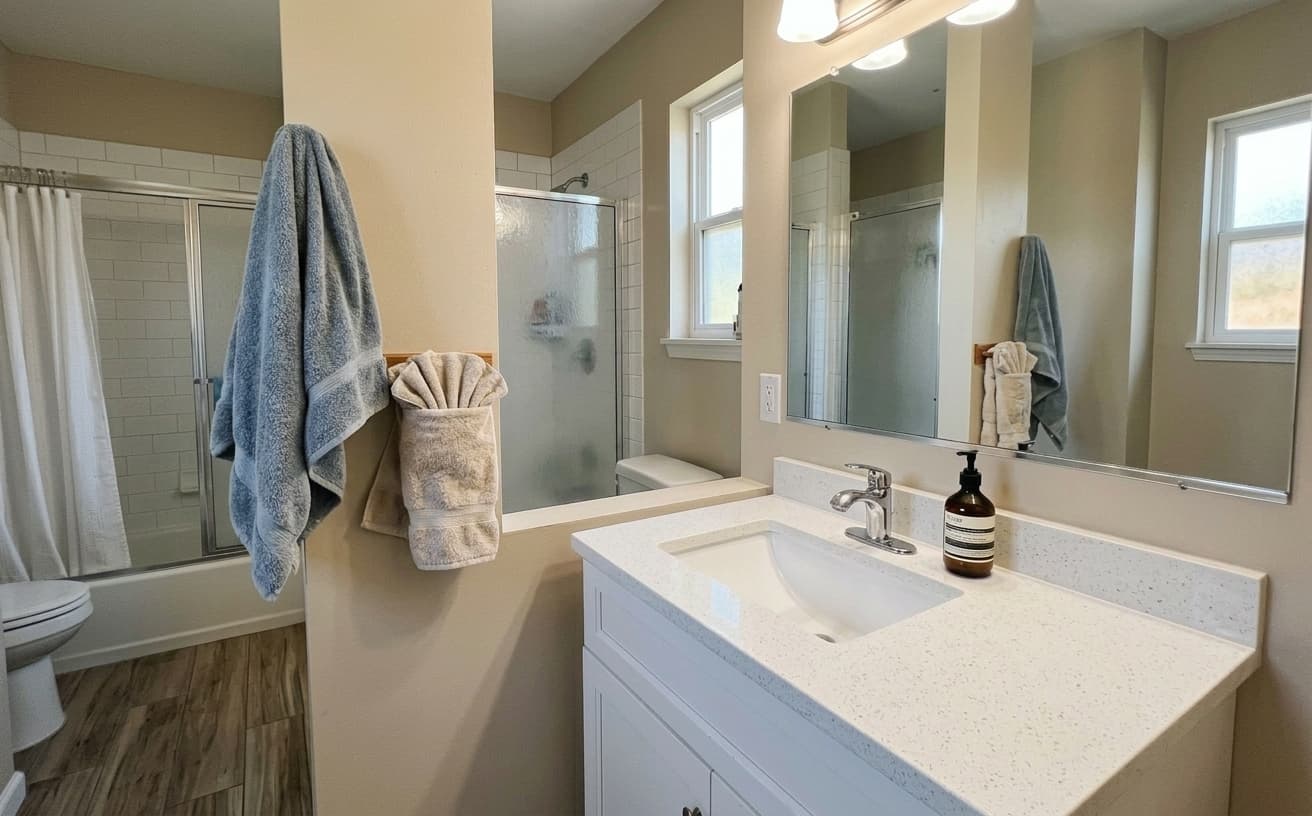
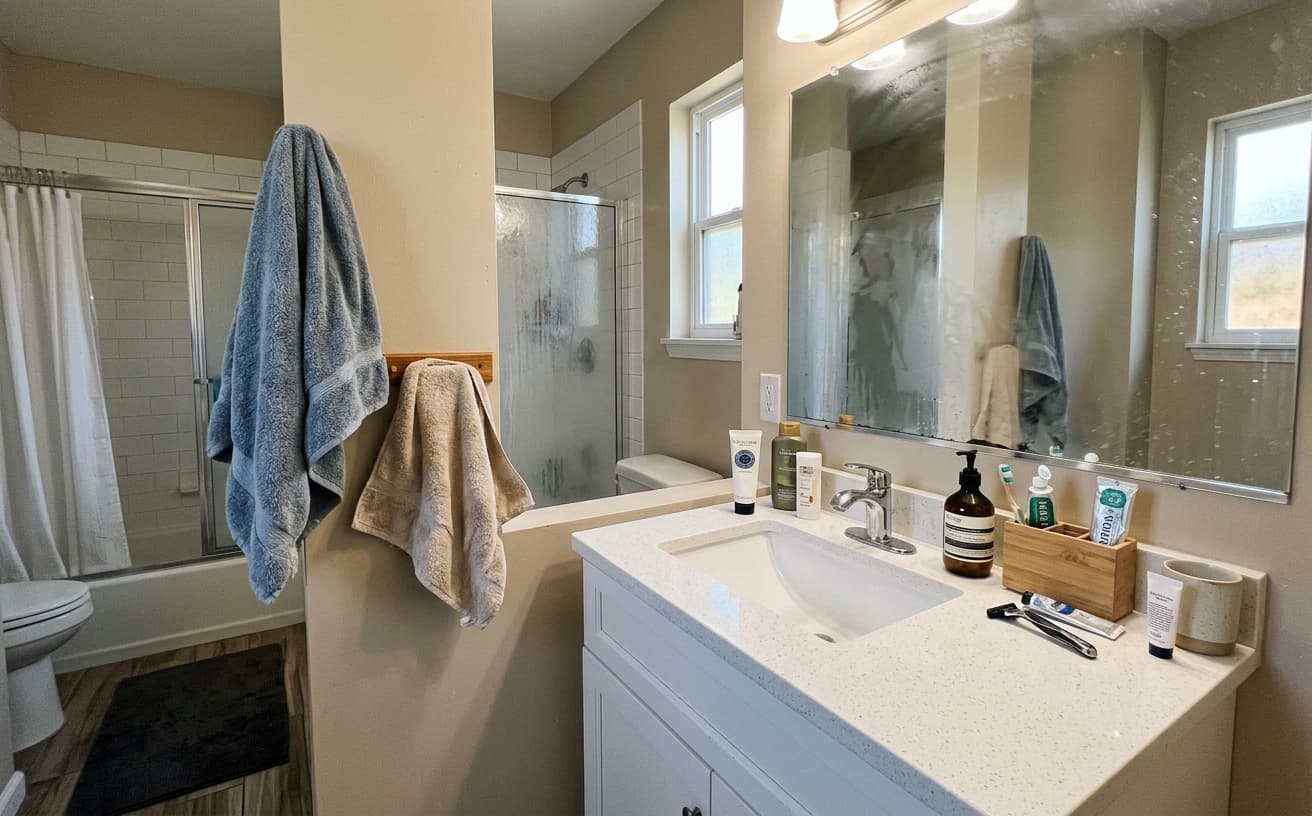
Natural Results
Check edges, lighting, and fine details
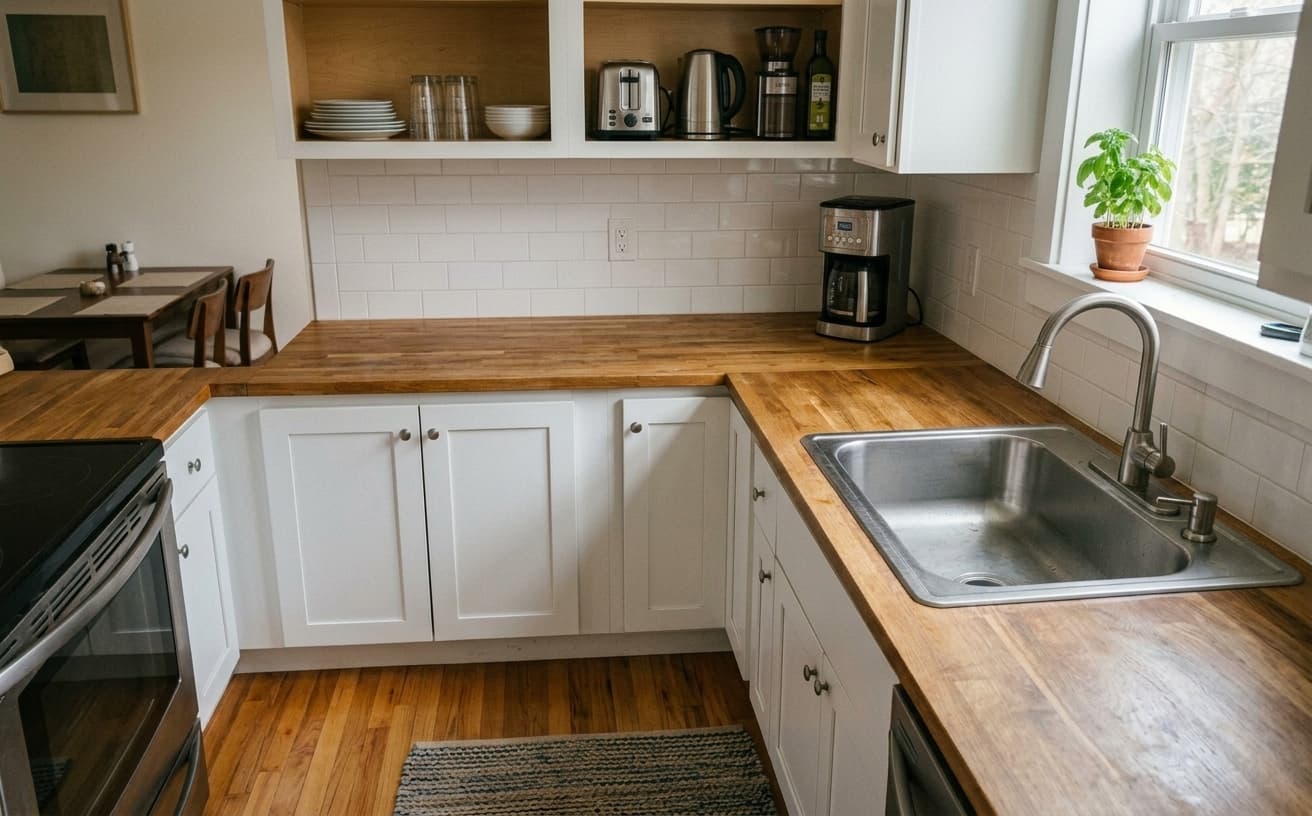
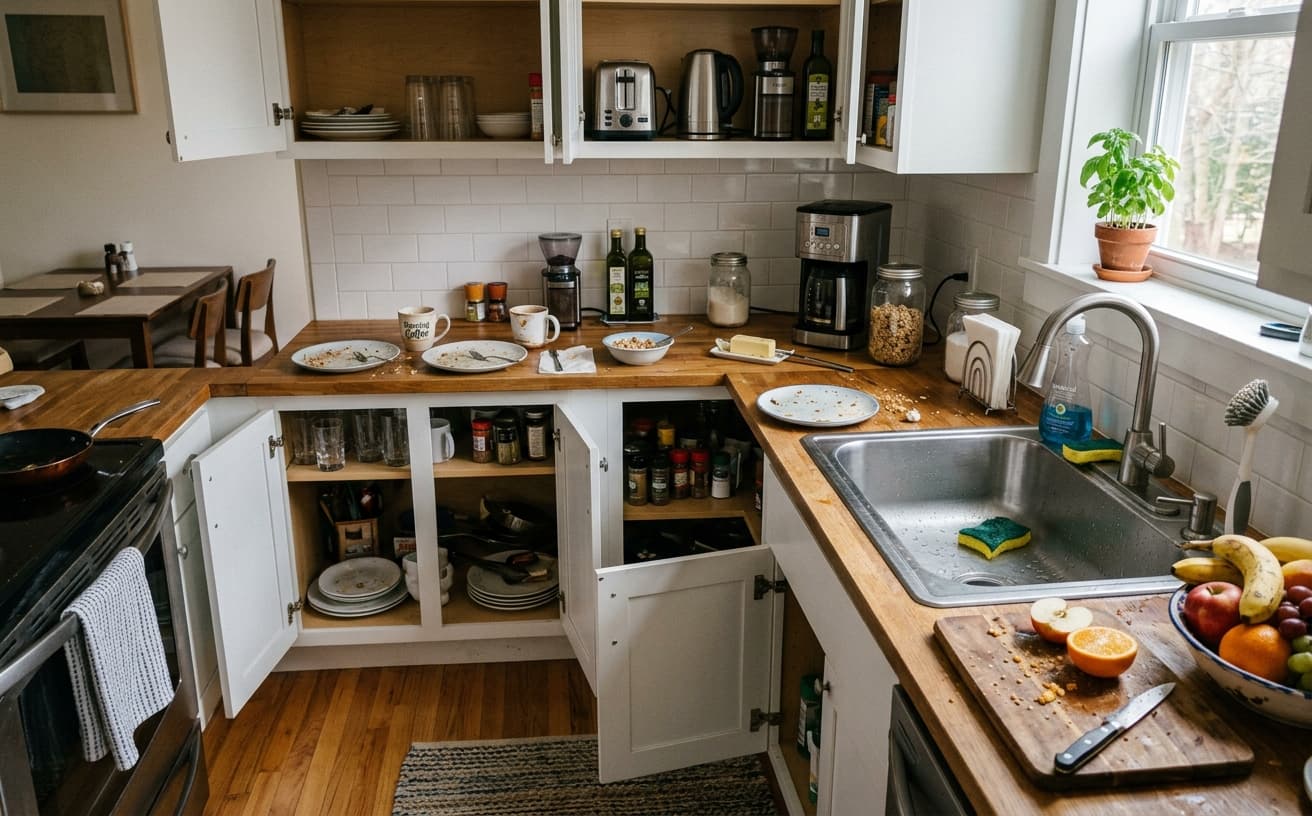
AI Transformation
AI-powered enhancement
Premium Quality
Review the result before downloading
How to Create Professional Airbnb Photos That Triple Bookings
Professional listing photos in 3 steps
Upload Photos
Any phone or camera photos of your Airbnb space.
Choose Enhancements
Declutter, enhance lighting, select design style.
Download & List
Professional photos ready for your Airbnb listing.
Why 15,000+ Hosts Choose Us
Professional results without professional costs
A practical way to review your edit
Keep your original and check the generated image before you use it.
Start with one photo
Choose a clear source image and describe one specific change. A focused request makes the result easier to compare with your original.
Review the important details
Compare faces, lettering, edges and other important details with the original. AI can change parts of an image you asked it to preserve.
Choose the result before exporting
Each AI edit uses 1 credit at 1K. Your first credit is free after signup and email verification. Free exports have a watermark; paid credits unlock watermark-free exports.
Questions & answers
How does the free trial work?
You get 1 free credit when you sign up, so you can run a real edit before paying. AI processing costs 1 credit at 1K, 6 credits at 2K or 10 credits at 4K. No credit card required for the trial.
How is it different from traditional software?
Our AI-powered tools work in the cloud, requiring no downloads or installations. Results are faster and more accurate than traditional photo editing software.
What happens to the photos I upload?
They are sent to our AI providers for processing and returned to your browser. We do not save your images to your account: the only thing kept is the text of the edit and its settings, so you can see what you ran. Nothing is shared or resold.
How does billing work?
Credits, not seats. One edit costs 1 credit at 1K, 6 credits at 2K or 10 credits at 4K. A credit pack is a one-off purchase and its credits sit in your balance until you use them. Pro is $30 a month and tops your balance back up to 250 credits at each renewal, keeping anything above that which you bought separately. If a Pro subscription ends, the remaining balance is cleared with it, so spend it before you cancel.
Do you recommend pay as you go or prepaid credits?
If you edit a listing or a shoot now and then, a credit pack is simpler and cheaper: $7 for 30, $15 for 75, $30 for 200, $60 for 500. If you are editing every week, Pro at $30 a month gives 250 credits per cycle, which is the better rate at that volume.
What Actually Drives Airbnb Booking Rates in 2026
Airbnb’s internal research team has published the same finding multiple times: listings with clean, bright, uncluttered photos outperform everything else by a wide margin — not magazine-grade imagery, just the photographic equivalent of "this host cares." That gap is where digital enhancement lives. A photographer-grade reshoot costs $200–$400 per property and ages out in one season. Phone photos from the last turn, cleaned up and color-corrected, get most of the benefit for none of the cost.
The algorithm’s actual signal is click-through-rate from search results. A guest scanning 30 listings gives each thumbnail about half a second before moving on. In that half-second, the brain pattern-matches for cleanliness and warmth. Cluttered counters fail the test; stark white-box minimalism also fails (reads as "empty apartment"). The target is "styled but lived-in" — fruit bowl, one candle, folded throw, visible floor. That look is achievable through digital decluttering of whatever you already photograph.
Lighting is the second-biggest driver and the one hosts most underestimate. North-facing bedrooms, basement units, and any room shot after 4 PM all photograph as depressing even when the space itself is fine. Digital relighting rebuilds the soft, warm ambient you would get from professional strobes, without needing strobes. Pair with color-temperature correction (phones default to cool-blue indoors; your eye compensates, the camera does not) and the same room looks twice as inviting.
Design-style passes are the underused lever. Applying a consistent Scandinavian or Japandi aesthetic across every room of a listing makes the property feel curated rather than "stuff we collected over five years of renting." This is purely a perception shift — nothing in the unit physically changes — but it reliably lifts both booking rate and average nightly price because it positions the listing in a higher-quality bracket.
What does not work: fixing structural problems in photos. Water stains visible in the bathroom, a kitchen with 1990s oak cabinets trying to look like 2026 walnut, exposed wiring — guests notice the gap at check-in, review scores collapse, and Airbnb’s Superhost algorithm punishes you for months. Digital enhancement is for showing your honest best day, not inventing a unit that does not exist.
Airbnb’s terms of service specifically require photos to "accurately represent" the listing. Removing a laundry basket from a bedroom floor is fine. Removing a permanent stain is not. The line is: would a guest at check-in feel deceived? If yes, do not do it.
Process priority: start with the hero image (first photo in the listing). That one image drives most of the CTR from search. Next, the three most-booked-room photos — usually living room, kitchen, primary bedroom. Everything else is secondary. You will see the booking lift within one full booking cycle (about two weeks in most markets).
Next step
Related AI photo tools
Choose the tool that matches your next photo edit.
Declutter the room first
Cables, bins, and personal items read as "someone lives here" to a guest.
See before-and-after examples
What the same room looks like through each edit, side by side.
Property photo enhancement
The listing-grade version: exposure, white balance, and window pulls.
AI photo editor online
The full editor for one-off fixes the makeover workflow does not cover.
Ready to Transform Your Photos?
Try an edit on your own photo and inspect the result before downloading.
1 free credit after signup and verification • No card required