Remove Glare & Reflections Without Destroying Photo Quality
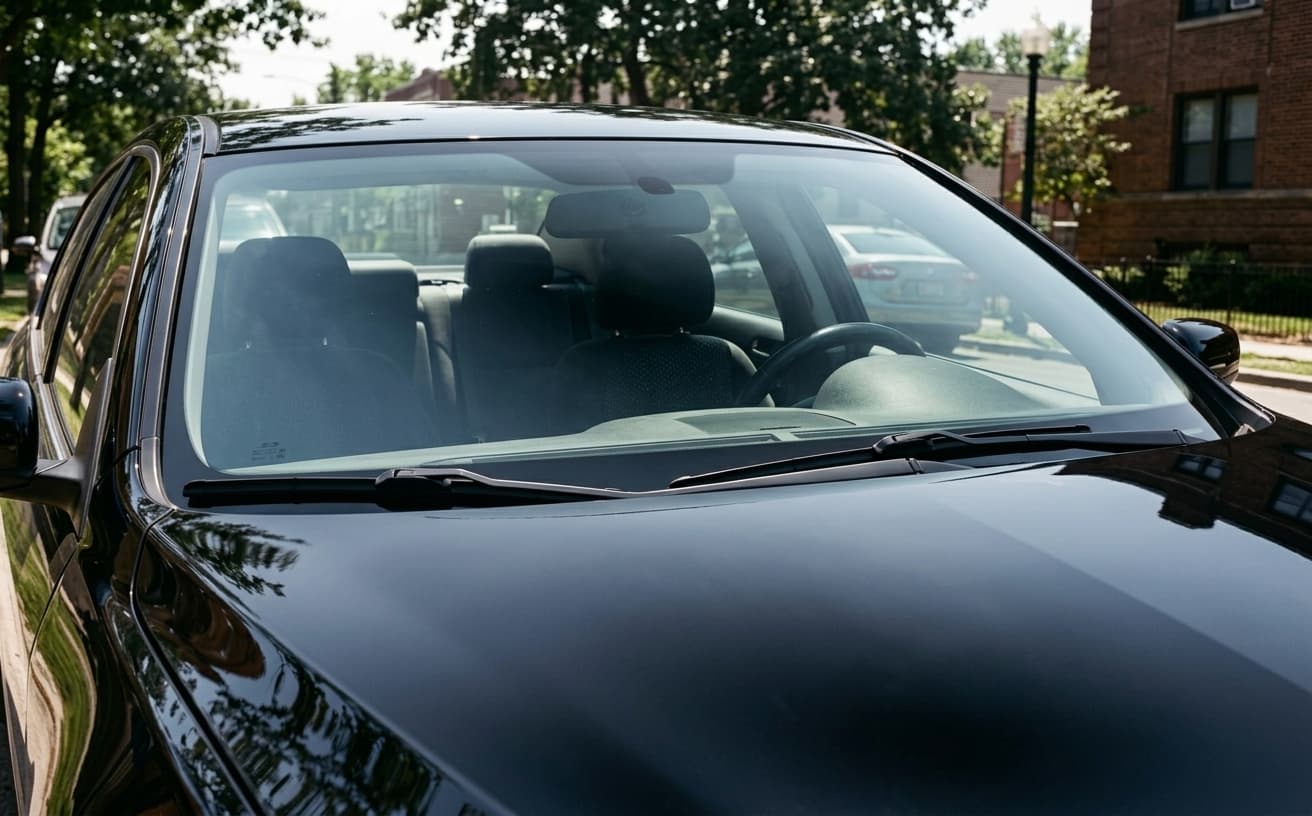
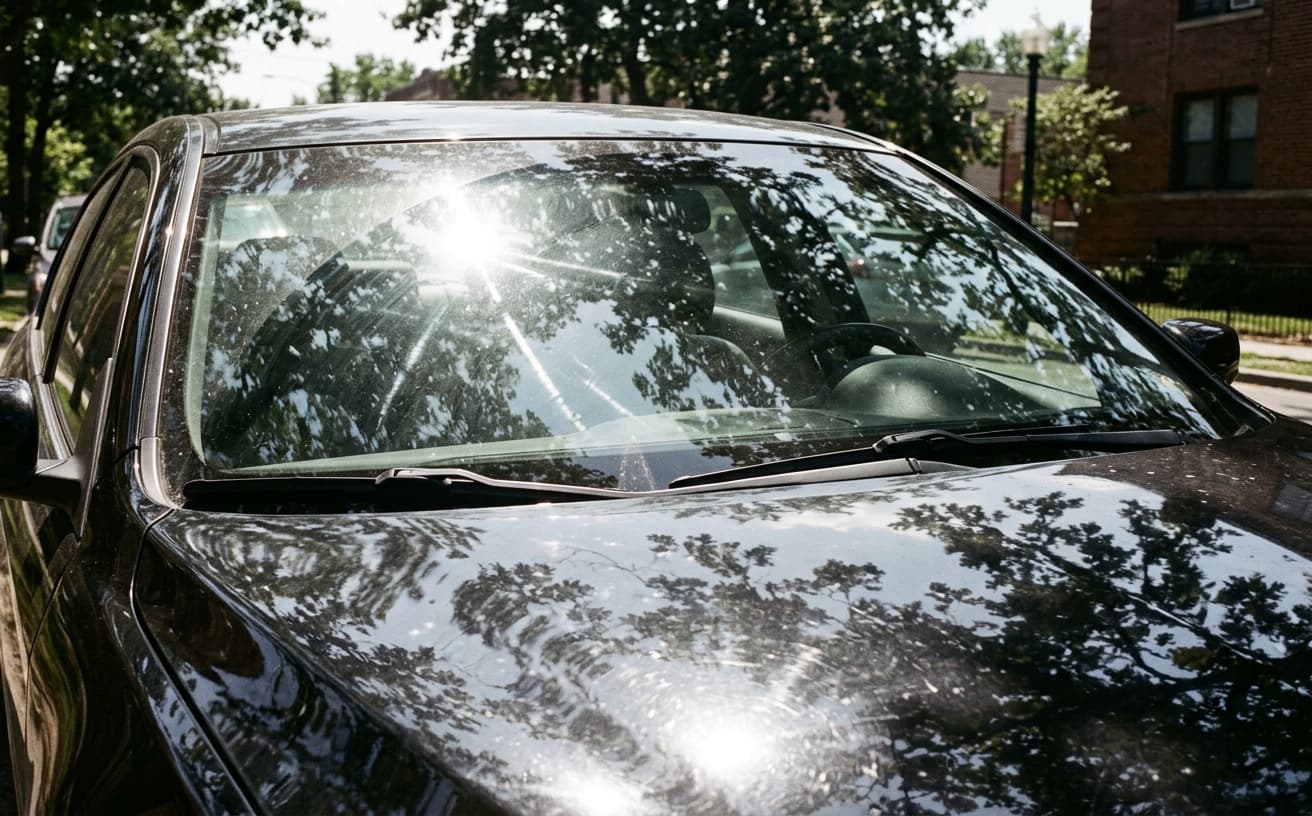
Eliminate windshield glare, window reflections, and unwanted shine from car photos. AI preserves natural appearance while removing distracting reflections that hide vehicle details.
1K: 1 credit · 2K: 6 credits · 4K: 10 credits · Trial previews have a watermark. See credit packs
Opening photo editor…
Glare Hides Vehicle Details and Kills Buyer Confidence
Windshield glare prevents buyers from seeing the interior. Window reflections hide the car's condition. Harsh paint reflections look unprofessional. Buyers skip listings where they can't see the vehicle clearly. Our AI removes all types of glare and reflections while keeping the car looking natural and realistic.
Types of Reflections We Remove
Clean photos that show vehicle clearly
Windshield Glare
Remove sun glare blocking interior view
Window Reflections
Eliminate sky and tree reflections in side windows
Paint Shine
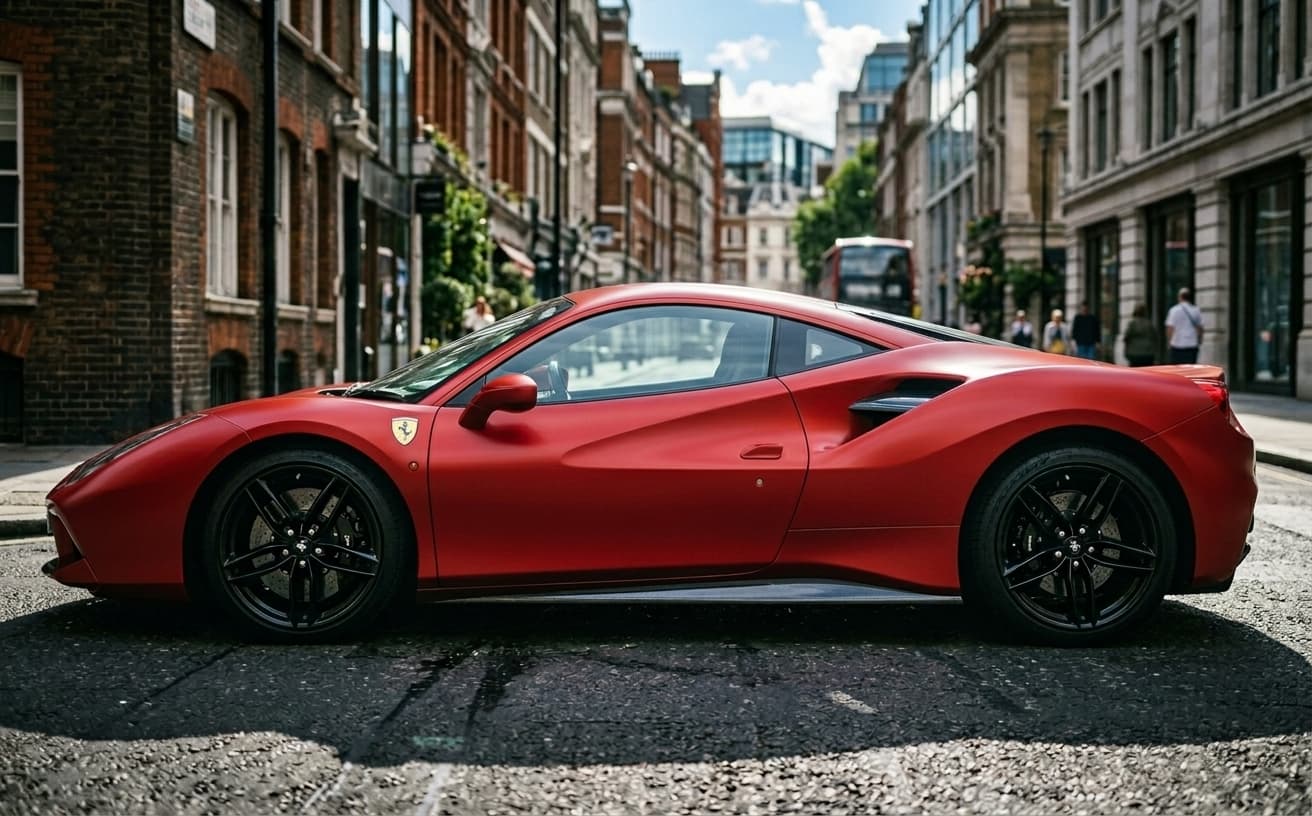
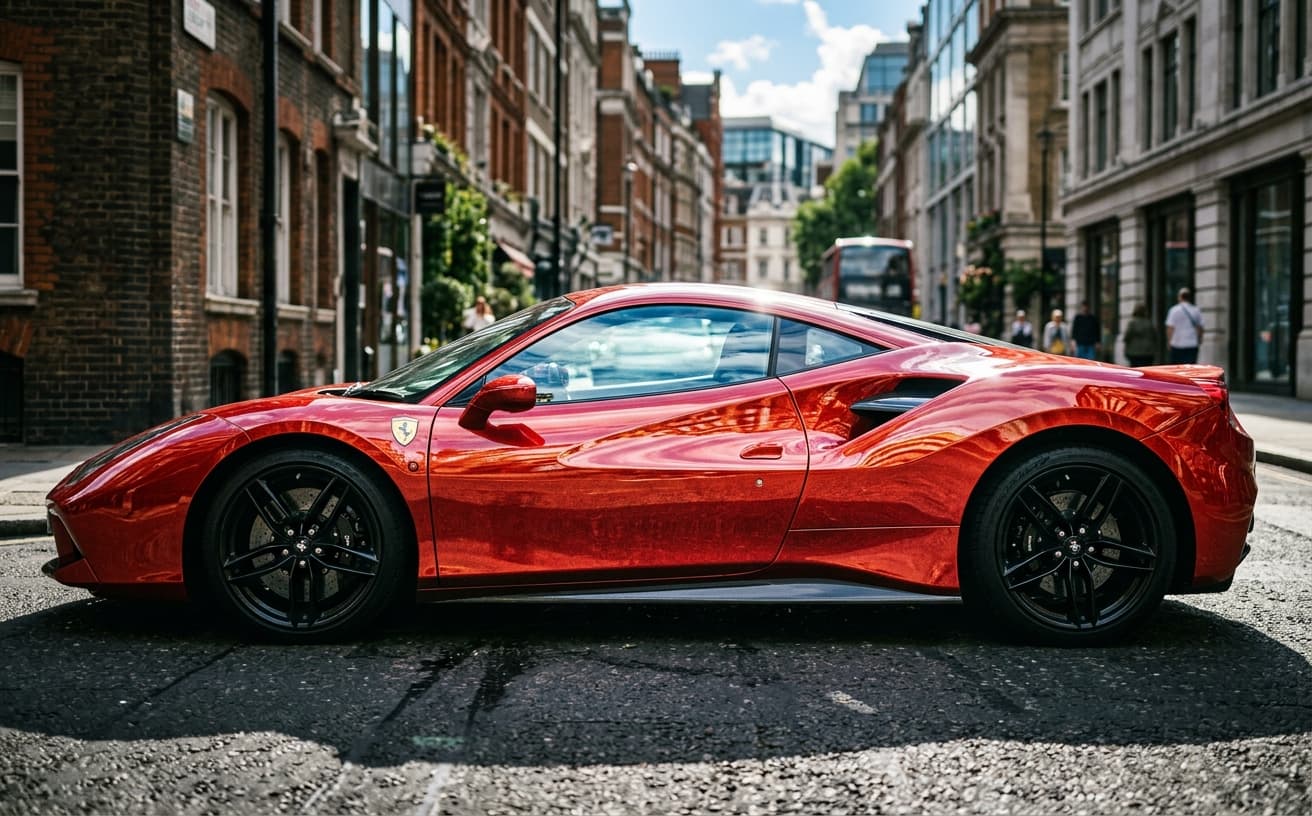
Reduce harsh reflections on glossy paint
Chrome & Metal
Fix blown-out reflections on chrome trim
Real Results Gallery
See how AI transforms photos with professional editing
Professional AI Editing
Compare the original and edited image
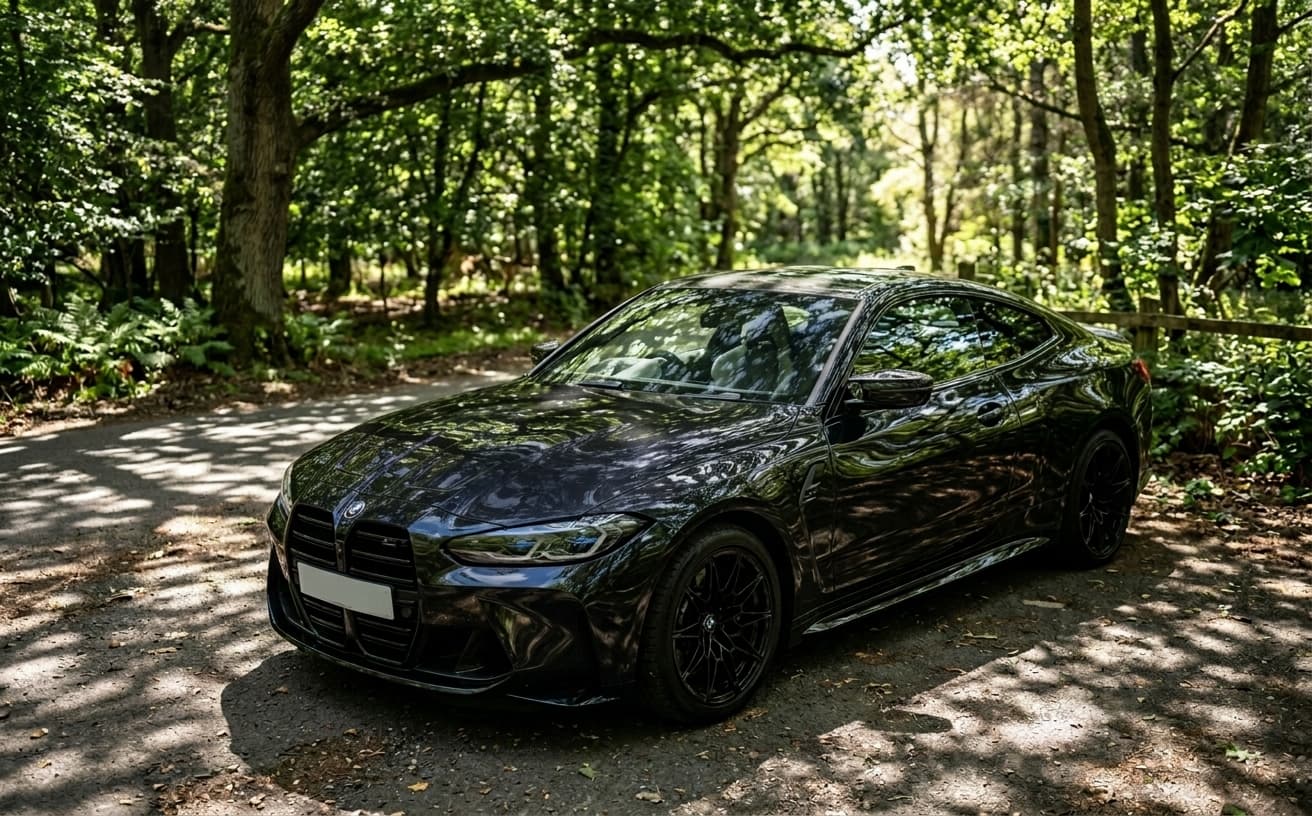
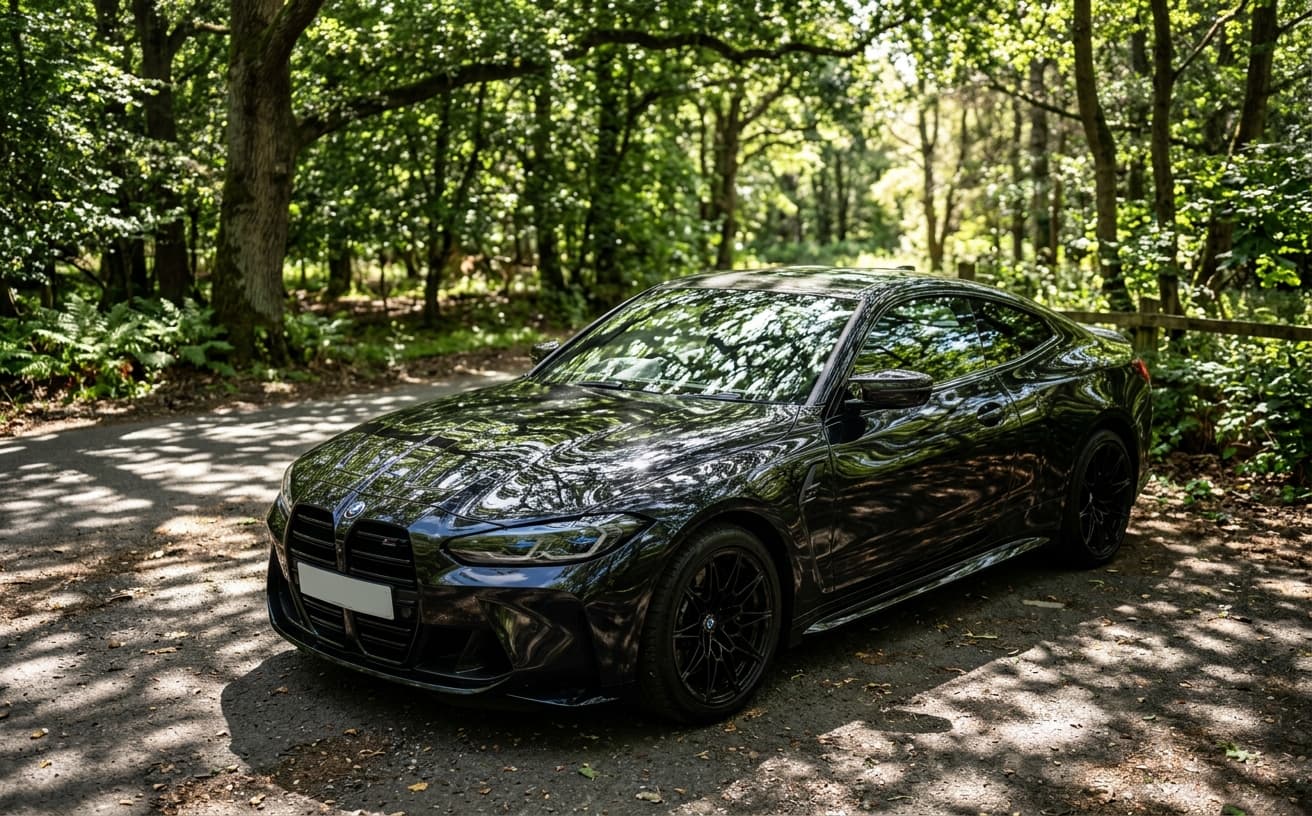
Natural Results
Check edges, lighting, and fine details
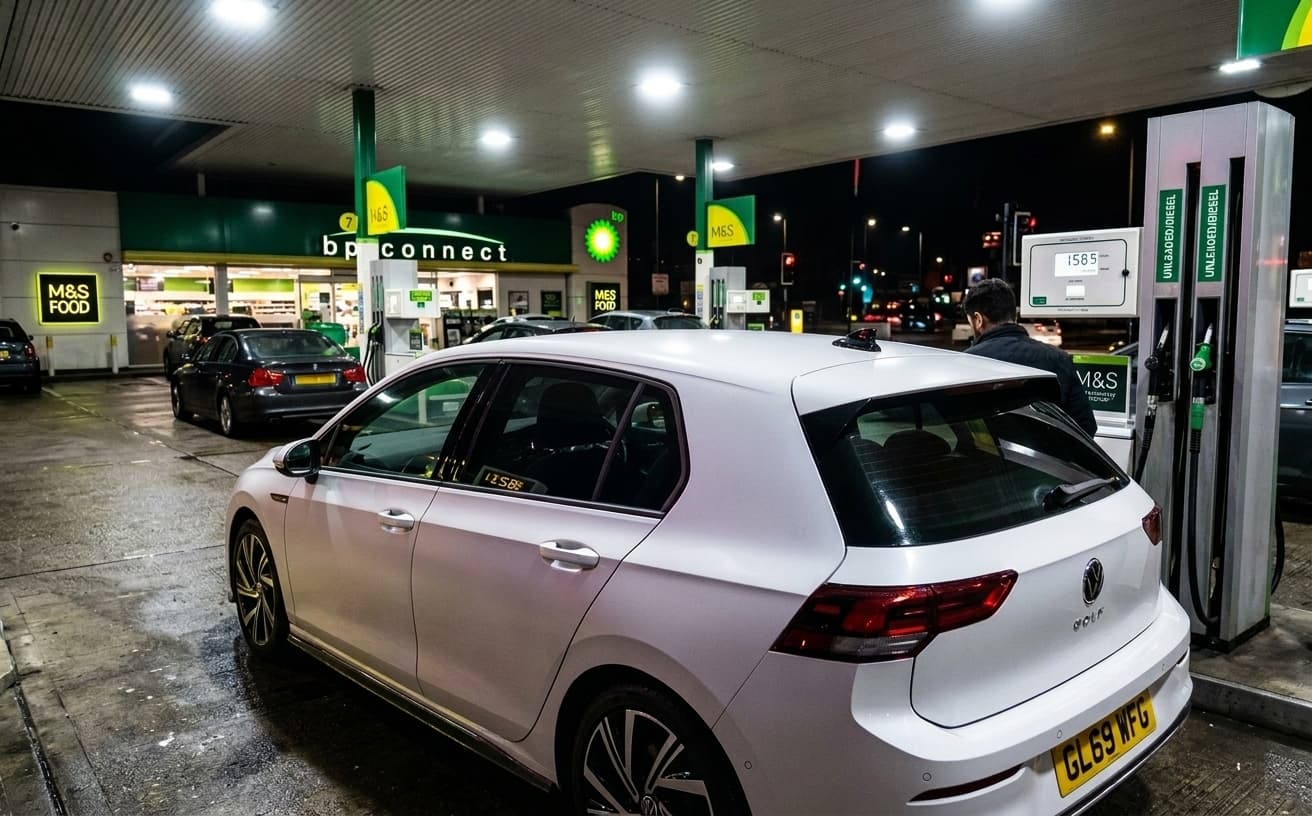
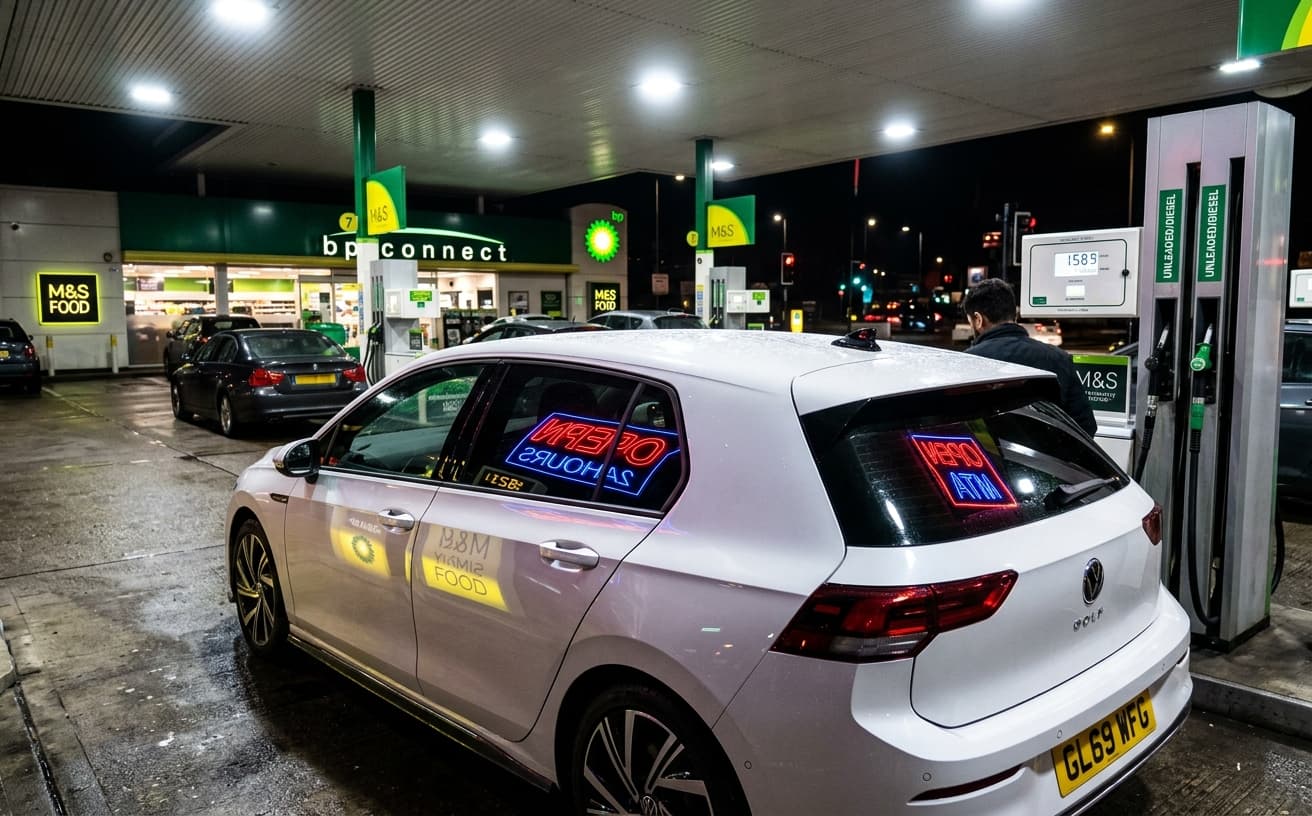
AI Transformation
AI-powered enhancement
Premium Quality
Review the result before downloading
How to Remove Reflections and Glare from Car Photos
Clean car photos in seconds
Upload Photo
Any car photo with glare, reflections, or unwanted shine.
AI Removes Glare
Intelligent glare removal preserves natural appearance.
Download Clear Photo
Professional photo showing vehicle details clearly.
Professional Glare Removal
Better than manual editing
A practical way to review your edit
Keep your original and check the generated image before you use it.
Start with one photo
Choose a clear source image and describe one specific change. A focused request makes the result easier to compare with your original.
Review the important details
Compare paint, body panels, wheels, badges and visible condition with the original. Keep the vehicle represented accurately in your listing.
Choose the result before exporting
Each AI edit uses 1 credit at 1K. Your first credit is free after signup and email verification. Free exports have a watermark; paid credits unlock watermark-free exports.
Questions & answers
How do I remove reflections from a car photo?
Upload the photo and say what should go — the windscreen glare, the building mirrored in the door, your own silhouette. The result should still show the bright lines along the wings and doors, because those describe the car’s shape.
Will it flatten the paint?
It should not. Reflections are recognisable images of surroundings; highlights are the bright lines that show the bodywork’s shape. Removing both leaves a flat silhouette that looks worse than the original, so highlights are kept deliberately.
Can it clear glare off the windscreen so the interior shows?
Yes — this is usually the most valuable single edit on a listing, because buyers want to judge the seats and dashboard. Watch that the glass does not come back unnaturally dark, which is the usual sign of over-correction.
Does it work on black cars?
Dark paint is the hardest case and also the one that improves most. Black and dark grey mirror almost everything around them, so there is more to remove — and the paint underneath usually looks better than the buyer was expecting.
Can it remove me from the reflection in the door?
Yes, and it is worth doing on every listing — a photographer’s silhouette in a door panel is the clearest signal of a rushed amateur shoot. Better still, take one step sideways at the shoot and avoid it entirely.
What does it cost?
One edited photo is one credit. Packs run 30 for $7, 75 for $15, 200 for $30 and 500 for $60 — between 23 and 12 cents a photo. A free account gets one credit after email confirmation and its exports carry a small weezard.app mark; any paid pack removes it.
How do I avoid reflections when shooting?
Shoot in overcast light or open shade rather than direct sun, park away from buildings, hedges and other cars, and position yourself so you are not mirrored in the panel you are shooting. Most reflection problems are created at the shoot.
What if removing glare reveals a scratch?
Then the scratch stays in the photo. Glare is an artefact of how the shot was taken, so removing it reveals the car; damage is a material fact the buyer is entitled to see. Clean the surroundings, never the damage.
Advanced Car Photo Reflection Removal Technology
Windshields and paint create mirror surfaces that ruin car photos. You appear in the reflection, nearby vehicles show up, and the car's actual color becomes impossible to judge.
Reflection removal isolates and eliminates mirrored elements while preserving the underlying paint and glass appearance. This is technically complex—removing a reflection without removing the surface it's on requires distinguishing between actual color and reflected light.
Why dealers struggle here: They photograph at the wrong time of day (high sun creates harsh reflections) in the wrong location (surrounded by reflective objects). Even with optimal conditions, some reflection is unavoidable on glossy surfaces. Post-processing removes what careful photography can't prevent.
When this creates problems: Removing all reflections from chrome and glass can make surfaces look flat and unrealistic. Some reflective highlights are necessary for dimensional appearance. Over-processed cars look artificial, which triggers buyer skepticism. Remove distracting reflections, preserve natural highlights that show shape and surface quality.
Start with your vehicles that photograph worst—dark colors under overhead lighting show the most dramatic improvement.
The distinction that matters is between reflection and highlight, because they are the same physics and opposite in value. A highlight is the bright line running the length of a wing or along a door crease — it is what tells a buyer the car’s shape, and on a well-designed vehicle it is most of what makes the photo attractive. A reflection is a recognisable image of something else: a building, a tree line, a person holding a phone. Strip the reflections and the car looks clean. Strip the highlights along with them and the car becomes a flat silhouette that looks worse than the original.
Glass and paint need different handling. On glass the goal is transparency — a buyer wants to see the seats, the dashboard and whether the upholstery is cracked, and a windscreen mirroring the sky tells them nothing. On paint the goal is selective: remove what is identifiable, keep what describes the surface. Treating both the same way is why over-processed car photos look plastic; the glass ends up unnaturally dark and the paint ends up unnaturally matte.
Dark cars are the hard case and also where the improvement is largest. Black and dark grey paint acts as the most efficient mirror in the car park, which is why a black sedan photographed under a warehouse roof shows the entire ceiling structure across its bonnet. It is also why dark vehicles benefit most from the edit: there is more to remove and the underlying paint, once visible, usually looks better than the buyer expected.
Most reflection problems are created at the shoot and are cheaper to avoid than to fix. Overcast light or open shade produces the fewest, direct midday sun the most. Park away from buildings, hedges, other vehicles and anything strongly coloured, because all of it ends up painted across the doors. Stand so that you are not mirrored in the panel you are photographing — the photographer’s silhouette in a door skin is the single most common tell of an amateur listing, and it takes one step sideways to avoid.
Pricing, since this is usually sold as part of a per-vehicle retouching package elsewhere. One edited photo is one credit. Packs run 30 for $7, 75 for $15, 200 for $30 and 500 for $60 — between 23 and 12 cents a photo. A free account gets one credit after email confirmation and its exports carry a small weezard.app mark; any paid pack removes it.
The honest boundary here is the same as everywhere else in listing photography: reflections and glare are artefacts of how the photo was taken, so removing them reveals the car rather than disguising it. A scratch under a reflection is not an artefact. If cleaning the glare exposes damage, the damage stays in the photo — that is a material fact the buyer is entitled to see, and hiding it converts a presentation edit into a misrepresentation.
Next step
Related AI photo tools
Choose the tool that matches your next photo edit.
Edit the whole listing photo
Reflections are one pass; this is the full listing cleanup around them.
Put the car on a studio background
Once the paint is clean, the lot behind it is the next thing costing you clicks.
AI photo editor online
Continue with exposure, colour, and detail once the reflections are gone.
AI background changer
Replace the surroundings that were reflecting into the paint in the first place.
Ready to Transform Your Photos?
Try an edit on your own photo and inspect the result before downloading.
1 free credit after signup and verification • No card required