Bring Old Photos Back to Life
Automatically repair scratches, tears, and faded colors. Add realistic colorization to black & white photos. Restore precious memories in seconds.
1K: 1 credit · 2K: 6 credits · 4K: 10 credits · Trial previews have a watermark. See credit packs
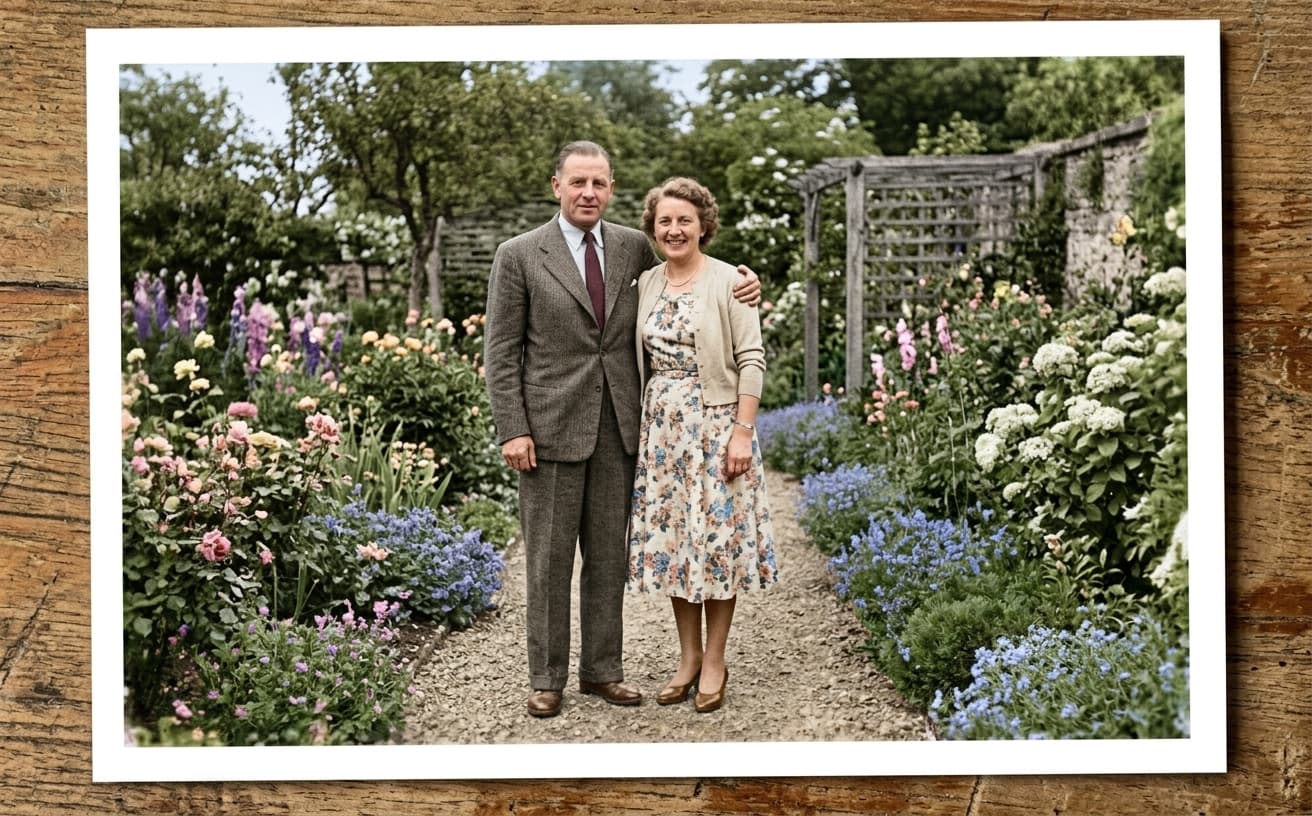
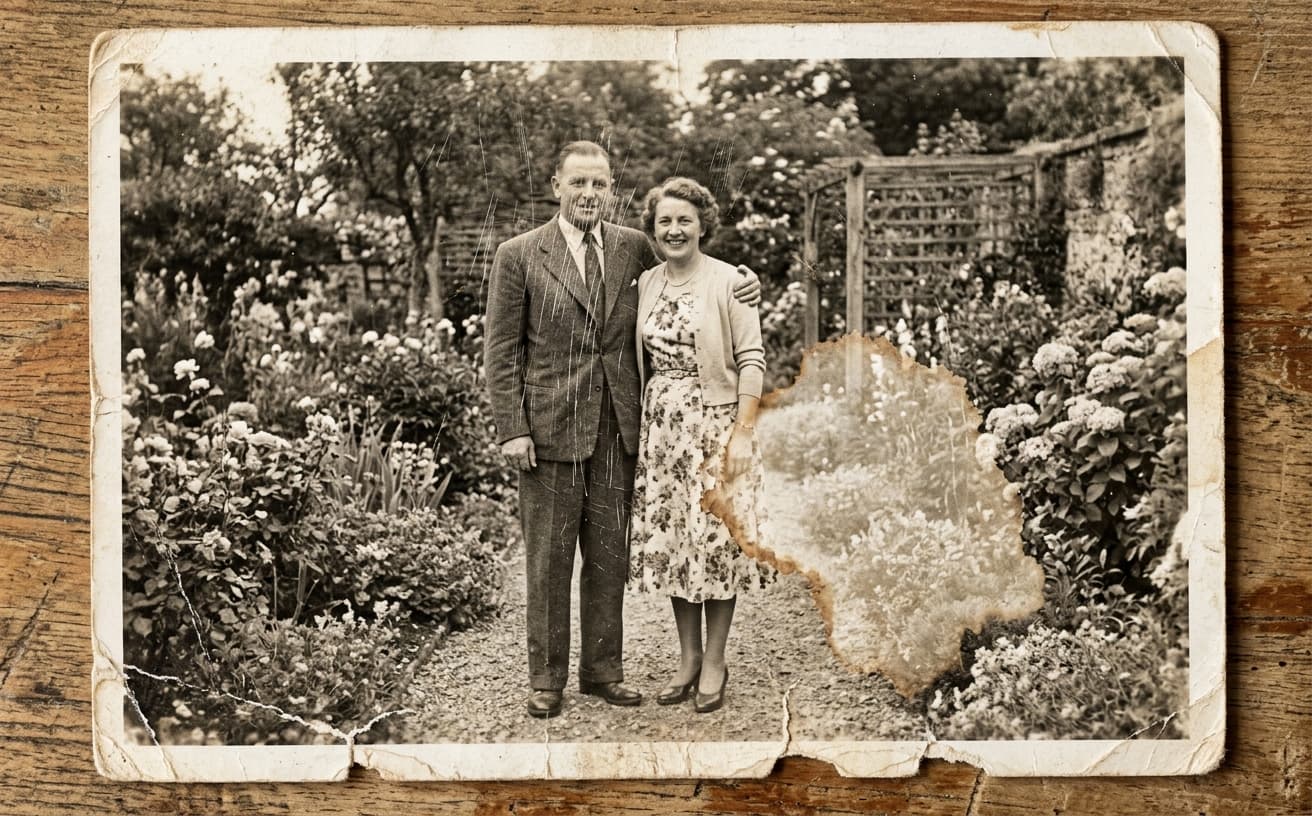
Opening photo editor…
Save Precious Memories from Fading Away
Old family photos fade, tear, and get scratched over time. Professional restoration costs hundreds of dollars per photo. Our AI analyzes damage patterns and intelligently repairs scratches, reconstructs missing parts, enhances faded colors, and even adds realistic colorization to black & white images—all automatically.
Restoration Features
Complete photo restoration toolkit
Scratch Removal
Automatically detect and repair scratches and tears
Colorization
Add realistic colors to black & white photos
Enhancement
Sharpen details and improve overall quality
Face Restoration
Enhance and clarify faces in old portraits
Real Results Gallery
See how AI transforms photos with professional editing
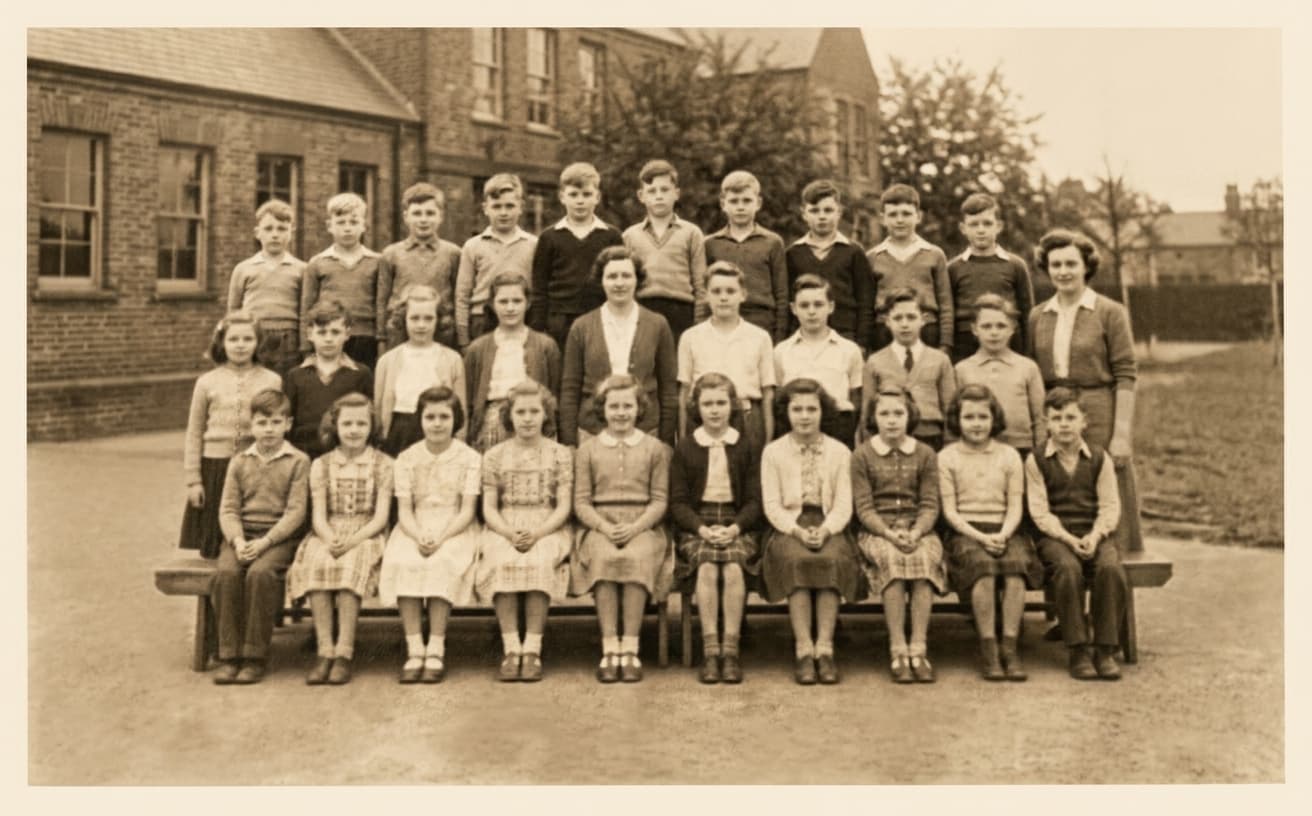
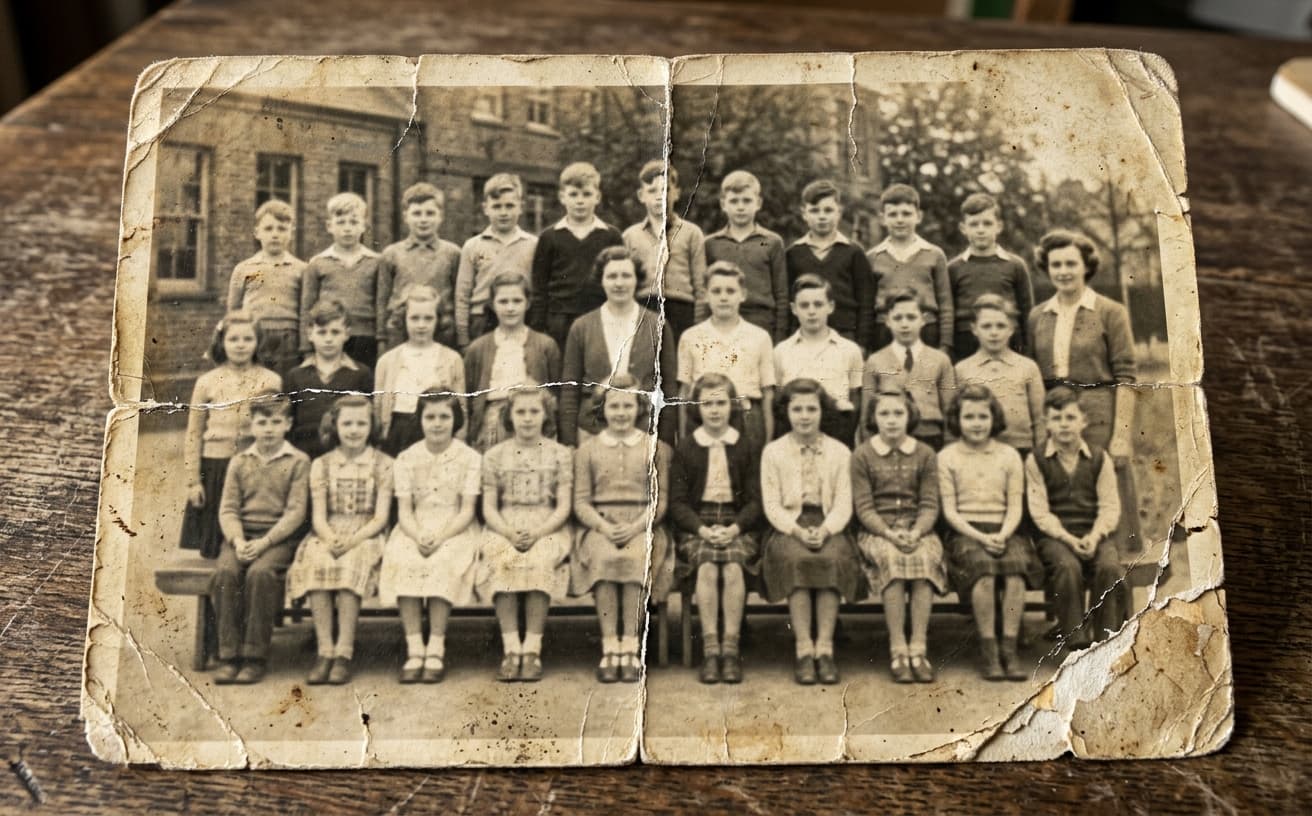
Professional AI Editing
Compare the original and edited image
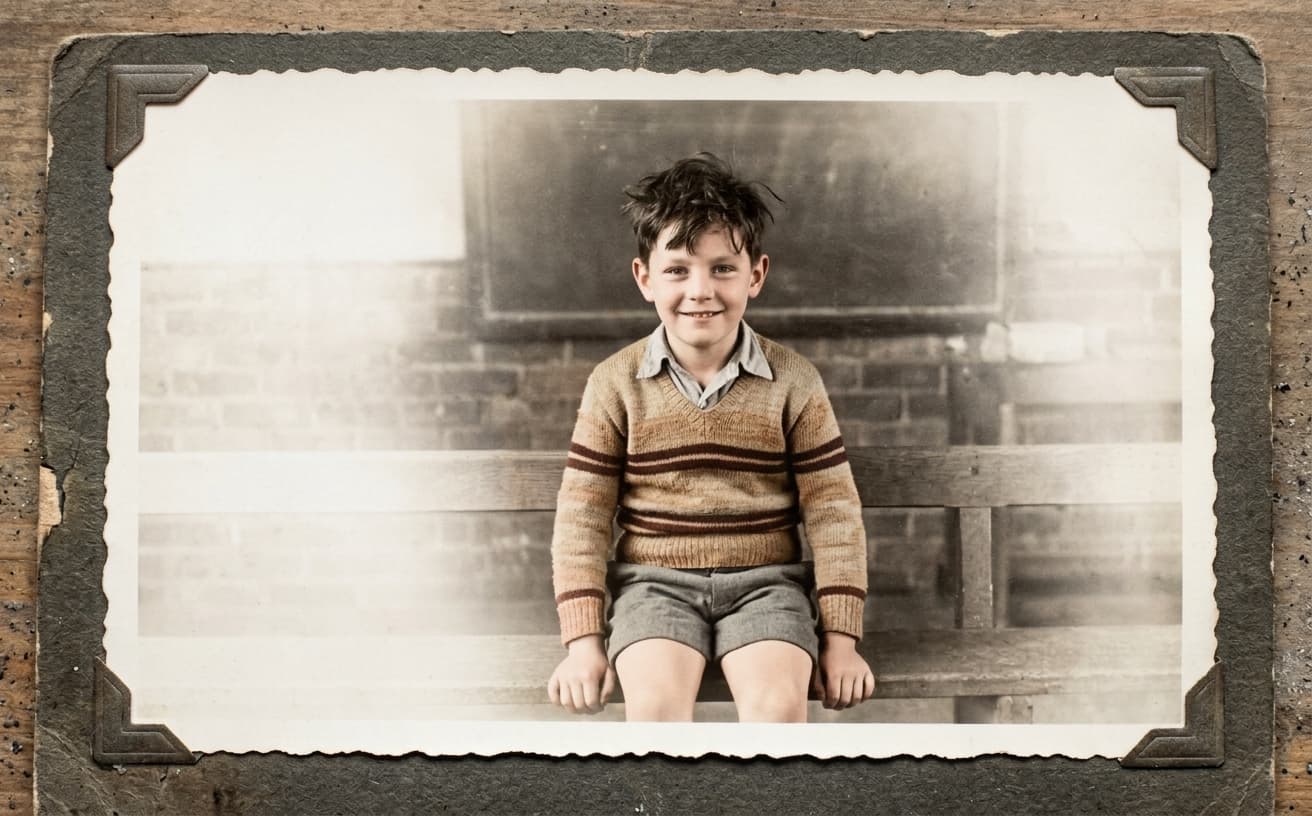
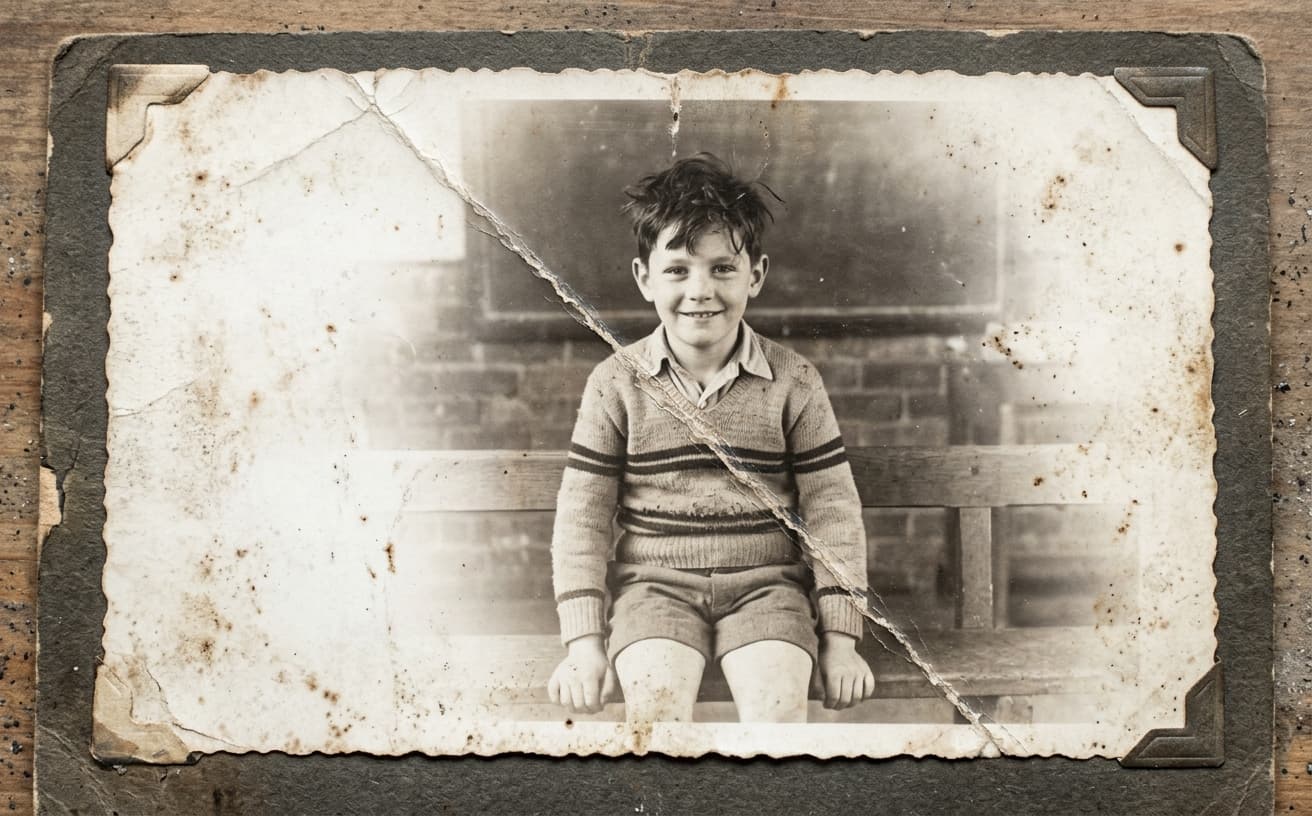
Natural Results
Check edges, lighting, and fine details
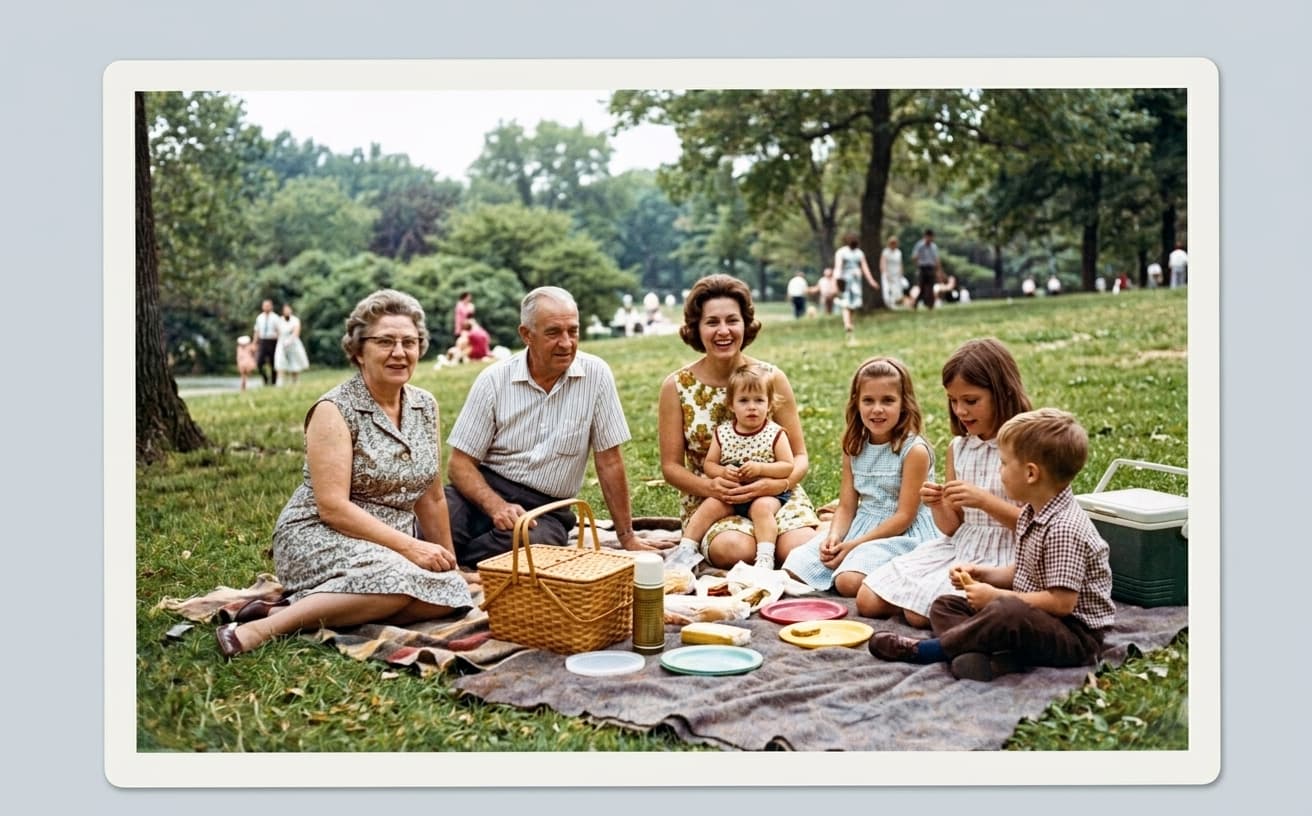
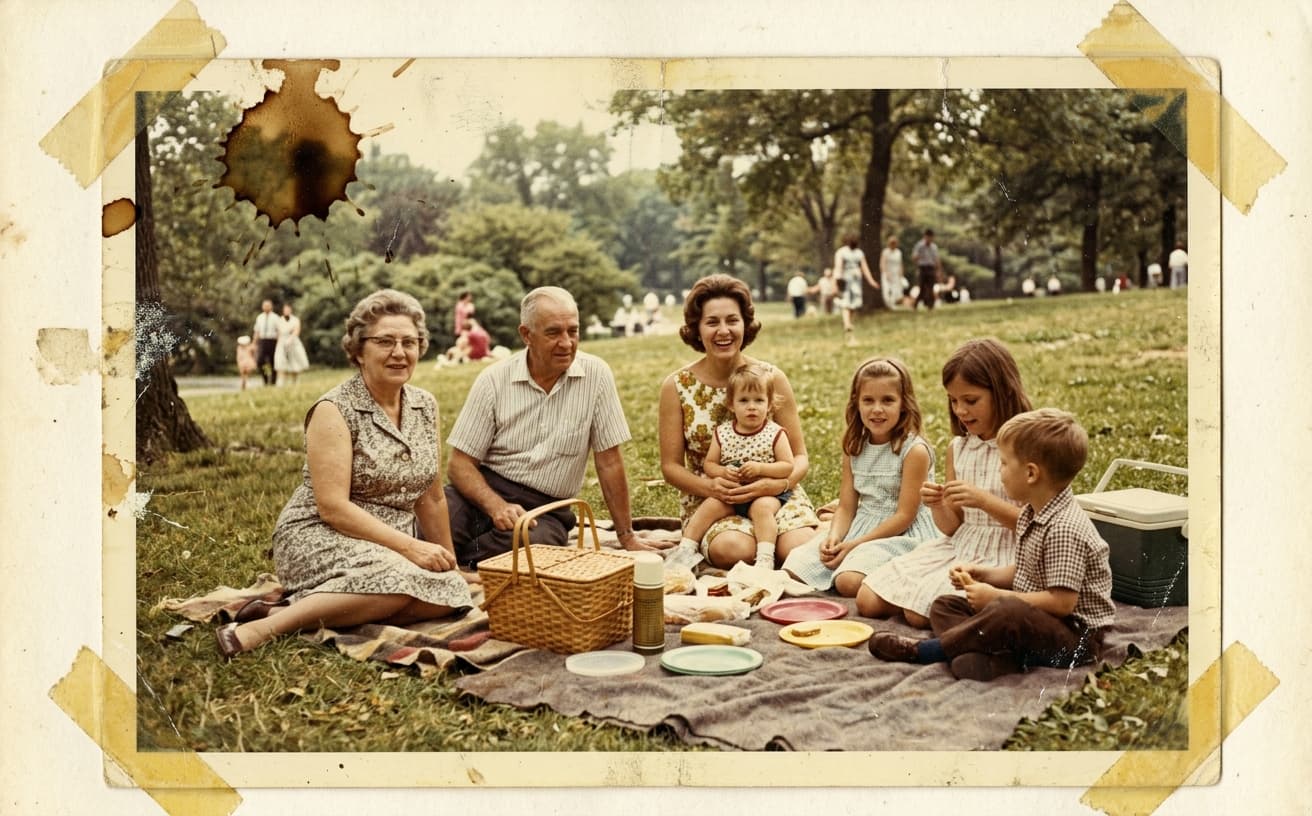
AI Transformation
AI-powered enhancement
Premium Quality
Review the result before downloading
How to Restore Old Photos with AI Technology
Automated restoration in 3 steps
Upload Old Photo
Scan or photograph your old print and upload it.
AI Analyzes & Repairs
AI detects damage, enhances faces, and optionally adds color.
Download Restored
Get your restored photo in high resolution, ready to print or share.
Professional Photo Restoration
Preserve family history with AI
A practical way to review your edit
Keep your original and check the generated image before you use it.
Start with one photo
Choose a clear source image and describe one specific change. A focused request makes the result easier to compare with your original.
Review the important details
Compare faces, lettering, edges and other important details with the original. AI can change parts of an image you asked it to preserve.
Choose the result before exporting
Each AI edit uses 1 credit at 1K. Your first credit is free after signup and email verification. Free exports have a watermark; paid credits unlock watermark-free exports.
Questions & answers
Can I restore old photos online for free?
Yes. Weezard gives you free credits on signup, no card required. Upload one old photo, run the restoration pipeline, and see the result before committing to a credit pack. Output keeps the full source resolution.
Can AI fix scratches, tears, and water damage on old photos?
Yes — this is the core use case. The damage-detection pass identifies scratches, dust, tears, water stains, and missing emulsion, and the reconstruction pass fills them using context from the surrounding photo. Works best on damage that covers small to medium areas; very large missing sections (whole corners ripped off) sometimes need manual touch-up.
Can AI colorize black-and-white photos?
Yes. For pure colorization without damage repair, use the dedicated [colorize old photos](/archive/colorize-old-photos) page. For combined damage repair + colorization (typical for inherited family photos), restore here first, then colorize the cleaned version — that two-pass workflow produces much cleaner results than trying both at once.
Is this good for restoring inherited family photos?
Yes — family photo restoration is the #1 use case for this tool. The model is tuned to preserve period-accurate grain and color so the restored photo still reads as authentic to its era, not as a modern AI rendering. For specific archiving guidance (organizing, labeling, multi-generation albums), see [restore family photos](/archive/restore-family-photos).
Should I scan the photo or just take a phone picture of it?
Scan if you can — even a cheap flatbed at 600 DPI gives the AI 10× more pixel data than a phone photo, and the restoration quality improves dramatically. If you only have a phone, shoot the print outdoors in flat shade, perpendicular to the surface, with the highest-resolution camera setting available.
Is the restored photo printable at large sizes?
Yes. The tool outputs at full source resolution and includes an optional upscale pass to push smaller scans up to print-quality dimensions. For a 4×6 print, source at 300 DPI is enough. For 8×10 or larger frames, scan at 600 DPI before restoring.
AI-Powered Photo Restoration Technology
Old photos degrade from chemical deterioration, physical damage, and age-related fading. These photos hold family history that disappears as physical prints decay.
AI restoration analyzes damage patterns and reconstructs original image data. Scratches are detected and filled, faded colors are extrapolated from remaining pigment, and tears are reconstructed from surrounding context. The process is non-destructive—original files remain unchanged while restored versions are generated.
The emotional value: Restored photos make family history accessible to younger generations who struggle to connect with damaged, faded images. Clear restored versions invite engagement rather than confusion.
Robert's grandmother had a box of photos from her childhood in Poland—many severely faded or damaged from improper storage. He restored 25 photos spanning 1930-1950 and created a digital album. His children, who'd never shown interest in old family photos, spent an evening looking through the restored collection, asking questions about people and places that connected them to family history they'd been ignoring.
When restoration removes authentic history: Excessive restoration can modernize photos beyond their historical context—removing grain structure, over-smoothing details, intensifying colors beyond period accuracy. If historical authenticity matters, apply restoration conservatively. Repair damage but preserve the photo's era.
Begin with photos showing the most severe damage—these benefit most obviously from restoration and demonstrate the technology's capabilities.
Related Weezard restoration workflows
For specific use cases, we have dedicated landing pages with deeper guidance: if your priority is colorization of black-and-white photos, see Colorize Old Photos with AI for color-specific workflow notes. If you are restoring inherited family albums, Restore Family Photos covers the multi-generation archiving angle, including how to organize and label restored photos for younger family members. For everyday old photo enhancement and damage repair, you are already on the right page — this is the canonical Weezard restoration tool.
What makes Weezard restoration different
Most AI restoration tools were trained on modern, high-resolution photos and only loosely fine-tuned for old prints. Weezard's restoration model was trained specifically on the failure modes of old photographs — silver-mirroring, emulsion lift, water staining, foxing, color shifts from acidic backing paper, brittle edge cracking — and it knows how to repair them without smoothing away the period-accurate grain structure that makes an old photo look its age. The result is a photo that looks restored, not modernized. The face is sharper, the scratches are gone, but the photograph still reads as a 1940s portrait or a 1970s family snapshot, not as a 2026 AI-generated render of one.
Recovers detail from scanned photos. Most damage is invisible in low-resolution previews — it only shows up when you blow the photo up to print size. Weezard works at full resolution, so it sees and repairs damage at the pixel level: tiny scratches, dust spots, faded letters on signs in the background, recovered eyebrow detail on a face that previously looked smooth. Upload at the highest resolution you have (600 DPI minimum for prints, full-quality JPG for digital scans) and the restoration ceiling is much higher than what you get from low-res inputs.
The four jobs people actually do with restoration
Across 136 production restoration generations the most common patterns we see are: (1) faded family portraits from 1930–1970 that need color recovery, scratch removal, and face sharpening; (2) damaged inherited prints with water stains, torn corners, or surface emulsion damage; (3) black-and-white photos that need colorization in addition to repair (we run repair first, then colorize); (4) low-resolution digital scans that need upscaling to make them printable for framing or wall display. Each has its own optimal preset — the tool detects the dominant problem and applies the right pipeline automatically, but you can also choose manually if you have specific intent.
How AI photo restoration actually works
The model runs four passes on each input photo. Pass 1: damage detection. A specialized network identifies scratches, dust, tears, water staining, and missing emulsion areas. These are flagged as regions for repair. Pass 2: structural reconstruction. The flagged regions are filled using context-aware generation that matches the surrounding photo content — a scratch through a face is filled from the surrounding skin, a torn corner is reconstructed from the wallpaper or backdrop nearby. Pass 3: color and tone correction. Faded colors are extrapolated from remaining pigment data — the model has seen millions of photos from each era and knows what 1950s Kodachrome should look like at full saturation, what 1980s drugstore prints typically faded toward. Pass 4: face enhancement. Identified faces get a specialized detail pass that recovers eyes, mouth, and skin texture without smoothing it into the over-processed look most beauty filters produce.
The full pipeline runs in 8–15 seconds per photo. For batch jobs (entire albums), multi-image processing applies the same restoration parameters across all uploads in one pass.
When restoration is the wrong tool
A few cases where restoration cannot help: photos with the subject completely lost (face out of focus to begin with, or scratched out entirely — the AI cannot invent what was never captured), museum-quality preservation contexts where any modification is undesirable (preserve the original, do not restore for digital archives), and photos with copyright concerns (you own the print, but if the original photographer's work is still under copyright, restoration does not transfer rights). For everyday family use — the overwhelming majority of restoration jobs — none of these apply.
Workflow tip: scan, then restore
The single biggest determinant of restoration quality is the source scan. Phone-photographed prints lose detail to camera shake, uneven lighting, and lens distortion. A proper flatbed scan at 600 DPI gives the model ~10× more pixel data to work with than a phone photo, and the difference is dramatic on faces and fine detail. If you have access to a scanner (even a cheap one), use it. If not, photograph the print outdoors in flat shade, perpendicular to the surface, with the highest-resolution camera you have. Then restore the scan, not the print.
Comparison with other restoration tools
vs. Remini. Remini is best-in-class for face-only recovery on small portraits. Weezard handles the full photo (face, background, color, damage) in one pass and works at higher output resolution. For pure face-detail recovery on phone snapshots, Remini sometimes wins. For complete photo restoration of inherited prints, Weezard is the broader tool.
vs. MyHeritage In Color and similar genealogy tools. Genealogy services usually bundle restoration with family-tree features and charge subscriptions. If you only need the restoration (no tree, no records), Weezard is faster and pay-as-you-go.
vs. Topaz Photo AI. Topaz is the premium desktop pick that integrates with Lightroom workflows. It costs a one-time license and outputs slightly higher quality on extreme cases, but Weezard handles 95% of real restoration jobs at a fraction of the cost and works in any browser without install.
vs. free desktop tools (GIMP, Photoshop with manual healing). Manual restoration takes 30 minutes to 2 hours per photo for an experienced editor. AI restoration is seconds. For a one-off prized photo where you want absolute control, manual still wins. For a box of inherited prints, AI is the only economically viable option.
For specific angles, see also: colorize black-and-white photos, restore family photos, or the broader AI photo editor online for general enhancement after restoration.
Next step
Related AI photo tools
Choose the tool that matches your next photo edit.
Remove text from the scan
Strip camera date burn-ins and archive stamps that came through the scan.
Remove objects from photos
Clear stains, tape marks, and clutter the restoration pass left behind.
Expand image canvas
Rebuild a torn or trimmed edge instead of cropping the print tighter.
AI photo editor online
Continue with enhancement or background edits in the full editor.
Change the background
Replace a damaged studio backdrop behind a restored portrait.
Best free AI photo enhancer in 2026
Compare photo-enhancement workflows and check the free-trial conditions.
Restoring family photos
The album version: scans, creases, and fading across a whole box of prints.
Ready to Transform Your Photos?
Try an edit on your own photo and inspect the result before downloading.
1 free credit after signup and verification • No card required