Remove Anything from Photos Instantly
Delete unwanted objects, people, wires, trash, text, and watermarks. AI perfectly reconstructs backgrounds. Batch removal available for multiple photos.
1K: 1 credit · 2K: 6 credits · 4K: 10 credits · Trial previews have a watermark. See credit packs
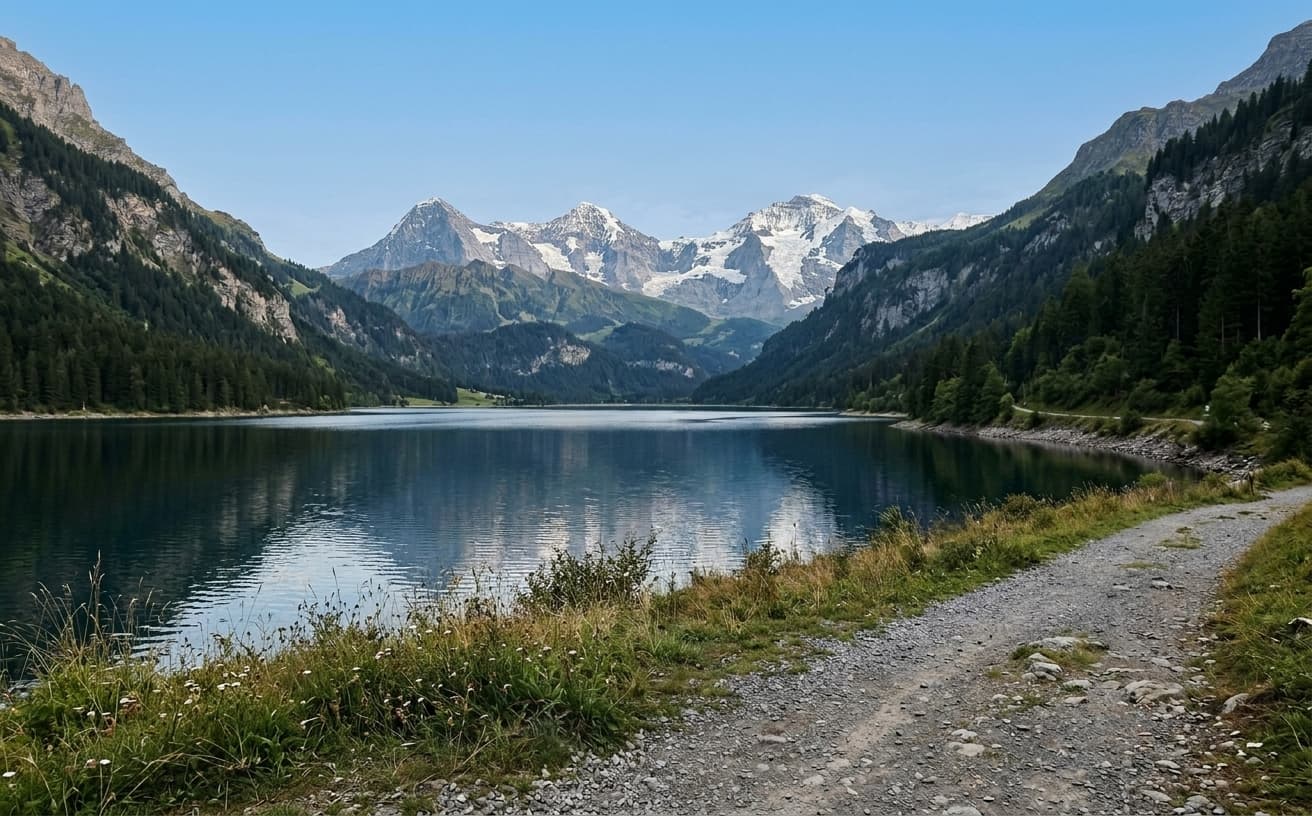
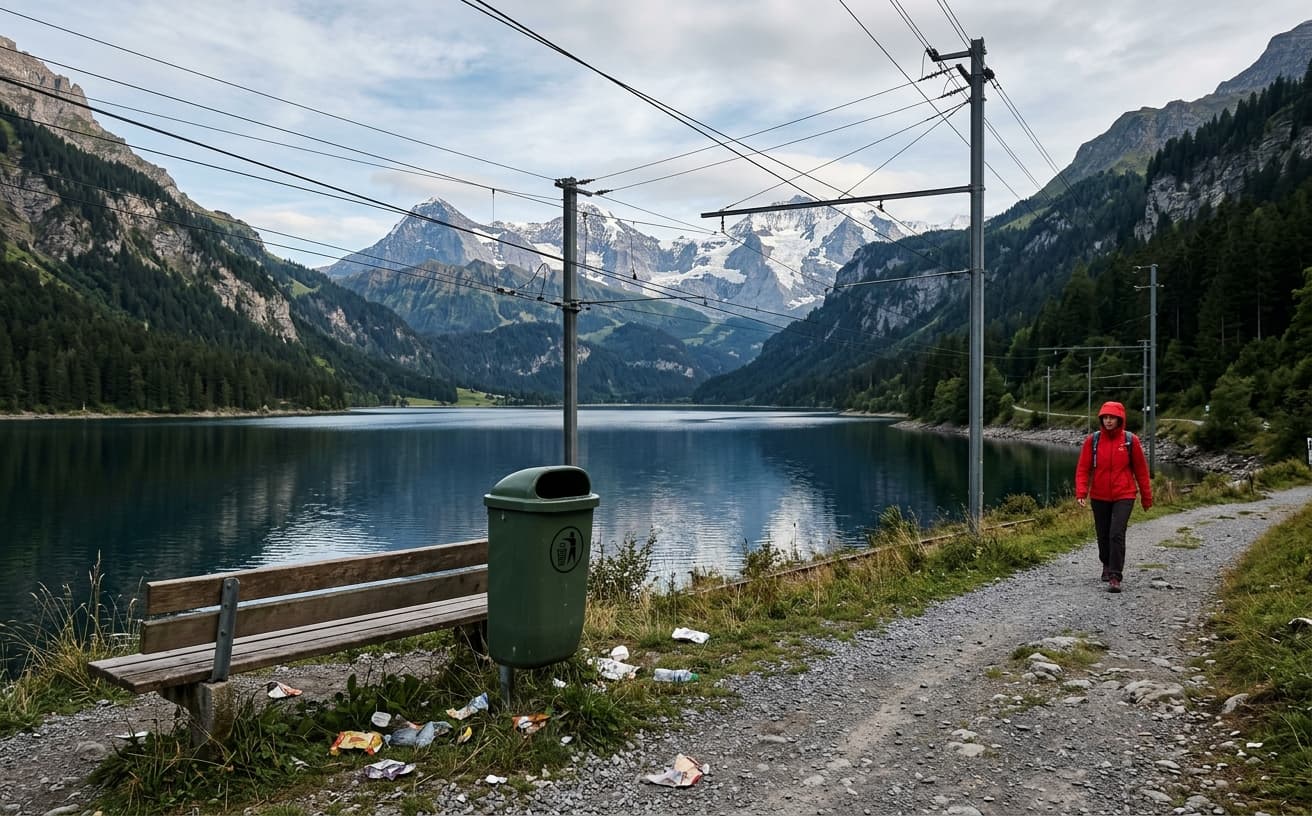
Opening photo editor…
Clean Photos in Seconds, Not Hours
Photobombers ruining your shots? Trash in the background? Wires crossing your perfect view? Power lines spoiling landscapes? Our AI removes ANY unwanted object while seamlessly reconstructing the background. Process hundreds of photos at once with batch removal.
What Can You Remove?
AI removes anything you don't want in your photos
People & Tourists
Remove photobombers, crowds, or unwanted people from any photo
Trash & Clutter
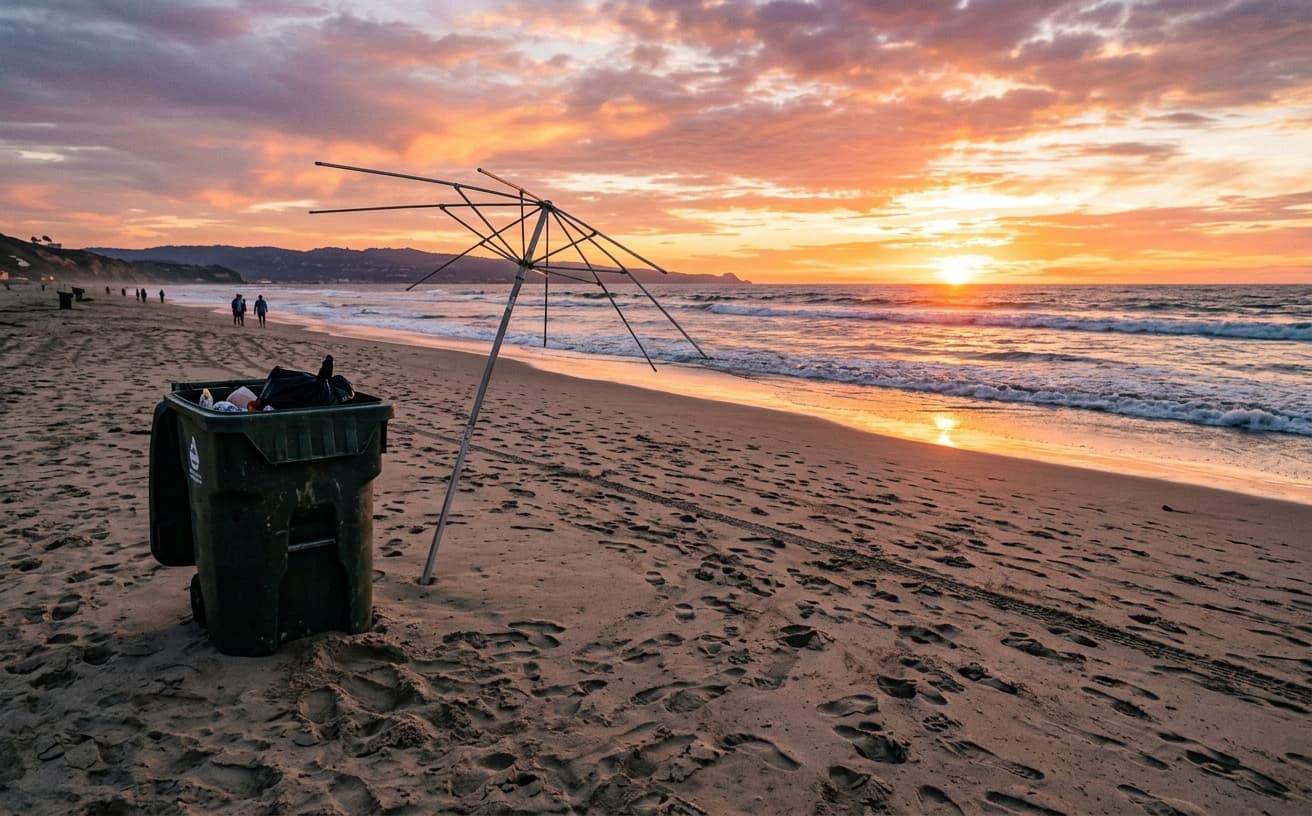
Delete garbage cans, bags, boxes, and messy objects
Wires & Poles
Remove power lines, cables, utility poles, and street signs
Text & Watermarks
Erase text overlays, logos, stamps, and watermarks cleanly
Real Results Gallery
See how AI transforms photos with professional editing


Professional AI Editing
Compare the original and edited image

Natural Results
Check edges, lighting, and fine details


AI Transformation
AI-powered enhancement
Premium Quality
Review the result before downloading
How to Remove Unwanted Objects from Any Photo
Remove objects in 3 simple steps
Upload & Mark
Upload your photo and simply brush over what you want to remove.
AI Removes
Our AI analyzes the scene and perfectly reconstructs the background.
Download Clean Photo
Get your clean image in full resolution, ready to use.
Why Choose Our Object Removal Tool
The most powerful AI object remover available
A practical way to review your edit
Keep your original and check the generated image before you use it.
Start with one photo
Choose a clear source image and describe one specific change. A focused request makes the result easier to compare with your original.
Review the important details
Compare faces, lettering, edges and other important details with the original. AI can change parts of an image you asked it to preserve.
Choose the result before exporting
Each AI edit uses 1 credit at 1K. Your first credit is free after signup and email verification. Free exports have a watermark; paid credits unlock watermark-free exports.
Questions & answers
Can I remove objects from a photo online for free?
Yes. Weezard's object removal is free to try with credits on signup, no card required. Upload a photo, brush over what you want to remove, and download the cleaned version at full source resolution.
Can AI remove people from photos?
Yes — removing strangers, tourists, and photobombers from travel and event photos is one of the most common use cases. The AI reconstructs the background behind the person, including matching sand, sky, walls, or whatever surrounds them. Works best when the person is not the main subject and is against a relatively continuous background.
Can I remove watermarks from photos?
Yes, if you have legitimate rights to the image (your own photos, photos you have licensed for modification, or stock you have purchased). Brush over the watermark and the AI reconstructs what was behind it. Do not use this to remove watermarks from images you do not own — that is copyright infringement, and we do not condone it.
Will this work for real estate and Airbnb listing photos?
Yes — decluttering listing photos is one of the highest-impact use cases. Remove visible trash cans, recycling bins, personal items on counters, laundry, kids' toys, or anything else that makes the space feel occupied and lived-in. For automatic decluttering across many photos at once, see the [Airbnb decluttering workflow](/airbnb), which uses the same AI but identifies items automatically.
Can AI remove wires, power lines, and utility poles from landscape photos?
Yes — this is one of the model's strongest use cases because wires sit against the sky, which the AI reconstructs reliably. Brush over the wires (and any visible insulators or poles) and the result is a clean sky. Same technique works for fences, scaffolding, and other thin linear distractions against simple backgrounds.
Can I remove the same kind of object from many photos at once?
Yes — the multi-image batch workflow processes up to 50 photos at once with the same removal pattern. Useful for real estate portfolios (remove trash cans from all exterior shots), event galleries (remove specific people from all photos), or product catalogs (remove studio gear from all shots).
Professional AI Object Removal Technology
Photobombers, trash, and unwanted objects ruin otherwise perfect photos. Cropping often eliminates the objects but destroys composition and loses valuable framing.
AI object removal analyzes surrounding areas and intelligently fills the selected region with contextually appropriate content. Delete a person from a beach photo and the tool generates matching sand and waves. Remove a sign from a street scene and it reconstructs the building facade behind it. Unlike older clone-stamp or content-aware-fill tools, the AI understands what the scene *should* look like behind the object — so a removed lamppost on a brick wall comes back as continued brick, not a smeared patch.
What Weezard removes well (and what it does not)
Over 674 production object-removal jobs we have processed, four categories account for the vast majority of usage and the highest success rate: (1) people and tourists in travel and event photos, (2) trash, clutter, and personal items in real estate and Airbnb listings, (3) wires, cables, and utility poles in landscape and architectural shots, and (4) text overlays, watermarks, logos, and date stamps on photos you have legitimate rights to clean up. These four use cases hit the model's training sweet spot — clear subject-to-background boundaries, plausible background continuation, no ambiguity about what should be there.
The tool struggles with: very large objects that take up more than 30% of the frame (not enough surrounding context for the AI to reconstruct from), objects with strong reflections in adjacent surfaces (a car removed from a parking lot leaves a residual reflection in a nearby window), and objects against complex repeating patterns like brickwork at an angle or detailed wallpaper where the AI sometimes mis-aligns the pattern continuation.
The four killer use cases
Real estate and Airbnb decluttering. Sellers cannot pack up before every showing, and listing photos with toothbrushes on the bathroom counter, dishes in the sink, or laundry baskets in the bedroom directly hurt bookings. Brush over the personal items, get a clean room back. This is the #1 use case for hosts and agents using object removal in production — it consistently outperforms hiring a professional stager for photo-only purposes.
Travel and event photos. A photographer captures the perfect candid of their kid at a tourist site, except for the stranger walking through the background. Remove the stranger and the photo becomes the frameable version. The same logic applies to graduation photos, wedding ceremonies, and any other once-in-a-lifetime moment where reshooting is not an option.
Product photography for ecommerce. Hand props, light stands, reflection cards, and other studio gear sometimes creep into the edge of a product shot. Removing them is faster than reshooting, and the cleaned image is acceptable for marketplace listings (Amazon, Etsy, Shopify) where backgrounds need to be visually clean.
Watermark and text overlay removal on your own content. If you have legitimate rights to the image (your own photos, photos with licenses that allow modification, or stock photos you have purchased), removing a watermark or date stamp lets you use the image without the visual clutter. Be honest about rights — this tool is for cleaning up your own content, not stealing others' work.
Decluttering vs object removal: when to use which
For real estate and Airbnb specifically, there are two different workflows. Object removal is targeted — you brush over each specific item you want gone (the kettle on the counter, the towel on the chair, the kid's shoes by the door). Digital decluttering is automatic — the AI scans the whole room and identifies personal items to remove without you marking them. Use object removal when you want precise control, decluttering when you want speed across many photos. Weezard supports both — the Airbnb decluttering workflow uses the automatic version, the tool on this page uses the precise version.
Common mistakes that produce visible artifacts
- Marking too small. If you only paint the visible part of the object and leave a thin halo of its shadow or edge, the AI gets confused and keeps fragments. Brush 5–10 pixels beyond the visible edge for clean results.
- Trying to remove the main subject. Object removal is for distractions in the background. If the object is the centered subject of the photo, removing it leaves a hole the AI cannot meaningfully fill. Crop or reshoot instead.
- Ignoring shadows. Remove a person from a sunny outdoor scene but leave their cast shadow on the ground and the result looks ghostly. Brush over both the object and its shadow.
- Working at the wrong resolution. Upload at full resolution. Don't shrink the photo first to "make it easier" — the AI uses pixel-level detail to reconstruct backgrounds, and a downscaled source produces softer, lower-quality fills.
How this compares to other object removers
vs. Photoshop's Content-Aware Fill. Photoshop's tool is fine for simple, uniform backgrounds. It struggles with anything that has perspective, repeating patterns, or context-dependent detail (a person removed from a beach often leaves an obviously-cloned patch). AI-based removers handle those cases much better because they understand what the background *should* be, not just what nearby pixels look like.
vs. cleanup.pictures, Magic Eraser, and similar single-purpose tools. These free single-purpose tools are good for one-off use but typically limit resolution or add watermarks on free tier. Weezard works at full source resolution and is part of a broader editing toolkit so you can do background change + object removal + enhancement in one session without exporting between tools.
vs. manual masking in Lightroom. Lightroom's healing tools give you the most control for one prized photo but take 5–20 minutes per careful removal. AI removal does the same job in seconds with comparable output on most subjects.
Workflow tips
For batch jobs (real estate portfolios, event galleries, product catalogs), use the multi-image workflow — upload up to 50 photos at once with the same removal pattern (e.g., "remove people, remove trash bags") and process them in one pass. For one-off precise edits, the single-image flow with manual brushing gives the most control.
The free credit pack on signup lets you test the tool on a real photo before committing to anything — drop one image, brush over the distraction, see the output. If the result is what you needed, you already know the tool fits your workflow.
Related Weezard workflows
Object removal often pairs with other edits. If you also need to change the background entirely, AI background change covers that workflow with the same underlying AI. For full photo enhancement (lighting, color, sharpness) after removal, the AI photo editor online handles that pass. Old photos with both damage AND unwanted objects (a stain plus an unwanted person in the frame) need AI photo restoration first, then object removal on the restored version.
Start with photos where small distractions prevent otherwise excellent images from being usable — these show the clearest value from targeted removal.
Next step
Related AI photo tools
Choose the tool that matches your next photo edit.
Object removal for property photos
The listing version: cars, bins and signage out of a whole shoot at once.
Continue in the AI photo editor
Finish the image with enhancement, background, or restoration edits.
Change the background next
Replace the scene after removing unwanted objects.
Remove text from the image
Erase leftover watermarks, captions, and date stamps with clean AI fill.
AI watermark remover
Remove unwanted marks from images you own or have permission to edit.
Decluttering a rental listing
The short-let version: bins, cables, and personal items out of every room shot.
Ready to Transform Your Photos?
Try an edit on your own photo and inspect the result before downloading.
1 free credit after signup and verification • No card required