Virtual Staging That Keeps the Room’s Own Light
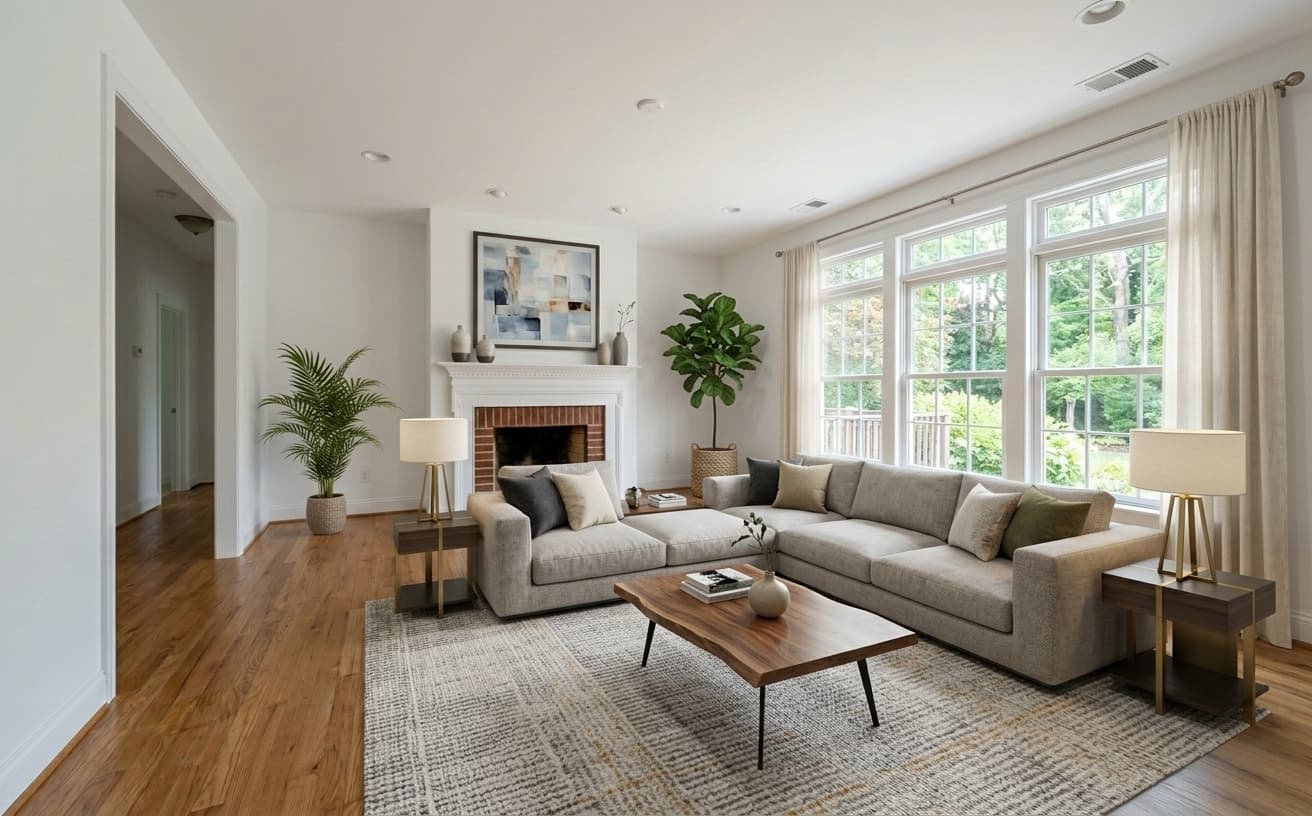
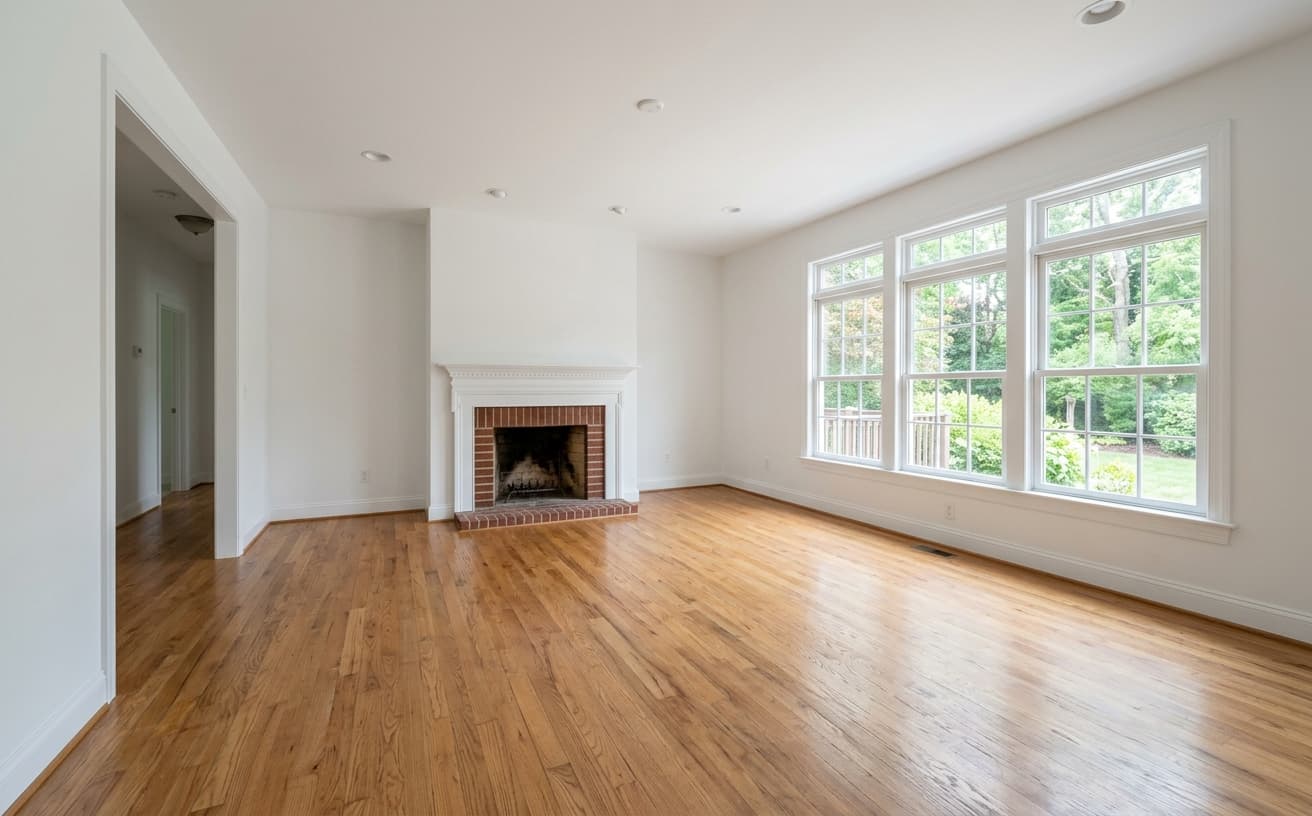
Furnish empty listing photos with AI that follows the existing light sources, shadows and perspective. Describe the look you want — modern, traditional, Scandinavian, high-end — and get a staged room in seconds.
1K: 1 credit · 2K: 6 credits · 4K: 10 credits · Trial previews have a watermark. See credit packs
Loading photo editor…
Stage a Room for Cents Instead of Tens of Dollars
Done-for-you virtual staging is typically priced per photo — commonly $25–$75 — with a 24–48 hour turnaround and a revision round if the furniture lands wrong. Empty rooms photograph badly because buyers cannot read scale from bare walls. AI staging puts plausible furniture in the room while the photo keeps its own lighting, so you can try three styles before lunch instead of waiting two days for one.
Staging Styles
Describe a look, or start from one of these
Modern Contemporary
Clean lines and neutral tones — the safest default for city listings
Traditional Comfort
Classic shapes and warm wood for family homes and older stock
High-End
Heavier materials and statement pieces for premium listings
Scandinavian Minimal
Pale woods, plants and negative space — photographs very well in small rooms
Real Results Gallery
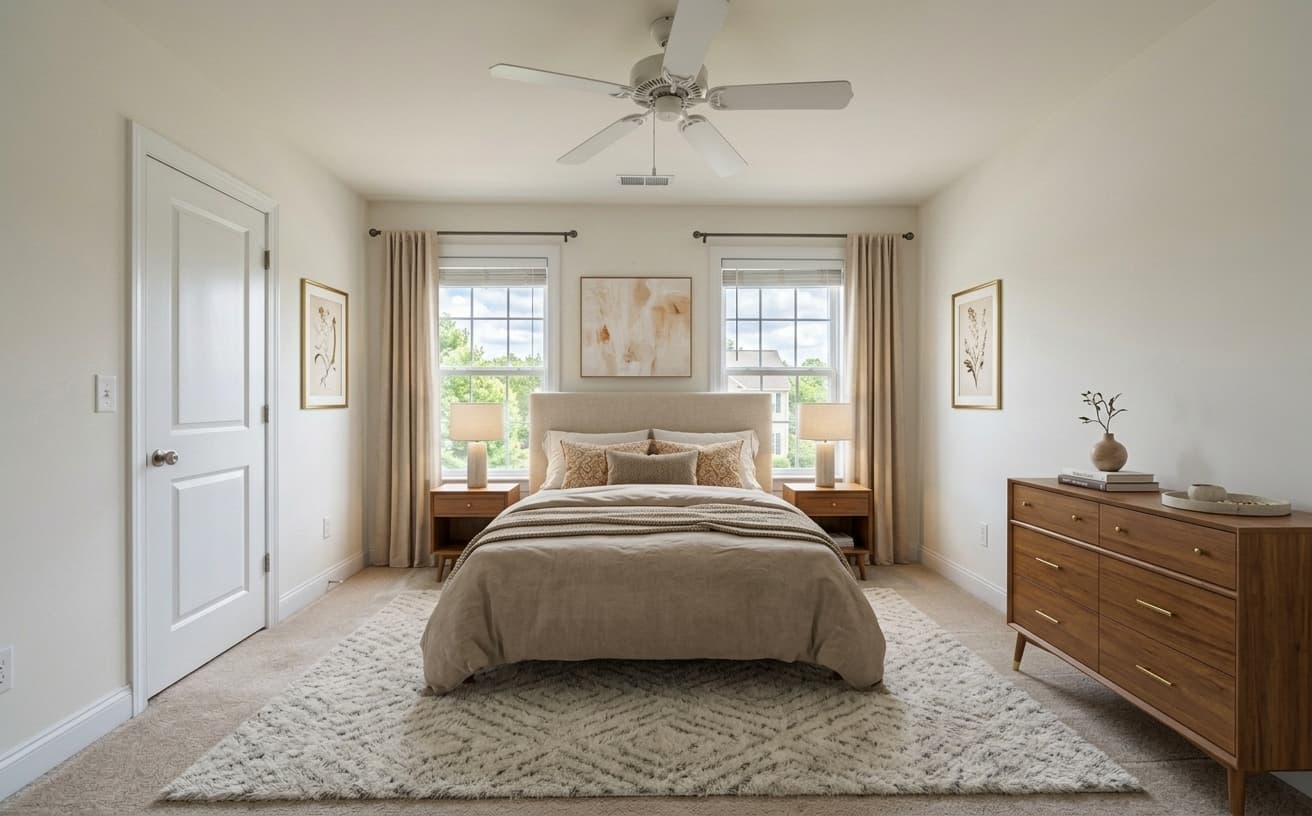
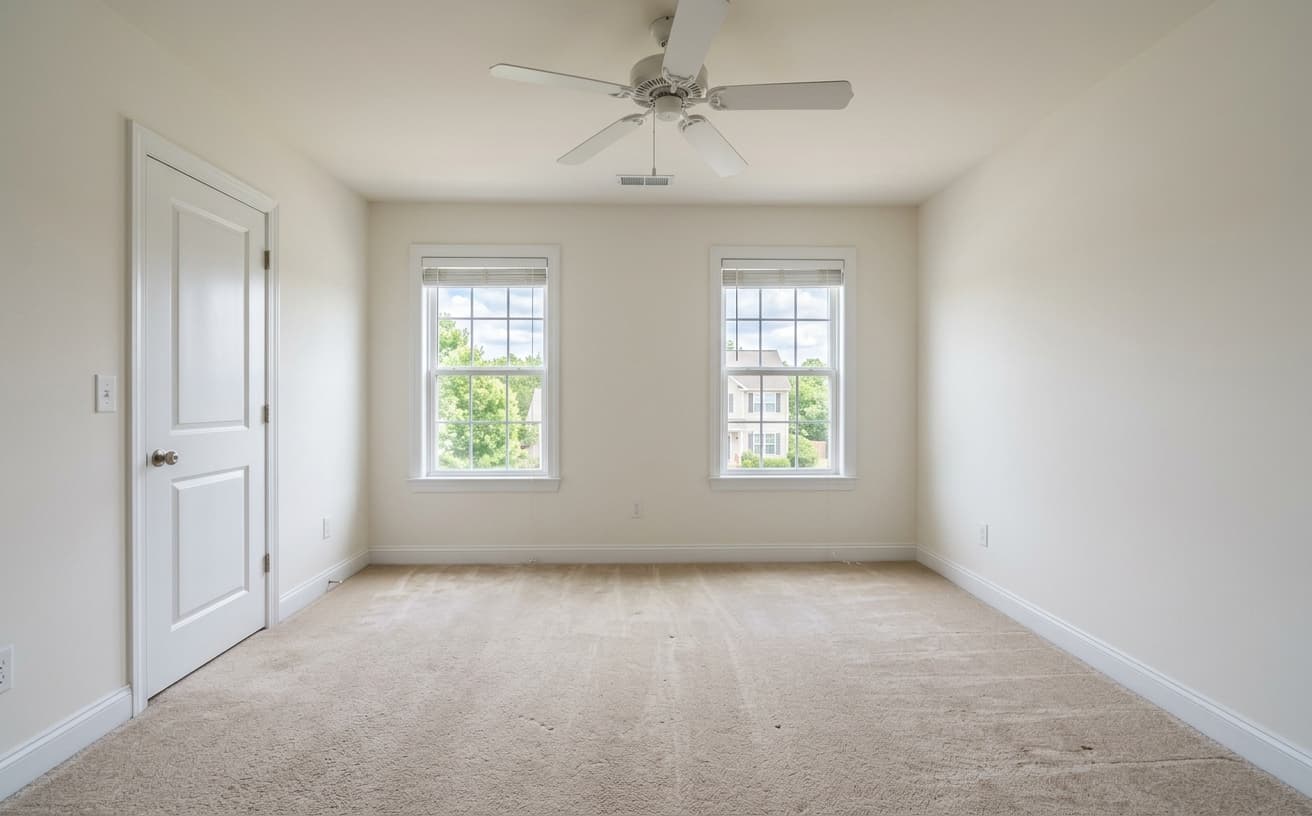
See how AI transforms photos with professional editing
Professional AI Editing
Compare the original and edited image
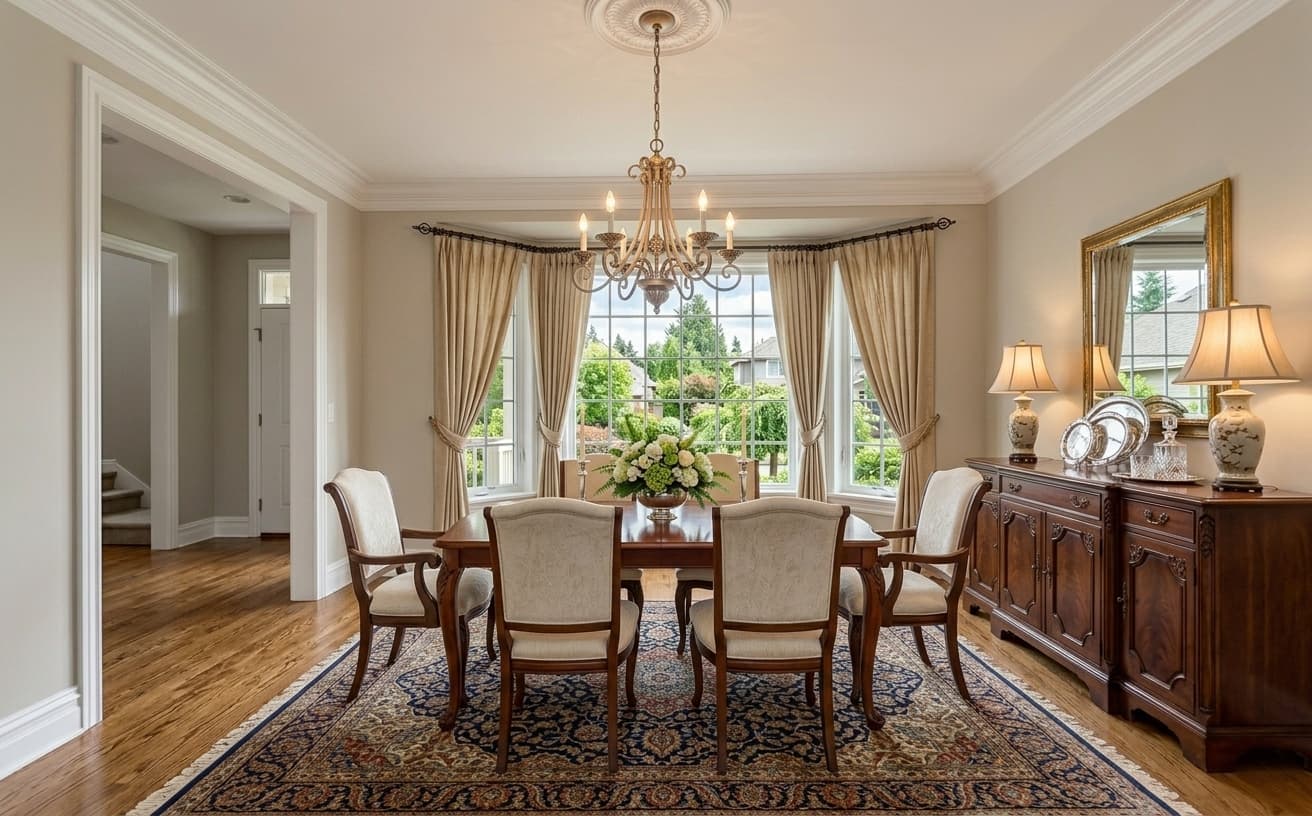
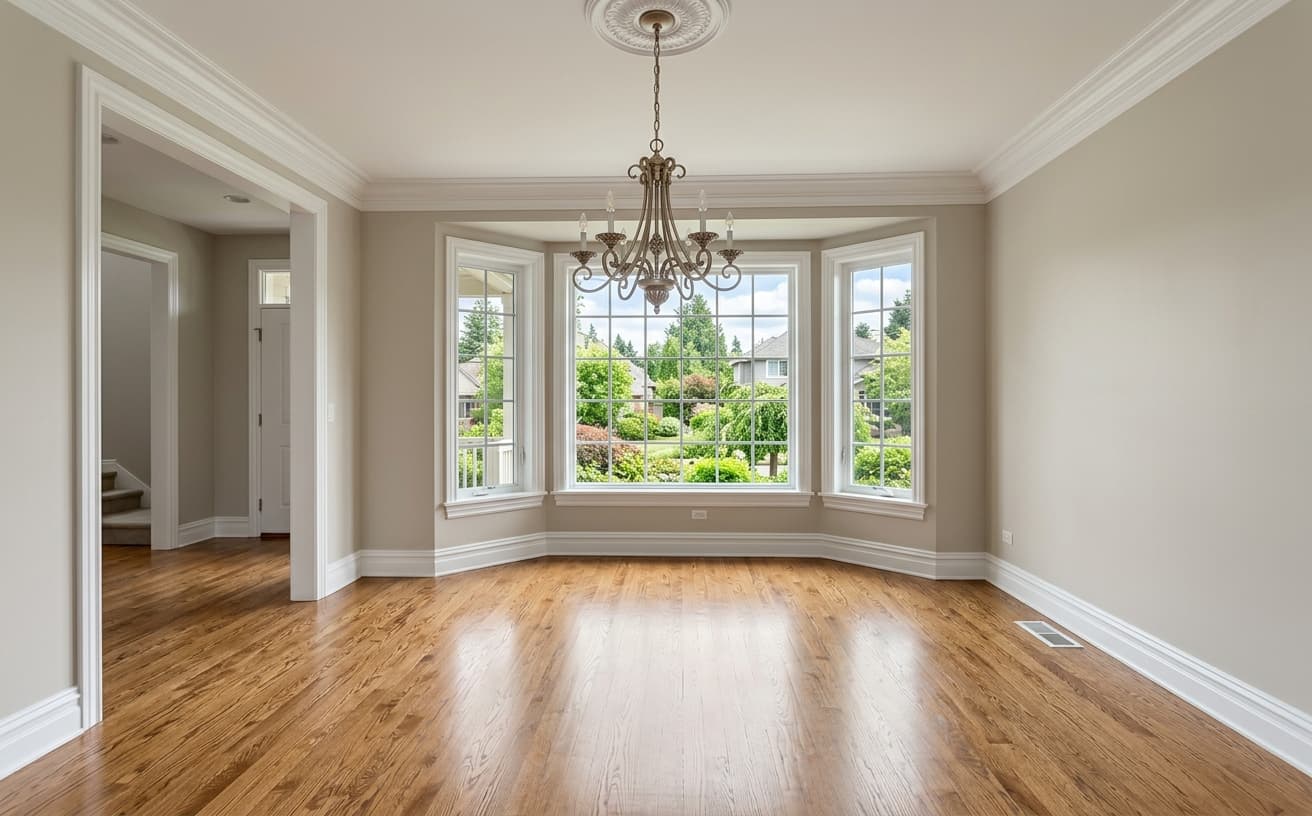
Natural Results
Check edges, lighting, and fine details
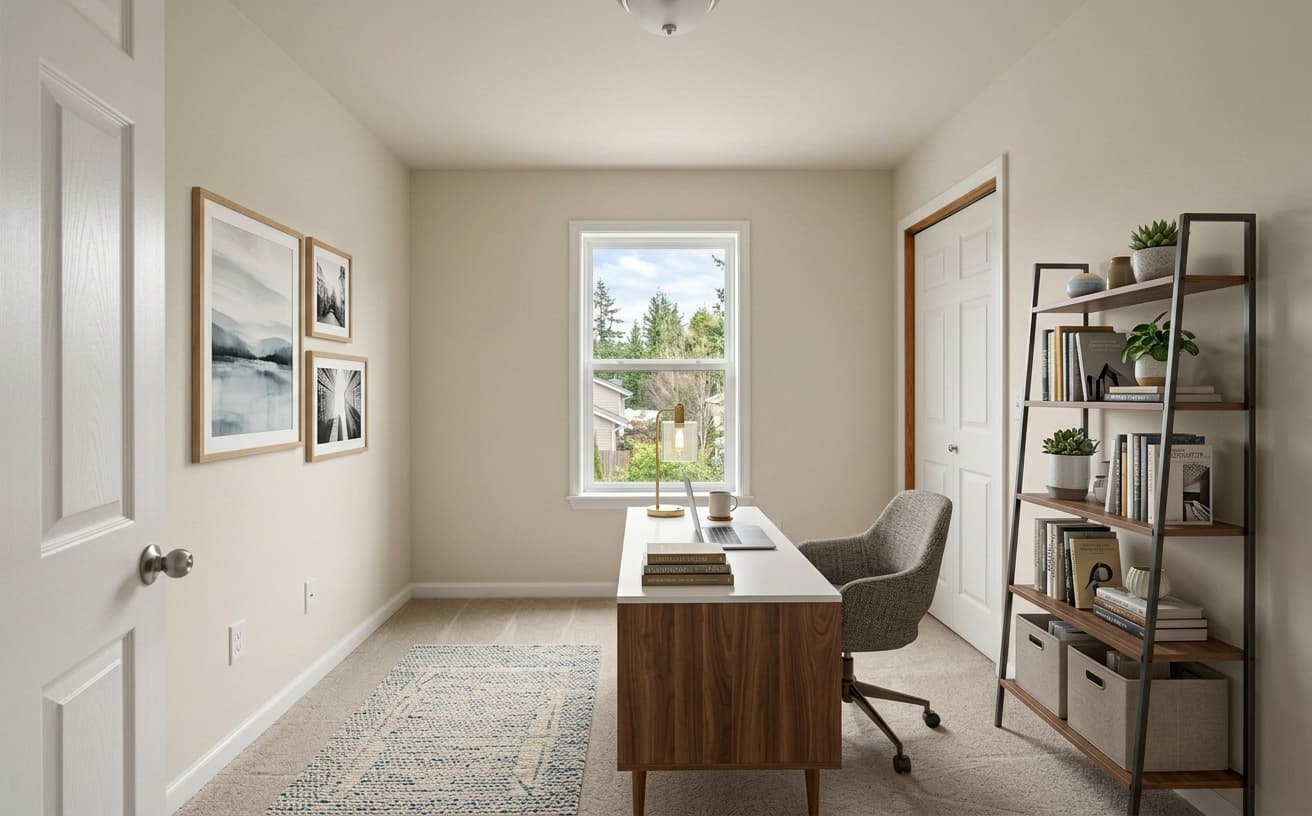
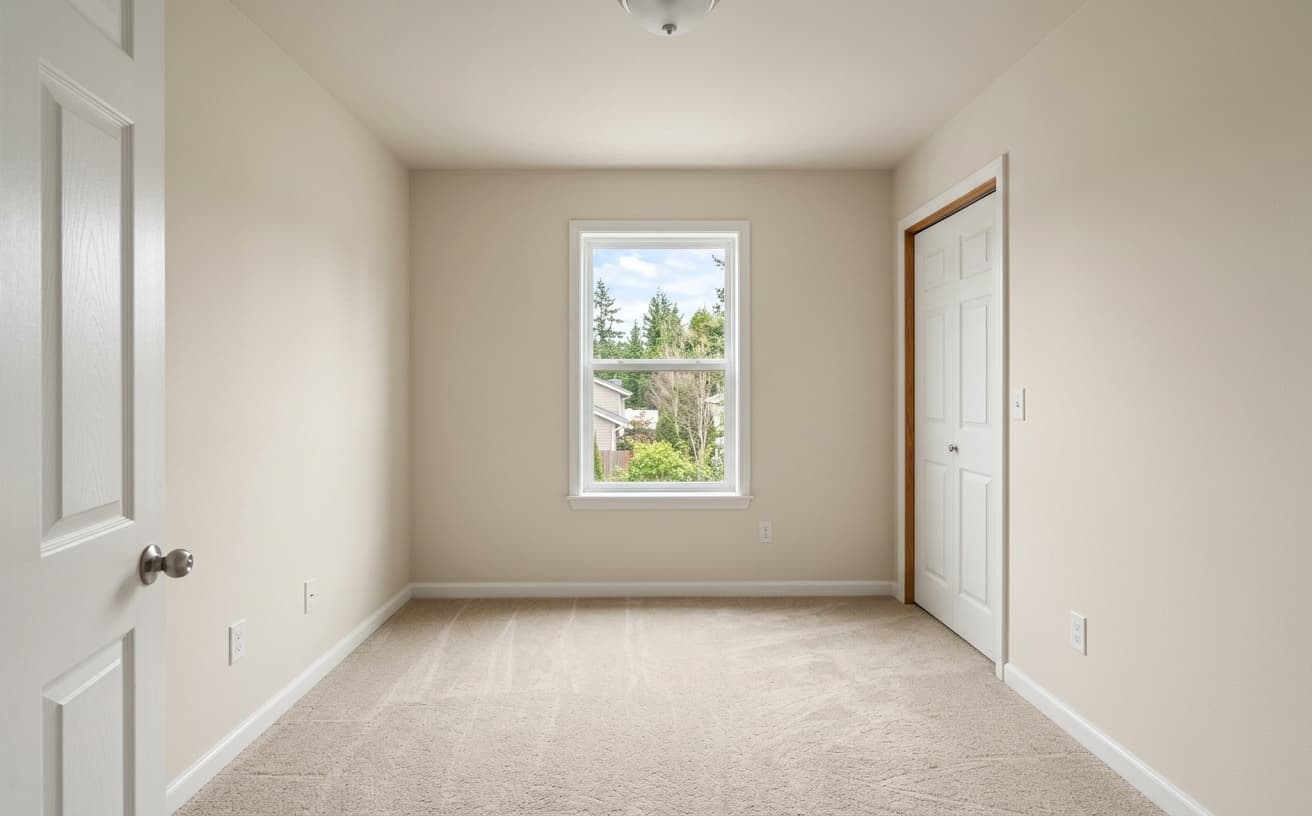
AI Transformation
AI-powered enhancement
Premium Quality
Review the result before downloading
How to Virtually Stage an Empty Room
Three steps, no software to install
Upload the empty room
Living room, bedroom, dining space or home office — straight from the camera is fine.
Say what should be in it
Pick a style or describe the furniture you want. Change your mind and run it again.
Download the staged photo
Furniture placed to the room’s own scale, lighting and perspective.
What This Does Differently
Compared with per-photo staging services
A practical way to review your edit
Keep your original and check the generated image before you use it.
Start with one photo
Choose a clear source image and describe one specific change. A focused request makes the result easier to compare with your original.
Review the important details
Compare faces, lettering, edges and other important details with the original. AI can change parts of an image you asked it to preserve.
Choose the result before exporting
Each AI edit uses 1 credit at 1K. Your first credit is free after signup and email verification. Free exports have a watermark; paid credits unlock watermark-free exports.
Questions & answers
What is virtual staging?
Adding furniture and decor to a photograph of an empty room digitally, so buyers browsing a listing can read the scale and use of the space. The room itself is untouched — only the photo changes, which is why disclosure matters.
How much does virtual staging cost?
Done-for-you services commonly charge $25–$75 per photo with a 24–48 hour turnaround. Here a staged room is one credit: packs run 30 for $7, 75 for $15, 200 for $30 and 500 for $60, so between 23 and 12 cents a photo. No per-room fee, no minimum order.
Is there free virtual staging?
You get one credit free after confirming your email, and free exports carry a small weezard.app mark. Any paid pack removes it. That is enough to judge whether the output suits your listings, not enough to stage a portfolio — and we would rather say so up front.
Do I have to disclose that photos are virtually staged?
Almost always yes. Most MLS systems require a visible "virtually staged" label, and many want the original empty photo shown alongside. Rules differ by MLS and state, so check yours — compliance depends on how you publish the photo, not on which tool produced it.
What should I look for in virtual staging software?
Whether it keeps the room’s original lighting instead of relighting it, how cheap it is to iterate, the export resolution, how it handles rooms that already contain furniture, and whether you can process a whole listing in one pass. Run three of your own worst photos through a free tier — that answers all five faster than any feature list.
How long does AI virtual staging take?
Seconds per room. The practical benefit is not the wait you avoid but the iteration you gain — you can compare three styles for the same room before deciding, which is not affordable when each attempt is a two-day service order.
Can it stage a room that already has furniture?
Yes, though it is two jobs rather than one: clear the existing furniture first, then stage the empty result. Doing both in a single pass tends to leave traces of the original pieces, especially around rugs and floor shadows.
Which rooms should I stage?
The living room, the primary bedroom, and whichever eating space anchors the main floor. Leave secondary bedrooms empty. Skip kitchens, bathrooms and outdoor space entirely — buyers inspect those closely and virtual fixtures read as fake.
Does virtual staging work for rentals and short-term lets?
For unfurnished long-term rentals, yes, with the same disclosure discipline as a sale listing. For short-term lets it is riskier: guests book expecting the exact furniture in the photos, so staging a room that will not look like that on arrival invites complaints and refunds.
Virtual staging or physical staging?
Physical staging still closes better on high-end listings with heavy in-person traffic — standing in a furnished room does something a photo cannot. Virtual staging wins on the listings where physical staging was never realistic, which for most agents is most of them.
Virtual Staging Software, Honestly Explained
Virtual staging is the practice of adding furniture to a photograph of an empty room so buyers can read the space. It works when buyers treat it as a visualisation aid and fails when they treat it as misrepresentation. The difference is almost entirely disclosure and restraint — not image quality. A technically perfect staged photo that surprises someone at the door has done damage; a plainer one that matched their expectations has done its job.
The market splits into two things that share a name. Virtual staging services are done-for-you: you send photos, a human designer places furniture, you get files back in a day or two, and you pay per photo — commonly $25 to $75, with revisions costing extra or being limited. Virtual staging software puts the controls in your hands and prices per image or per seat. The trade is obvious once you have used both: services take the work off your plate but make iteration expensive, while software makes iteration nearly free but expects you to have taste. If you stage two listings a year, buy the service. If you stage two a week, the per-photo maths stops making sense fast.
On this site a staged room costs one credit. Credits come in packs — 30 for $7, 75 for $15, 200 for $30, 500 for $60 — which works out between 23 and 12 cents a photo depending on how much you buy. There is no per-room service fee and no minimum order. A free account gets one credit after you confirm your email, and free exports carry a small weezard.app mark; any paid pack removes it. That is the whole pricing model, and it is worth stating plainly because the category is full of "starting from" numbers that assume annual billing.
What the AI is actually doing matters for knowing when to trust it. Older virtual staging pipelines built a 3D model of the room, placed 3D furniture assets into it, and re-rendered — accurate, slow, and expensive because a human had to build the scene. A generative model instead predicts what the photograph would have looked like if the furniture had been there, using the light, texture and vanishing lines already in the image. That is why the shadows tend to fall correctly without anyone specifying a light source, and also why the model can get confidently wrong about things it cannot see — what is around a corner, or behind the camera.
Disclosure first, because it is the part with legal teeth. Most MLS systems require a clear "virtually staged" label on any digitally staged photo, and many require the original empty photo to appear alongside it. Rules vary by MLS and by state, so read yours rather than trusting a vendor’s claim of compliance — compliance is a property of how you publish the photo, not of the tool that made it. The penalty for getting it wrong runs from listing removal to agent discipline to fraud exposure. Disclosed staging also behaves better commercially: buyers arrive expecting empty rooms, use the photos as a visualisation aid, and never experience the gap between expectation and reality that produces a bad showing.
Restraint is the harder discipline. The temptation is to stage maximally — every room filled, every wall dressed, every surface curated. That produces photos buyers identify as virtual staging instantly, which then makes them suspicious of everything else in the listing. Minimal staging works better: enough furniture in the main living room and the primary bedroom to establish scale and use, and leave secondary bedrooms and bathrooms empty. It reads as helpful context rather than fabricated interior design.
Furniture style matters more than buyers consciously notice. Neutral transitional pieces — clean lines, soft colours, nothing aggressively contemporary or period — stage well because they let buyers project their own taste onto the room. Committing hard to one look, whether mid-century modern or farmhouse or industrial, quietly filters out everyone whose taste differs. The maths almost always favours neutral, and the exception is a property whose architecture already commits so strongly that fighting it looks stranger than leaning in.
Scale is the single most-botched element of amateur virtual staging. A sofa slightly too large for the room feels uncanny; buyers sense something is wrong without being able to name it. Before publishing, check every staged room for physical plausibility: could a person walk from the door to the window? Do the chairs have room to pull out from the table? Does the bed leave space to open the wardrobe? A ten-foot wall takes a seven-foot sofa, not a nine-foot one that would block the walkway. This is the check most worth doing by eye, because it is exactly the thing a generative model has no way to verify.
Some rooms resist virtual staging and are better left alone. Kitchens are evaluated closely by buyers and virtual appliances read as fake almost immediately. Bathrooms have the same problem with fixtures. Outdoor space is worse still — virtual landscaping is recognised as marketing on sight. For those rooms, either stage physically or photograph the empty space well and let it stand. Buyers know what an empty kitchen looks like and accept it; what they do not accept is a counter with obviously synthetic plants on it.
The strongest use case is the vacant listing that is otherwise move-in ready — an estate sale, a divorce sale, a relocation, a finished new build. Physical staging is logistically painful and costs thousands in rental; the property itself is fine. Staging the three anchor rooms — living room, primary bedroom, and whichever eating space anchors the main floor — turns a sad empty house into somewhere a buyer can imagine living, without the furniture rental overhead.
A note on free virtual staging, because it is a common search and a common disappointment. Free tiers in this category generally mean one of three things: a watermark on the output, a hard cap of one or two images, or a low-resolution export that is unusable for MLS. Ours is the first two — one credit and a small mark on the export — and we would rather say so than let you find out after uploading. The honest use of a free tier is to check whether the output is good enough for your listings before spending anything. It is not a way to stage a portfolio.
If you are comparing virtual staging software, the useful checks are narrow. Does it keep the original lighting, or does it relight the room and produce that flat rendered look? Can you iterate cheaply, or does every attempt cost a full credit? What resolution comes out, and is it enough for MLS upload? What happens to a room that already has some furniture in it? Can you do a whole listing in one pass, or is it strictly one photo at a time? Feature lists rarely answer these; running three of your own worst photos through a free tier answers all of them in ten minutes.
For a whole listing, the workflow that wastes least is to shoot every room empty and wide, upload the set together, and stage the anchor rooms in one consistent style before touching anything else. Consistency across photos matters more than any single image — a listing where the living room is Scandinavian and the bedroom is traditional reads as incoherent even when both photos are individually good. Pick the style first, apply it across the set, and only then decide whether any single room needs another pass.
Finally, the honest limit: virtual staging cannot do what physical staging does. A buyer standing in a furnished room forms an emotional attachment that a photograph cannot manufacture. For high-end properties with long market times and heavy in-person traffic, physical staging still closes more strongly, and the staging rental is a rounding error against the sale price. Virtual staging wins on the listings where physical staging was never going to happen — which, for most agents, is most of them.
Next step
Related AI photo tools
Choose the tool that matches your next photo edit.
Ready to Transform Your Photos?
Try an edit on your own photo and inspect the result before downloading.
1 free credit after signup and verification • No card required