Professional LinkedIn Headshots in Seconds
Transform casual photos into professional headshots. AI adds office backgrounds, enhances attire, applies natural retouching. Perfect for LinkedIn, resumes, and professional profiles.
1K: 1 credit · 2K: 6 credits · 4K: 10 credits · Trial previews have a watermark. See credit packs
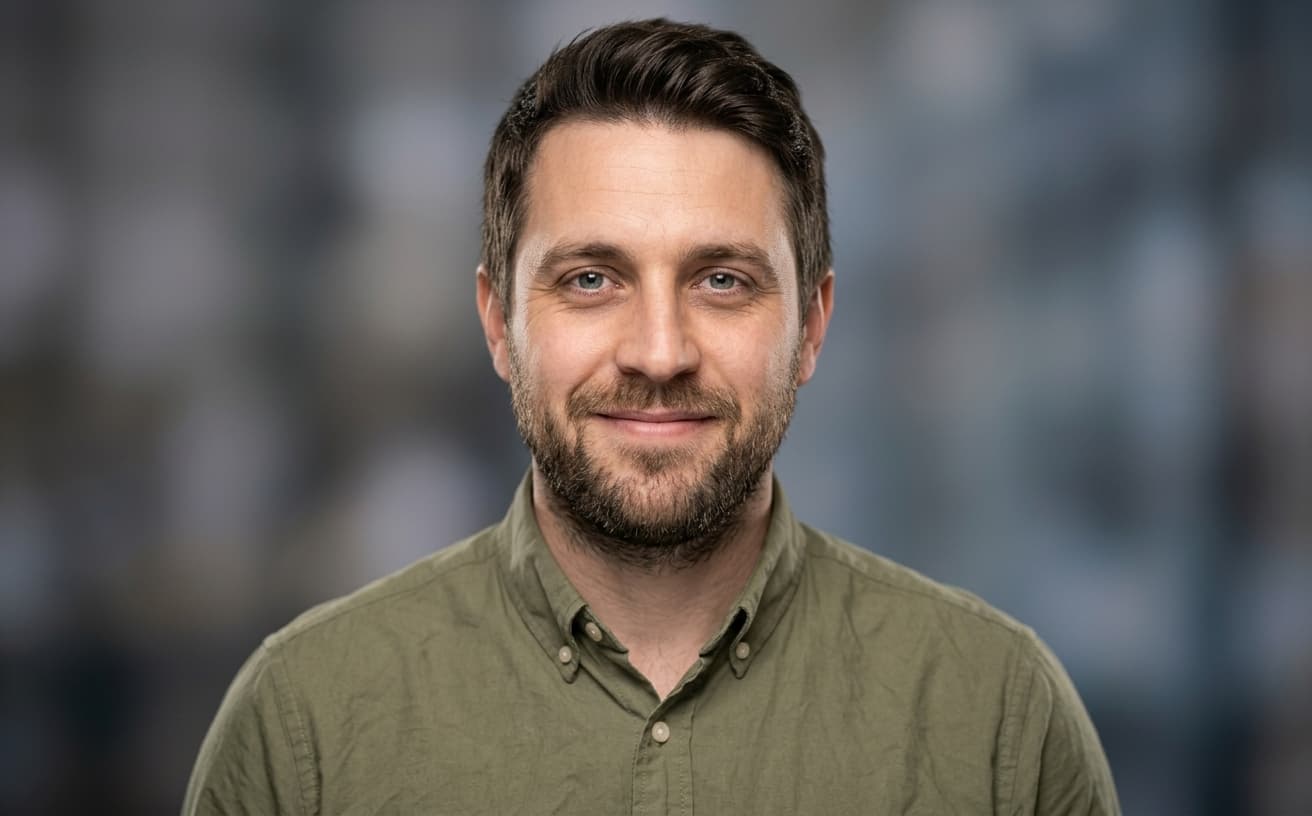
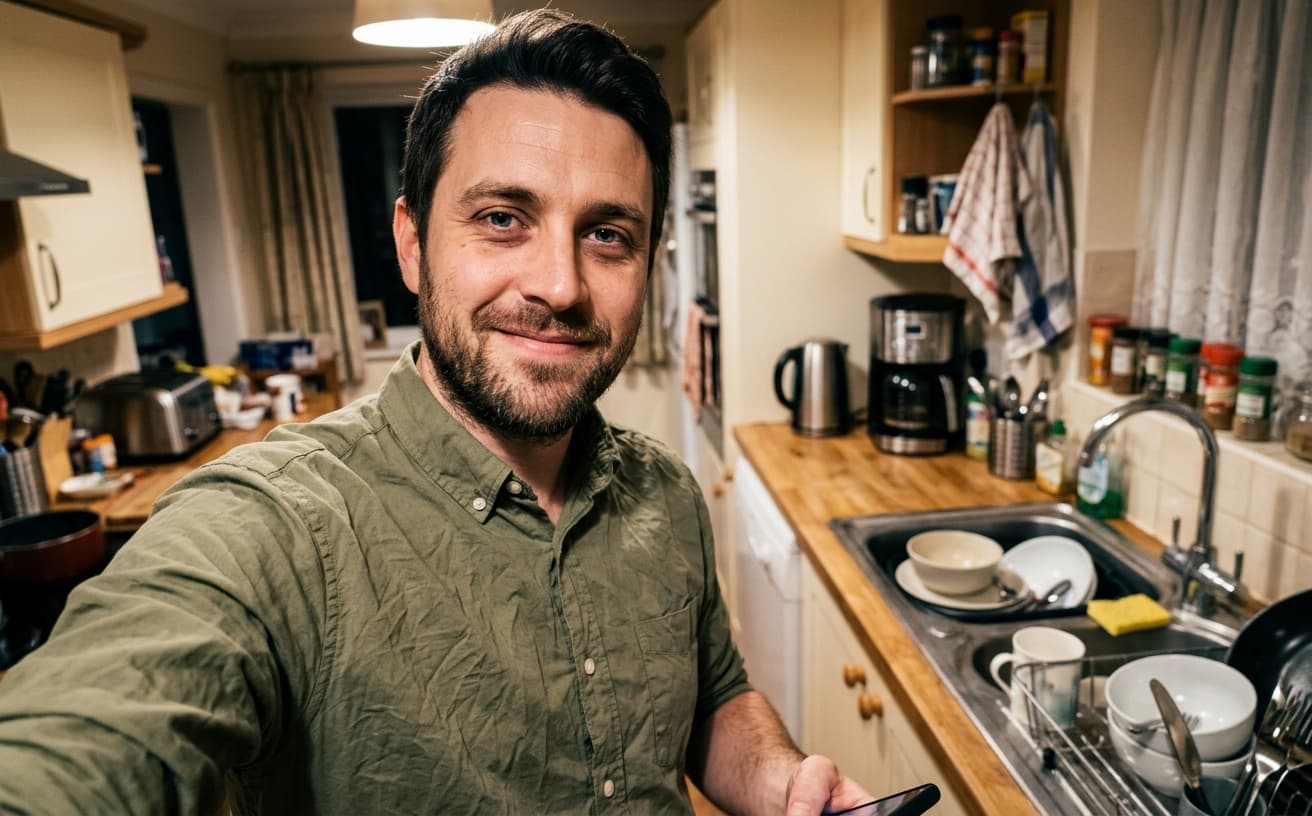
Opening photo editor…
Professional Headshots Increase Profile Views by 14x
LinkedIn profiles with professional headshots get 14x more views and 36x more messages. Professional photography costs $200-500. Our AI transforms any photo into a professional headshot—office backgrounds, business attire, natural retouching—giving you the professional presence that drives career opportunities.
Headshot Features
Everything for professional presence
Office Backgrounds
Professional office, neutral, or branded backgrounds
Attire Enhancement
Business casual or formal attire suggestions
Natural Retouching
Subtle enhancement, skin smoothing, lighting fix
Multiple Styles
Corporate, creative, approachable, authoritative
Real Results Gallery
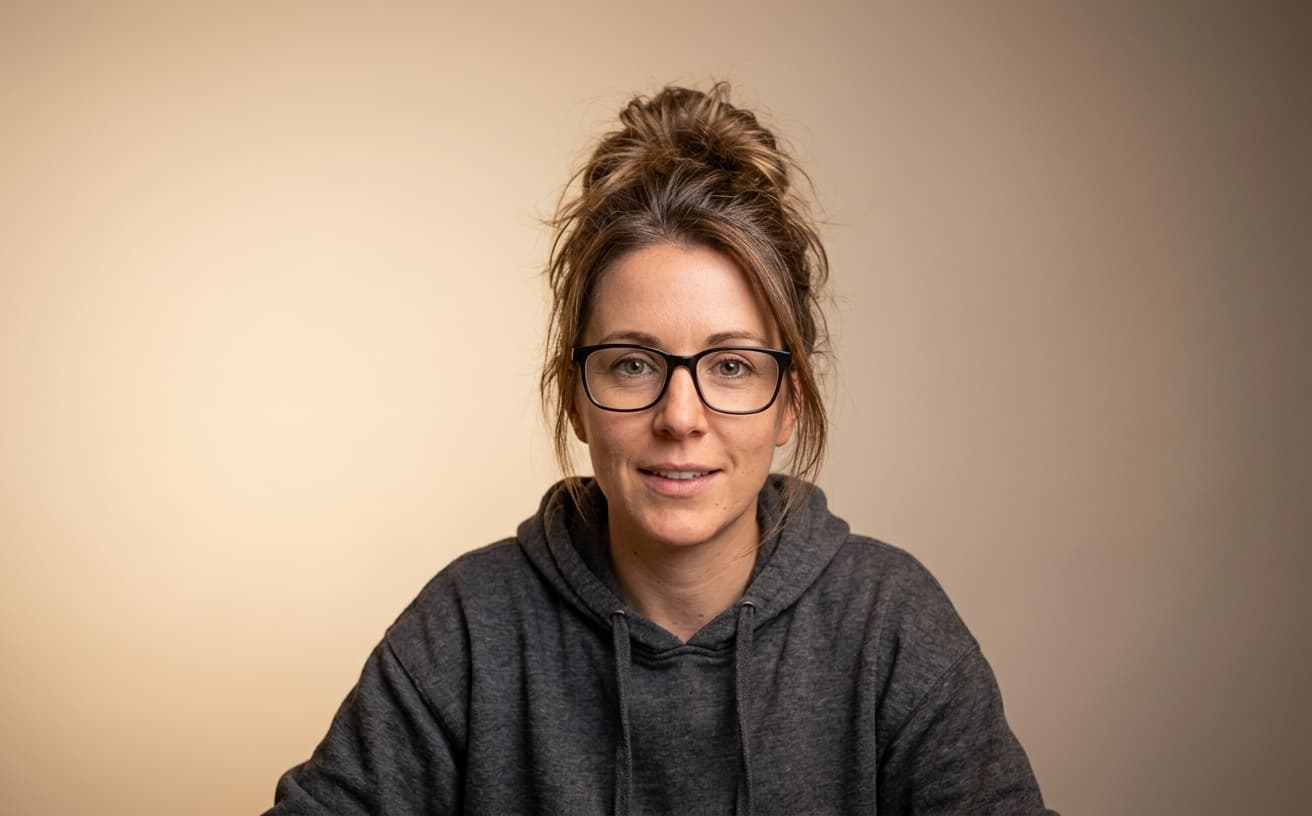
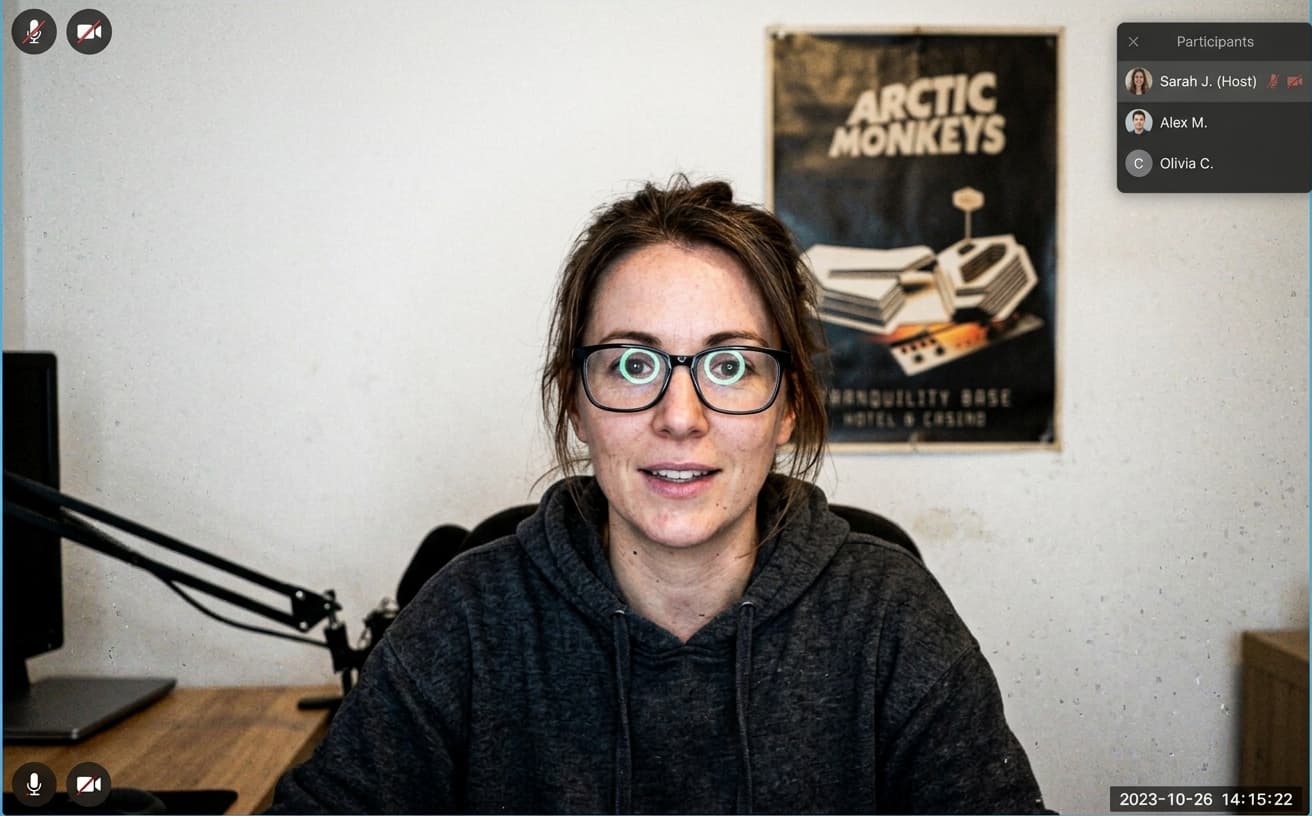
See how AI transforms photos with professional editing


Professional AI Editing
Compare the original and edited image
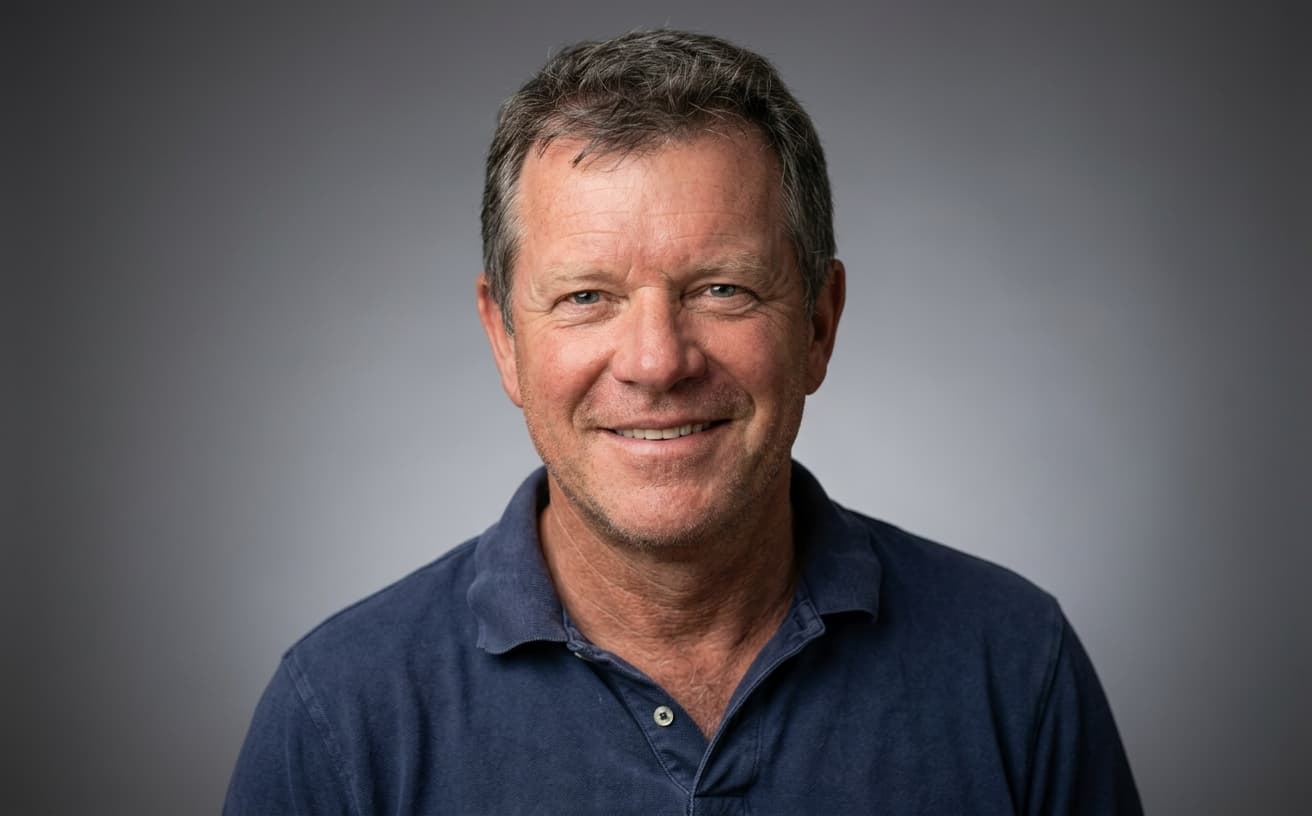
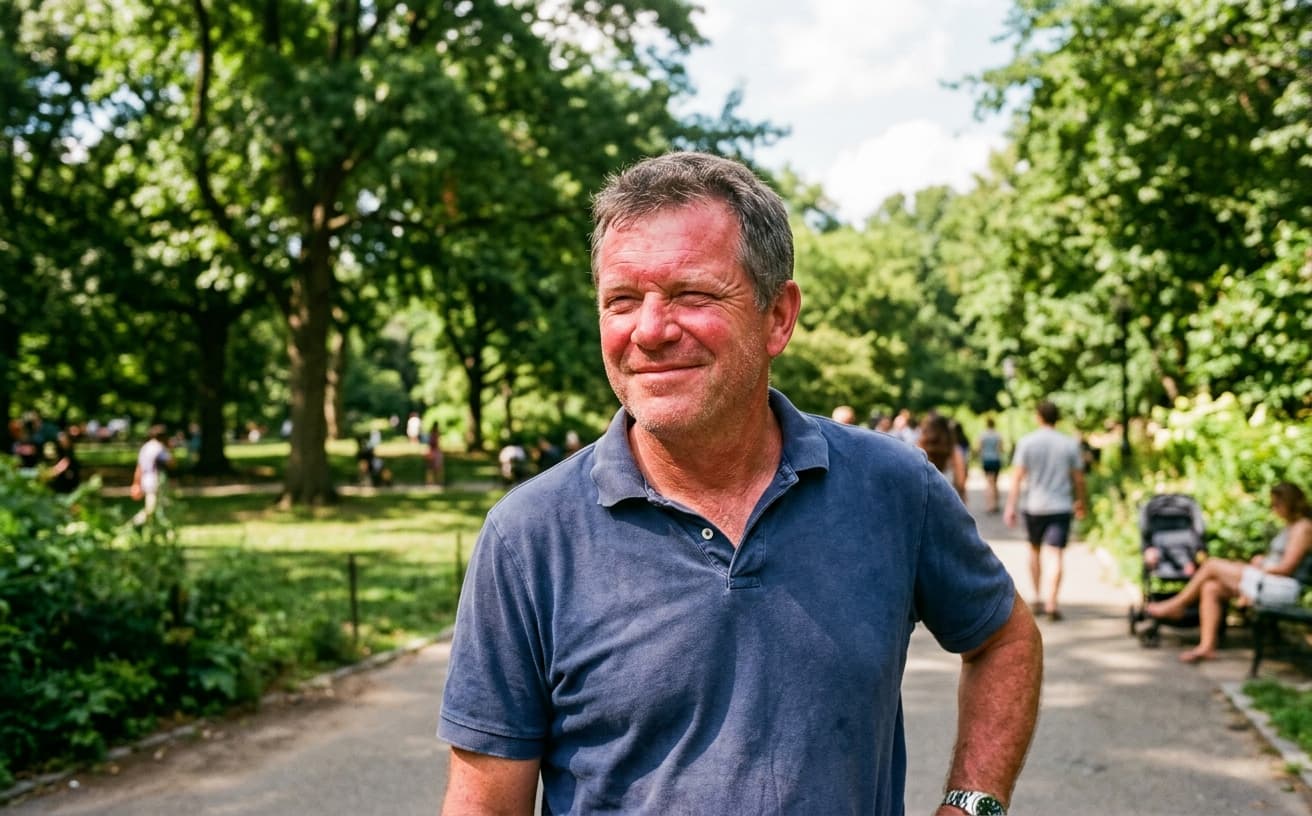
Natural Results
Check edges, lighting, and fine details
AI Transformation
AI-powered enhancement
Premium Quality
Review the result before downloading
How to Create a Professional LinkedIn Headshot from Any Photo
Professional headshot in 3 steps
Upload Photo
Any clear face photo—selfie, casual, or existing.
Choose Style
Select background, attire level, retouching amount.
Download Headshot
Professional headshot ready for LinkedIn and all profiles.
Why Professionals Choose AI Headshots
Career success starts with your photo
A practical way to review your edit
Keep your original and check the generated image before you use it.
Start with one photo
Choose a clear source image and describe one specific change. A focused request makes the result easier to compare with your original.
Review the important details
Compare faces, lettering, edges and other important details with the original. AI can change parts of an image you asked it to preserve.
Choose the result before exporting
Each AI edit uses 1 credit at 1K. Your first credit is free after signup and email verification. Free exports have a watermark; paid credits unlock watermark-free exports.
Questions & answers
How does the free trial work?
You get 1 free credit when you sign up, so you can run a real edit before paying. AI processing costs 1 credit at 1K, 6 credits at 2K or 10 credits at 4K. No credit card required for the trial.
How is it different from traditional software?
Our AI-powered tools work in the cloud, requiring no downloads or installations. Results are faster and more accurate than traditional photo editing software.
What happens to the photos I upload?
They are sent to our AI providers for processing and returned to your browser. We do not save your images to your account: the only thing kept is the text of the edit and its settings, so you can see what you ran. Nothing is shared or resold.
How does billing work?
Credits, not seats. One edit costs 1 credit at 1K, 6 credits at 2K or 10 credits at 4K. A credit pack is a one-off purchase and its credits sit in your balance until you use them. Pro is $30 a month and tops your balance back up to 250 credits at each renewal, keeping anything above that which you bought separately. If a Pro subscription ends, the remaining balance is cleared with it, so spend it before you cancel.
Do you recommend pay as you go or prepaid credits?
If you edit a listing or a shoot now and then, a credit pack is simpler and cheaper: $7 for 30, $15 for 75, $30 for 200, $60 for 500. If you are editing every week, Pro at $30 a month gives 250 credits per cycle, which is the better rate at that volume.
The Career Impact of Professional LinkedIn Photos
Your LinkedIn photo appears before your name in search results. Recruiters and hiring managers form impressions in less than a second based on that image.
Professional headshots cost $150-300, which feels expensive for a single photo. Enhancement improves your current photo by correcting lighting (removing shadows that make you look tired), adjusting background (removing distractions), and optimizing crop (ensuring proper framing for platform specifications).
The networking reality: People connect with faces they perceive as professional and approachable. Poor lighting or distracting backgrounds create psychological distance. Your photo doesn't need to look like a magazine cover, but it should look intentional rather than accidental.
David worked in enterprise software sales. His LinkedIn photo was a cropped group shot from a wedding, with uneven lighting and a blurry background. After enhancing to professional headshot standards, his connection acceptance rate increased from roughly 40% to 68%, and recruiter outreach frequency doubled over three months. Same person, same experience—better first impression.
When enhancement isn't your priority: If you work in creative fields where personal brand matters more than corporate polish, an authentic casual photo might serve you better than an overly formal headshot. Know your industry norms. Tech startups often prefer approachable over corporate; finance and legal prefer traditional professional.
Update your LinkedIn photo if it's more than two years old or was never intended as a professional headshot.
Next step
Related AI photo tools
Choose the tool that matches your next photo edit.
Headshots for social profiles
The same portrait, sized and framed for platforms other than LinkedIn.
Dating profile photos
A different read on the same shot: warmth over authority.
Change the background
Swap an office wall or a kitchen for a neutral professional backdrop.
Put it on a white background
The plain-backdrop version some company directories require.
Ready to Transform Your Photos?
Try an edit on your own photo and inspect the result before downloading.
1 free credit after signup and verification • No card required