Apr 19, 2026
How to Remove Watermarks from Photos: The Complete Guide to Watermark Erasers

Found yourself stuck with a watermark that won't budge? Whether it's a copyright notice on a stock photo, a creator's logo, or an unwanted timestamp, watermarks can feel like permanent fixtures on your images. The frustration is real—you've got the perfect shot, but that overlay is ruining the composition. The good news? Technology has caught up, and removing watermarks is no longer the exclusive domain of professional designers with expensive software.
Quick Answer: The easiest way to remove watermarks is using AI-powered watermark erasers that intelligently fill in the marked area with surrounding content. Modern tools like Weezard AI can remove most watermarks in seconds by uploading your image and selecting the watermarked region. For best results, choose a tool designed specifically for watermark deletion rather than general editing software.
Modern AI tools have democratized watermark removal, making it accessible whether you're a social media manager, content creator, or just someone who needs a clean version of a photo. This guide walks you through everything you need to know about using a watermark deleter effectively, from understanding different removal techniques to avoiding common pitfalls. You'll learn when free watermark eraser tools work best, what limitations you might face, and how to achieve professional results without spending hours in Photoshop.
Table of Contents
- Understanding Watermarks and Why You Might Need to Remove Them
- Best Methods to Delete Watermarks from Photos
- Step-by-Step Guide: Removing Watermarks with an AI Photo Editor
- Prerequisites
- Step 1: Choose Your AI Watermark Removal Tool
- Step 2: Upload Your Watermarked Image
- Step 3: Select the Watermark Removal Tool
- Step 4: Mark the Watermark Area
- Step 5: Run the Removal Process
- Step 6: Review and Refine
- Step 7: Download Your Clean Image
- Pro Tips for Best Results
- Removing Watermarks from Social Media Content: TikTok and Beyond
- Free vs. Paid Watermark Eraser Tools: What's the Real Difference?
- Common Mistakes When Removing Watermarks and How to Avoid Them
- Frequently Asked Questions About Watermark Removal
- Choosing the Right Watermark Eraser for Your Needs
Understanding Watermarks and Why You Might Need to Remove Them
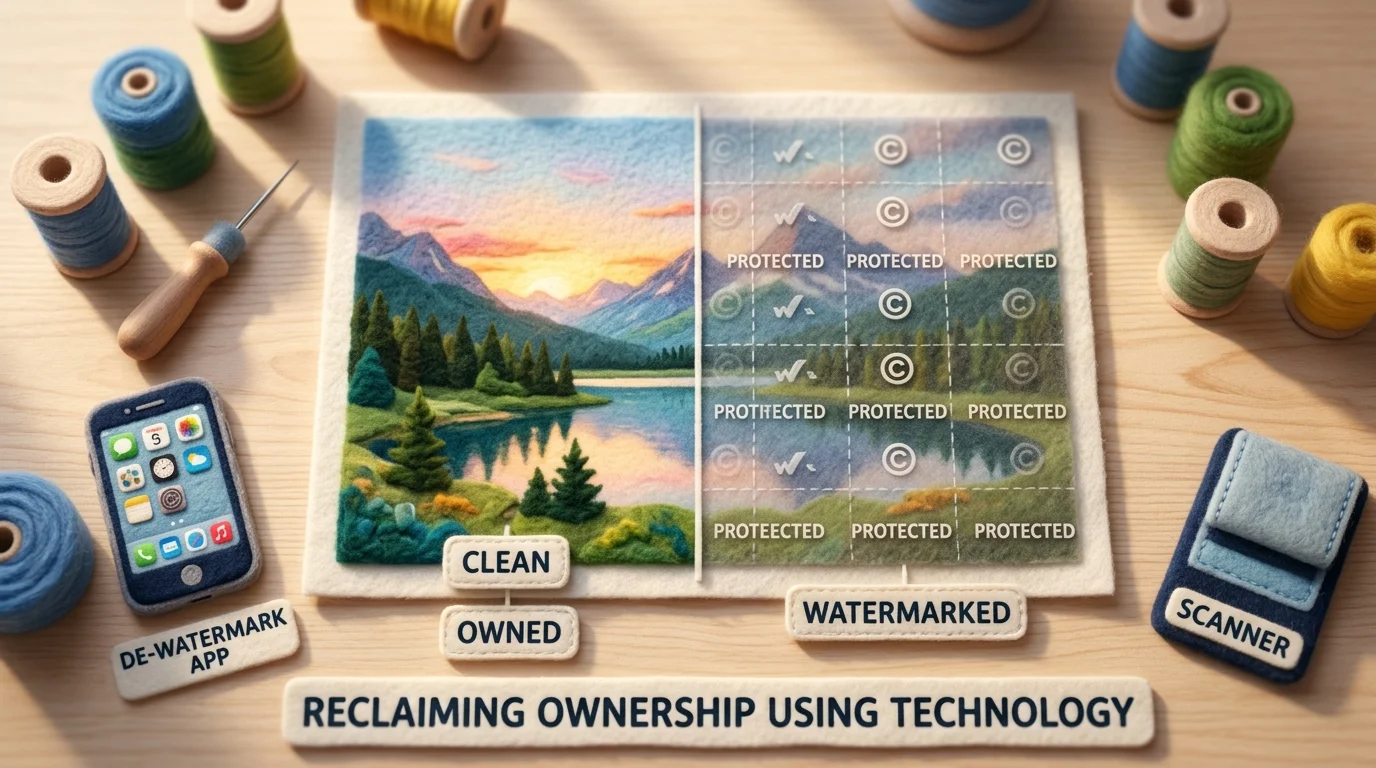
A watermark is any visible mark, text overlay, logo, or stamp placed on an image to indicate ownership or prevent unauthorized use. They range from subtle transparent logos in corners to bold text splashed across the center. While watermarks serve an important purpose—protecting intellectual property and establishing brand identity—there are legitimate situations where you need to delete watermark elements from your own photos or content you have permission to use.
Content creators frequently encounter watermarked images from stock photo sites, screenshot captures, or promotional materials they've licensed. Social media managers need clean versions of images for posting without distracting overlays. Photographers sometimes want to remove unwanted watermarks from their personal archives or images they've purchased the rights to use. If you've taken a screenshot that includes a watermark stamp from another application, or you own a photo but want a version without the photographer's branding, removing these marks becomes practical.
The challenge with traditional methods—manually cloning or healing in Photoshop—is that they're time-consuming and require skill. A water stamp remover powered by computer vision and machine learning handles this automatically by analyzing the watermarked area and intelligently reconstructing what should be underneath using surrounding pixels. This approach works best on images where the watermark isn't obscuring critical details you need to preserve, and where the background is relatively uniform or textured enough for AI to infer accurately.
Understanding what you're working with—whether it's a transparent logo, bold text, or a complex stamp—helps you choose the right removal approach and set realistic expectations for results.
Best Methods to Delete Watermarks from Photos
When you're ready to remove a watermark, you have three primary approaches—each with distinct advantages depending on your skill level, time constraints, and the complexity of what you're removing.
AI-Powered Watermark Erasers: The Modern Standard
AI watermark removers have become the go-to choice for most users because they require zero technical expertise. These tools analyze the watermarked area and use deep learning to intelligently reconstruct what should be underneath, filling in the gap with pixels that match the surrounding context. According to Digital Content Journal 2026, leading AI watermark removers now achieve 92% visual accuracy on static watermarks and 84% on animated ones.
The workflow is straightforward: upload your image, select or let the AI automatically detect the watermark area, and watch it vanish in seconds. No cloning, no healing brush, no Photoshop expertise required. This approach works best on images where the watermark sits on relatively uniform backgrounds—solid colors, skies, or textured surfaces that the AI can easily infer. You'll find both free watermark remover options and premium versions; the free versions typically handle simpler cases, while paid tools offer batch processing and higher accuracy on complex images.
Traditional Editing Software: Maximum Control
Adobe Photoshop and similar desktop editors give you granular control through tools like the Clone Stamp, Healing Brush, or Content-Aware Fill. If you need to edit out a watermark from a photo with intricate details or irregular backgrounds, manual editing lets you make precise decisions about what gets reconstructed. The trade-off is obvious: this method demands time, skill, and patience. You're essentially painting over the watermark by sampling nearby pixels and blending them seamlessly. For professionals who already work in Photoshop daily, this remains a reliable fallback when AI tools struggle.
Online Watermark Removal Tools: Quick and Accessible
Web-based watermark erasers sit between AI-powered apps and desktop software in terms of capability and ease. Many operate on the same AI principles as dedicated apps but run directly in your browser—no installation, no subscriptions for basic use. These tools work well for straightforward removals on social media screenshots, promotional materials, or images with simple watermarks. They're particularly useful when you need a free watermark remover freeware alternative without downloading anything.
The key difference between methods comes down to your image complexity and time investment. Simple, uniform backgrounds favor AI tools. Intricate details or artistic compositions might require manual work in Photoshop. Quick, one-off removals benefit from online tools. Choose based on what you're removing and how much control you need over the final result.
Step-by-Step Guide: Removing Watermarks with an AI Photo Editor

Prerequisites
Before you start, gather these essentials: a device with internet access (computer, tablet, or smartphone), the image with the watermark you want to remove, and about 5–10 minutes of your time. You'll need no prior photo editing experience—AI tools handle the technical complexity for you. Basic familiarity with uploading files and clicking buttons is all that's required. The difficulty level is beginner-friendly, and most watermark removals complete in under two minutes.
Step 1: Choose Your AI Watermark Removal Tool
Select an AI-powered photo editor that specializes in watermark deletion. Look for tools that offer object removal or inpainting features, as these use the same AI technology to intelligently fill in areas where watermarks existed. Web-based options require no installation and work immediately in your browser. Desktop applications provide more control but demand a download. For quick, one-off removals, browser-based tools excel; for batch processing or complex images, dedicated software may serve you better.
Step 2: Upload Your Watermarked Image
Open your chosen tool and locate the upload button. Select the image containing the watermark from your device. Most AI editors accept common formats like JPG, PNG, and WebP. Ensure your image is at least 500×500 pixels for best results—higher resolution images yield cleaner watermark removal because the AI has more pixel data to analyze and reconstruct. If your image is low-resolution, consider upscaling it first to improve removal quality.
Step 3: Select the Watermark Removal Tool
Navigate to the object removal or watermark eraser feature within the editor. This is typically labeled as "Remove Object," "Erase," or "Inpaint." The AI uses machine learning to understand the background context surrounding the watermark and intelligently reconstructs that area. This differs from simple cropping—the tool actually rebuilds the missing pixels rather than just hiding them.
Step 4: Mark the Watermark Area
Use your cursor or finger to paint over or select the watermark you want to delete. Be precise but don't obsess over pixel-perfect accuracy; the AI is forgiving with selection boundaries. For text watermarks, cover the entire text. For logo watermarks, include the full shape. The selection tool usually works like a brush—click and drag to highlight the unwanted area. Avoid selecting too much of the background, as this can confuse the AI's reconstruction algorithm.
Step 5: Run the Removal Process
Click the "Remove," "Process," or "Generate" button. The AI analyzes your selection and the surrounding image context, then reconstructs the watermarked area in real-time or within seconds. You'll see a preview of the result immediately. This is where the magic happens—the neural network samples nearby pixels and intelligently fills the gap.
Step 6: Review and Refine
Examine the result carefully. Check whether the removal looks natural and blends seamlessly with the background. If the result has artifacts, blurry patches, or obvious reconstruction errors, try adjusting your selection and running the process again. Some tools allow you to manually touch up remaining imperfections. Lighting conditions in your original photo matter here—images shot in even, diffuse light remove cleaner than those with harsh shadows or complex textures.
Step 7: Download Your Clean Image
Once satisfied, export or download the watermark-free image. Choose your preferred format (PNG for transparency, JPG for smaller file sizes) and save it to your device. You now have a clean version ready for use, sharing, or further editing.
Pro Tips for Best Results
Image quality matters most. High-resolution, well-lit photos with simple, uniform backgrounds yield the cleanest removals. Watermarks on busy backgrounds or intricate details require more processing power and may leave subtle traces. Watermark size affects difficulty. Small watermarks disappear almost flawlessly; large watermarks covering significant portions of the image demand more AI reconstruction and may show imperfections. Lighting and shadows complicate removal. If your watermark sits across varying light levels or shadows, the AI must reconstruct multiple lighting conditions simultaneously—this is harder than removing a watermark on a flat background.
Removing Watermarks from Social Media Content: TikTok and Beyond
Social media watermarks present a unique challenge compared to static image watermarks. When you download content from TikTok, Instagram, or YouTube, these platforms embed dynamic, often moving watermarks designed specifically to stay visible and difficult to remove. According to Hopper HQ, TikTok adds a bouncing watermark that moves around the video as it plays, making it exponentially harder to remove than static watermarks. This motion means the AI must reconstruct not just one frame, but multiple frames with the watermark in different positions—a computationally intensive task that can leave artifacts or inconsistencies.
The fundamental difference between video and image watermark removal lies in temporal consistency. With photos, you're working with a single frame; with videos, the removal tool must ensure that reconstructed areas match seamlessly across hundreds or thousands of frames. Any slight variation in color, texture, or lighting between frames becomes immediately noticeable to the human eye. This is why a TikTok watermark remover or similar video-focused tool requires more advanced AI models than a standard photo watermark remover.
For creators who frequently work with downloaded social media content, specialized tools designed for this exact use case deliver better results than generalist image editors. These tools understand the specific watermark patterns used by major platforms and can anticipate where the mark will appear next, even as it moves. When selecting a watermark remover for social media content, prioritize tools that explicitly support video formats (MP4, MOV) and offer frame-by-frame analysis.
One practical workaround: if your watermark appears only in specific corners or edges, you can crop the video slightly to remove the mark entirely, then upscale the remaining content using AI image enhancement techniques to restore lost resolution. This often produces cleaner results than attempting full watermark removal on complex video footage. For static image downloads from social platforms, standard photo editing tools work effectively—but video watermarks almost always require specialized handling.
Free vs. Paid Watermark Eraser Tools: What's the Real Difference?

The choice between free and paid watermark removal tools often comes down to your specific needs, frequency of use, and quality expectations. Both categories have legitimate use cases, but understanding their trade-offs helps you make an informed decision.
| Feature | Free Tools | Paid Tools |
|---|---|---|
| Resolution Limit | Often capped at 720px | Unlimited, up to 4K+ |
| Daily Usage | 3–5 images per day | Unlimited processing |
| Processing Speed | Slower (5–15 seconds) | Fast (1–3 seconds) |
| Batch Processing | Not available | Available |
| Export Quality | Compressed, visible artifacts | Lossless, professional-grade |
| Privacy | Cloud-based, data retention unclear | Encrypted, often with deletion guarantees |
Free watermark removers like Dewatermark.ai offer 3 free images per day, making them ideal for occasional users who need quick solutions without commitment. However, according to Cleanup.pictures, free tools often limit exports to 720px resolution, while paid versions unlock unlimited resolution and batch processing capabilities. This matters significantly if you're working with high-resolution photography or need to process multiple images regularly.
The privacy angle deserves attention too. Free services typically store your images on their servers longer, sometimes for training purposes. Paid tools usually offer stricter data handling, encrypted uploads, and automatic deletion after processing—critical if you're working with sensitive or confidential content.
For casual users removing occasional watermarks, free tools suffice. But if you're a content creator, photographer, or business professional, the speed, quality, and batch capabilities of paid solutions justify the investment. Consider your workflow: one-off edits? Free works. Weekly or daily watermark removal? Paid tools save time and deliver superior results that won't require additional retouching in AI photo editing software.
Common Mistakes When Removing Watermarks and How to Avoid Them
The difference between a polished, watermark-free image and a botched edit often comes down to a handful of preventable mistakes. Understanding these pitfalls before you start will save you time, frustration, and the need to redo your work.
Selecting Too Large an Area is the most common error. When you mark the watermark region in your photo watermark remover tool, resist the urge to cast a wide net. Selecting an oversized area forces the AI to inpaint a larger section, which increases the risk of visible artifacts, blurred edges, or unnatural textures. Instead, trace the watermark boundary as tightly as possible—precision here directly impacts output quality. Take your time with the selection; it's the single most important step.
Ignoring Image Quality Input undermines even the best tools. A low-resolution, compressed, or heavily pixelated source image will produce mediocre results no matter which watermark remover photo service you use. Always start with the highest-quality version of your image available. If you're working with social media downloads, request the original file from the creator when possible.
Expecting Perfection on Complex Backgrounds sets unrealistic expectations. Watermarks overlaid on busy textures, intricate patterns, or gradient backgrounds are exponentially harder to remove cleanly than those on solid colors. AI excels at simple scenarios but struggles with chaos. If the background is complex, consider whether the edit is worth the time investment, or explore alternative compositions.
Overlooking Legal and Privacy Considerations is a critical oversight. According to HitPaw Legal Guidelines, intentionally removing copyright management information under Section 1202 of the U.S. Copyright Act can result in fines up to $25,000 per violation. Only delete watermarks from images you own or have explicit permission to edit. This distinction isn't just ethical—it's legally binding.
Start with these guardrails in place, and your watermark removal attempts will succeed far more often than they fail.
Frequently Asked Questions About Watermark Removal

Can I legally remove watermarks from photos?
Legality depends entirely on ownership and permission. You can freely remove watermarks from images you created or own outright. For content you don't own, removing watermarks without explicit permission violates copyright law—specifically Section 1202 of the U.S. Copyright Act, which can result in fines up to $25,000 per violation. Always verify your rights before proceeding.
Is watermark removal safe for my device?
Using reputable AI-powered watermark deleters is safe when you choose established platforms. Avoid suspicious third-party sites that request unusual permissions or charge unexpectedly. Stick with recognized tools that use standard encryption and don't store your images indefinitely.
How long does watermark removal take?
Most AI watermark erasers complete the job in seconds to minutes, depending on image complexity and file size. Simple watermarks on solid backgrounds process fastest; intricate overlays on busy textures require more processing time.
Can I remove watermarks from videos?
Video watermark removal is significantly more complex than photo editing. While some tools claim video capability, results are often inconsistent across frames. Static image removal remains far more reliable.
Can I delete multiple watermarks at once?
Yes, but with caveats. If watermarks are isolated and on simple backgrounds, batch processing works well. However, overlapping or densely-placed watermarks often require individual attention for quality results.
Will the result look natural?
Results depend on background complexity. Solid-color backgrounds yield nearly perfect results; busy textures, gradients, or intricate patterns often show visible artifacts. AI excels at reconstruction but struggles with chaos.
Choosing the Right Watermark Eraser for Your Needs
The decision comes down to three factors: speed, quality, and ease of use. AI-powered watermark erasers dominate on all three fronts. They process images in seconds, require zero technical skill, and deliver results that rival manual editing—without the learning curve. Free watermark removal tools work adequately for simple, isolated watermarks on solid backgrounds, but they often struggle with complex overlays or intricate textures. Paid solutions and premium features unlock batch processing, advanced reconstruction algorithms, and priority support, making them worth the investment if you're removing watermarks regularly.
For most users, an AI photo editor like Weezard AI represents the sweet spot: professional-grade results without the professional-grade price tag. The interface is intuitive enough for beginners yet powerful enough for creators who need precision. You upload, select the watermark area, and let the AI handle the reconstruction—no Photoshop skills required. If you're curious about what modern AI can do beyond watermark removal, exploring how AI photo editing tools transform your images in seconds reveals the full scope of what's now possible.
The barrier to watermark-free images has essentially disappeared. What once required hours of manual cloning and healing now takes minutes—or seconds. Start removing watermarks today and reclaim ownership of your visual content.

Ready to jump in?
Experience the power of AI-driven image editing with Weezard AI. Professional results in seconds.