Apr 12, 2026
How to Make PNG Images with Transparent Backgrounds: Complete Guide
PNG makers are tools that empower creators to design and edit images with transparent backgrounds—a feature essential for logos, product photos, web graphics, and marketing materials. Whether you're a designer working on brand assets or a marketer preparing images for social media, understanding how to generate and manipulate transparent images opens doors to professional-quality visuals without the limitations of solid backgrounds.
Quick Answer: A PNG maker is a tool or software that allows you to create or edit images with transparent backgrounds, saving them in PNG format. Transparent background generators are particularly valuable because they remove unwanted elements from photos, isolate subjects, or create clean graphics that blend seamlessly into any design—making them indispensable for modern digital work across design, e-commerce, and content creation.
This guide walks you through everything you need to know about creating PNG images with transparent backgrounds. You'll discover the mechanics behind transparency, explore both manual and AI-powered creation methods, learn which tools deliver professional results, and understand when to use PNG over other formats. By the end, you'll have practical skills to produce polished, transparent images that elevate your visual content—whether you're building a website, designing marketing collateral, or preparing product photos for online sales.
Table of Contents
- What Is a PNG Maker and Why You Need One
- Key Features to Look for in a PNG Maker Tool
- Step-by-Step Process for Creating a PNG with Transparent Background
- Best PNG Maker Tools and Solutions Available Today
- Common Challenges When Creating Transparent PNGs and How to Solve Them
- PNG Transparency Use Cases: From E-Commerce to Design Projects
- Choosing the Right PNG Maker for Your Needs in 2025
What Is a PNG Maker and Why You Need One
A PNG maker is software or an online tool that enables you to create, edit, or convert images while preserving transparent backgrounds—a capability that sets PNG apart from other image formats. Unlike JPG files, which rely on solid backgrounds and compress images to roughly 10% of their original size, PNG uses lossless compression that maintains image quality at the cost of larger file sizes. This trade-off matters because it keeps every pixel intact, making PNG the format of choice whenever clarity and transparency are non-negotiable.
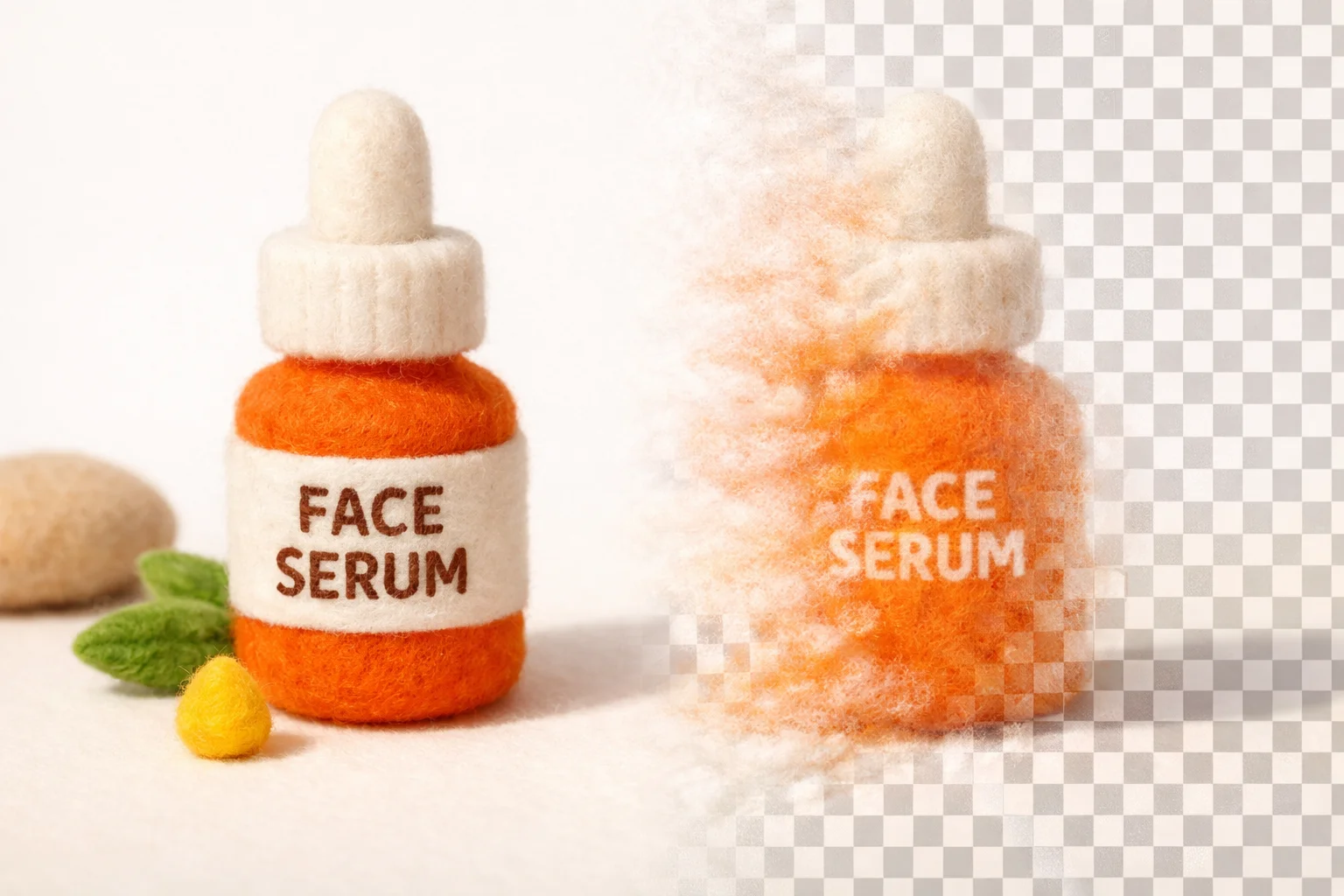
The real power of a PNG maker lies in transparency itself. While JPG and GIF formats struggle with this feature—JPG doesn't support it at all, and GIF's transparency is crude by modern standards—PNG handles it elegantly. This means you can remove unwanted backgrounds, isolate subjects cleanly, or design graphics that blend seamlessly into any layout. A transparent picture isn't just aesthetically superior; it's functionally essential across digital work.
Practical applications span industries. E-commerce sellers rely on transparent product images to showcase items against any background, improving customer perception and conversion rates. Logo designers create transparent graphics that work across websites, business cards, and marketing materials without clashing with existing color schemes. Web developers use transparent images to layer graphics, build responsive designs, and maintain visual hierarchy. Social media creators craft eye-catching transparent overlays and stickers. Content creators and marketers prepare images transparent for flexible deployment across campaigns.
The recent PNG specification update in June 2025 expanded the format's capabilities to include native HDR support and official animated PNG functionality—the first major evolution since 2003—signaling renewed industry investment in this foundational format. Whether you're building brand assets, decluttering product photos, or designing polished graphics, a PNG maker transforms raw images into professional, versatile visual components that adapt to any creative context.
Key Features to Look for in a PNG Maker Tool
A quality PNG maker should prioritize seamless background removal as its foundation. This capability transforms ordinary photos into versatile assets by cleanly isolating subjects from their original context. The best tools employ AI-driven detection to recognize edges with precision, ensuring no stray pixels or halos compromise the final image. Beyond basic removal, transparency control matters—you need granular adjustment of opacity levels, feathering options, and the ability to refine edges where automated detection falls short. This flexibility separates professional-grade tools from simplistic converters.
Batch processing capability becomes essential when working with multiple images. Whether you're preparing product catalogs, social media content, or marketing materials, processing dozens of photos individually wastes time. A transparent background generator worth your attention handles bulk uploads, applies consistent settings across files, and exports everything at once. This efficiency multiplies across projects, especially for e-commerce sellers and content creators managing large asset libraries.
Export quality directly impacts how your images perform downstream. Look for tools offering multiple resolution options—from web-optimized 1K quality to professional 4K exports—ensuring your transparent images maintain clarity whether displayed on mobile screens or printed materials. The PNG format itself preserves transparency losslessly, but the tool's compression algorithms determine file size and visual fidelity.
Ease of use cannot be overlooked. Drag-and-drop interfaces, one-click background removal, and intuitive preview systems reduce friction significantly. AI-powered solutions like Weezard streamline this further by automating detection and refinement, letting you achieve professional results without technical expertise or hours of manual masking.
Integration options extend utility. Tools that connect with design software, e-commerce platforms, or cloud storage eliminate tedious file management. API access or batch export formats ensure your photo transparent workflow integrates smoothly into existing creative processes rather than creating isolated bottlenecks.
Step-by-Step Process for Creating a PNG with Transparent Background
Creating a picture with a transparent background involves several key stages, whether you're using a dedicated tool or an AI-powered platform. The fundamental workflow remains consistent across most solutions: upload your image, remove or isolate the background, refine edges if needed, and export as PNG format.
Step 1: Upload Your Image
Start by selecting the image you want to convert. Most modern tools accept JPG, PNG, WEBP, and other common formats. Simply drag and drop your file into the interface or click to browse your device. The tool processes your upload and prepares it for background removal. This step typically takes seconds, and you'll see a preview of your original image ready for editing.
Step 2: Select Your Processing Method
Choose the appropriate processing model or removal technique. AI-powered solutions like Weezard offer multiple processing options—such as fast, accurate, or specialized models—allowing you to balance speed against precision. For most standard photos, the recommended model handles detection automatically, but you can switch methods if the initial result needs adjustment.
Step 3: Remove or Isolate the Background
The tool analyzes your image and removes the background automatically. With AI-driven transparent background generators, this happens in seconds without manual masking. The algorithm detects foreground subjects and separates them from the background layer. You'll immediately see the result with transparency (usually shown as a checkerboard pattern) replacing the original backdrop.
Step 4: Refine Edges and Details
Review the edges of your subject carefully. Some tools offer manual refinement options—brush tools, eraser functions, or edge-smoothing sliders—to clean up any imperfections. Pay special attention to hair, fabric textures, or fine details where automated detection might leave artifacts. This step ensures your transparent image looks polished and professional.
Step 5: Preview and Adjust Quality Settings
Before exporting, preview your result at full resolution. Select your desired output quality—web-optimized 1K or professional 4K—depending on where you'll use the image. Higher resolutions preserve more detail but create larger files; choose based on your specific needs.
Step 6: Export as PNG
Download your image in PNG format, which preserves transparency losslessly. The file will maintain your transparent background across all applications and platforms, ready for web use, design projects, or e-commerce listings.
Best PNG Maker Tools and Solutions Available Today
The landscape of PNG maker tools has diversified significantly, offering solutions across multiple categories tailored to different user needs and skill levels. Understanding which type of tool works best for your workflow depends on factors like frequency of use, desired output quality, and technical comfort level.
Online Tools and Web-Based Solutions
Web-based transparent background generators remain the most accessible entry point for casual users. These browser-based platforms require no installation and often offer free tiers with basic functionality. They typically handle simple backgrounds well—solid colors or uniform skies—and deliver results within seconds. The trade-off is that free versions often compress output quality or limit resolution to web-optimized 1K. Many online tools also impose file size restrictions or watermark outputs, making them suitable for quick edits rather than professional production work.
Desktop Software for Advanced Control
Professional designers often prefer desktop applications that provide granular control over edge refinement, layering, and batch processing. These programs run locally on your machine, eliminating upload delays and privacy concerns associated with cloud processing. Desktop solutions typically support plugins, scripting, and integration with other design workflows—critical for teams managing high-volume projects. The learning curve is steeper, but the precision and speed gains justify the investment for regular users.
AI-Powered Editors: The Modern Standard
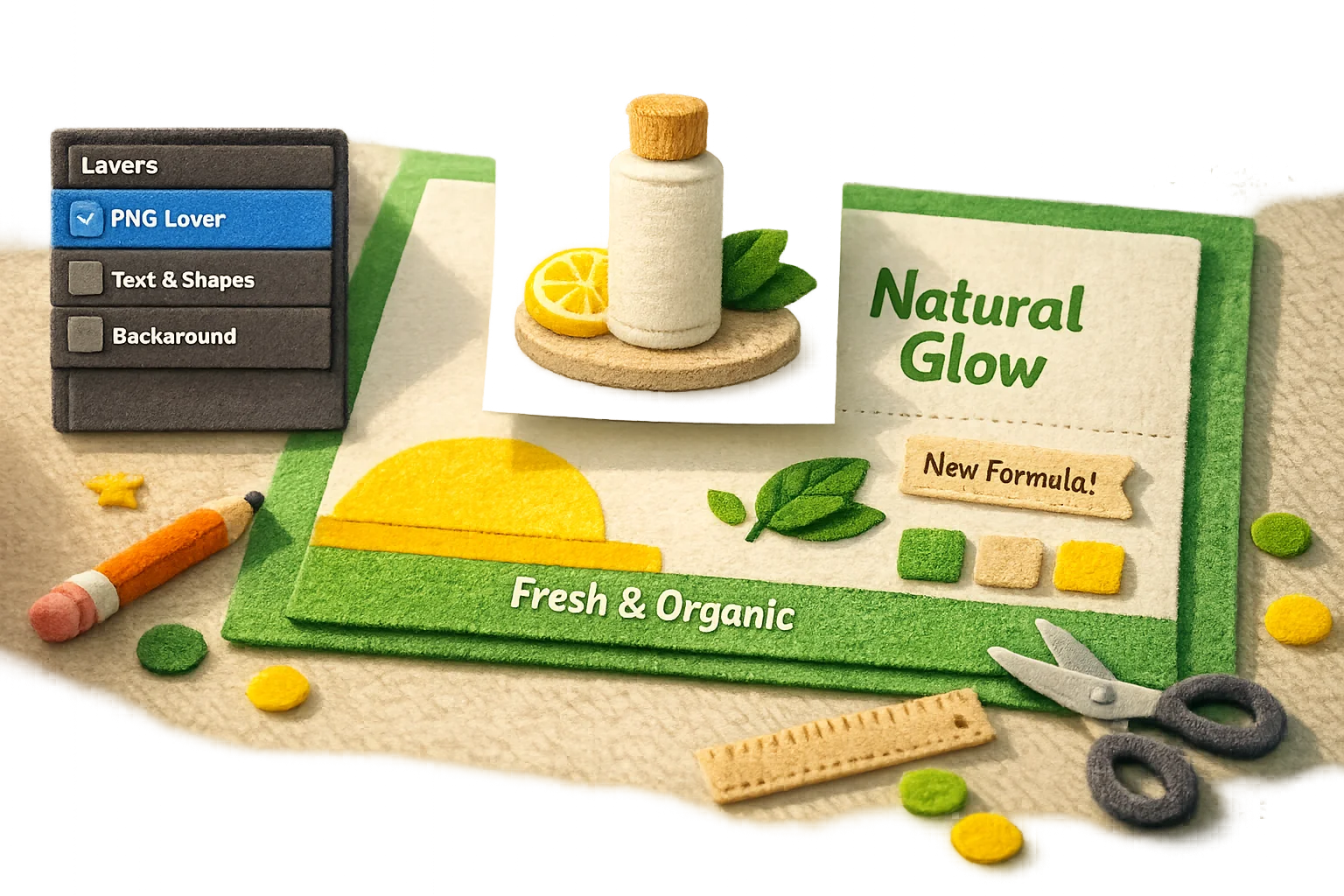
Artificial intelligence has transformed PNG creation by automating complex tasks like hair-strand detection and fabric texture preservation. AI-driven editors analyze pixel patterns intelligently, distinguishing fine details that traditional algorithms miss. Tools like Weezard combine AI background removal with broader photo editing capabilities, allowing you to refine images beyond simple transparency—adjusting lighting, removing objects, or enhancing colors in a single workflow. These solutions bridge the gap between simplicity and professional capability, offering cloud-based processing with optional 4K export quality.
Browser Extensions and Lightweight Tools
For users who work directly in browsers, extensions streamline the process by integrating transparent background generation into existing design platforms. These lightweight solutions sacrifice some advanced features but excel at speed and convenience. They're particularly useful for e-commerce teams managing product photos or content creators batch-editing social media assets.
The background removal software market continues expanding, with cloud-based solutions now comprising the majority of professional workflows. Whether you choose a free online tool, desktop software, or AI-powered editor depends on your output frequency, quality requirements, and budget constraints. Most professionals eventually migrate toward AI solutions that balance automation with customization options.
Common Challenges When Creating Transparent PNGs and How to Solve Them
Creating transparent PNG images sounds straightforward in theory, but the reality often involves frustrating edge cases and quality compromises. Understanding these common pitfalls—and knowing how to address them—separates polished results from amateur work.
Jagged Edges and Antialiasing Issues
The most visible problem occurs when background removal leaves harsh, pixelated edges around your subject. This happens because automated tools struggle with semi-transparent pixels at the boundary between foreground and background. When you export a photo transparent, these edge pixels often get discarded entirely rather than smoothed. The solution involves two approaches: first, use tools with feathering or edge refinement options to soften the transition; second, manually clean up critical edges in a secondary pass using a lightweight editor. For product photos or logos where edges matter aesthetically, this manual touch-up is often non-negotiable.
Incomplete Background Removal on Complex Subjects
Hair, fur, and intricate patterns present genuine technical challenges. According to research from Jenova AI, AI background removal tools achieve over 95% edge accuracy with studio images featuring strong contrast, but accuracy drops to 80-85% for lifestyle photos where subject and background colors blend. When your image transparent conversion leaves wisps of the original background clinging to fine details, you're hitting this accuracy ceiling. The workaround: shoot against high-contrast backgrounds when possible, or accept that semi-transparent subjects will require manual masking for pixel-perfect results.
Quality Degradation During Export
Exporting at lower resolutions to save file size creates visible quality loss, especially for detailed images. Always export at your original resolution or higher—cloud-based editors now support 4K exports, eliminating the need to compromise on quality. If file size becomes an issue, optimize after export rather than before.
Color Fringing and Halo Effects
Sometimes a faint colored outline appears around your subject after background removal. This occurs when the removal algorithm misinterprets edge pixels. Reduce this by adjusting edge detection sensitivity in your tool's settings, or manually paint over the affected areas with a clone stamp tool.
PNG Transparency Use Cases: From E-Commerce to Design Projects
Transparent PNGs have become indispensable across industries because they solve a fundamental problem: integrating images seamlessly into any background or design context. E-commerce represents the largest application, where product photography demands pixel-perfect clarity. According to Orbitvu research, 90% of online shoppers report that product photo quality directly influences purchasing decisions, with clean product images boosting conversion rates by 20–30%. A reliable transparent background generator lets retailers display products against white, colored, or lifestyle backgrounds without awkward edges or color fringing—critical for maintaining professional catalog standards across multiple platforms.
Logo design and branding rely equally on transparent PNGs. Designers create logos that need to sit cleanly on websites, business cards, social media profiles, and marketing collateral. Without transparent backgrounds, you're forced to export logos with white boxes attached, limiting placement flexibility. Web graphics—buttons, icons, headers, infographics—all benefit from transparency, allowing designers to layer elements without visual conflicts.
Social media content creators use transparent PNGs to build custom graphics for Instagram, TikTok, and Pinterest posts. Overlaying text, stickers, or design elements on transparent backgrounds enables flexible composition that adapts to any color scheme or seasonal campaign. Print materials like packaging, labels, and promotional materials also demand transparent PNGs, since printing processes require precise control over where color actually appears on the substrate.

The common thread: every use case requires accuracy and speed. A PNG maker tool that delivers clean edges, preserves fine details, and exports quickly becomes essential infrastructure for professionals managing multiple projects. Whether you're processing fifty product photos for an e-commerce site or designing brand assets for a startup, the difference between a mediocre transparent background generator and a precision tool determines whether your workflow feels effortless or frustrating.
Choosing the Right PNG Maker for Your Needs in 2025
The choice between PNG maker tools ultimately depends on your workflow volume and technical requirements. Casual designers and social media creators benefit from free online transparent background generators—they're accessible, require no installation, and handle occasional projects without friction. These tools work well for one-off graphics, seasonal content, or experimental designs where speed trumps precision.
Professionals managing bulk image processing face a different calculus. E-commerce teams processing hundreds of product photos, real estate agents preparing listings, or marketing departments handling seasonal campaigns need automation and consistency. This is where AI-powered solutions like Weezard become infrastructure rather than convenience. The ability to process fifty images simultaneously, maintain uniform quality standards, and export in multiple formats transforms PNG creation from a bottleneck into a streamlined operation.
According to Future Market Insights, the global AI image editor market is valued at $88.7 billion in 2025 and projected to reach $229.6 billion by 2035, reflecting enterprise adoption across marketing, e-commerce, and advertising sectors. This growth reflects a fundamental shift: AI-driven tools now deliver precision that manual editing cannot match, especially at scale.
Start with a free preview or trial plan to evaluate whether a tool fits your needs. Most platforms offer credit-based or monthly plans, allowing you to test workflows before committing. As AI continues advancing, transparent PNG generation will become faster, more accurate, and increasingly accessible—making professional-grade image editing available to creators at every skill level.

Ready to jump in?
Upload a photo, describe a change and review the result. Try 1 credit after signup and email verification.