May 21, 2026
How to Remove People from Photos Using AI in 2026

Tired of unwanted bystanders ruining an otherwise perfect shot? Whether you're a creator, marketer, or real estate professional, AI now makes it simple to remove people from photos with stunning accuracy and zero technical skills. Advanced algorithms analyze surrounding pixels and reconstruct missing details seamlessly—no more awkward gaps or unnatural textures.
Quick Answer: AI-powered tools can automatically detect and erase people from photos using inpainting and context-aware fill technology, replacing them with realistic background elements. According to Future Market Insights, demand for these solutions is surging as the global AI image editor market heads toward $229.6 billion by 2035.
This guide covers the top methods, leading tools, and step-by-step techniques for removing people from images in 2026—including expert tips for flawless results. You’ll also learn how Weezard streamlines this process for creators who need fast, professional edits, and explore related capabilities like background removal in our complete guide to AI-powered photo editing.
Table of Contents
- Why AI Is the Fastest Way to Edit People Out of Images
- Step-by-Step: Remove a Person from a Photo Using AI Tools in 2026
- Top 5 AI Tools to Remove People from Photos in 2026
- Common Challenges and How to Fix Them When Removing People
- Frequently Asked Questions About Removing People from Photos
- Final Tips for Flawless Person Removal in 2026
Why AI Is the Fastest Way to Edit People Out of Images
Gone are the days of painstakingly cloning, masking, and blending in Photoshop to erase unwanted figures. Today, AI transforms what once took skilled editors 20 minutes into a 10-second task—accurate, seamless, and accessible to anyone. Unlike manual methods that rely on visual guesswork and steady hands, modern AI tools use deep learning models trained on millions of images to understand scene context, geometry, and texture at a pixel level. This enables them to not just remove people from photos, but reconstruct the background behind them with startling realism.
Traditional editing struggles with complex scenes—think shadows, overlapping objects, or patterned surfaces. AI overcomes these by analyzing the full image structure, distinguishing humans from static elements with near-perfect precision. According to recent academic findings in 2025, multi-view person detection systems now exceed 90% accuracy, even in crowded or low-light environments. This semantic understanding ensures only the intended subjects are removed, reducing errors and eliminating the need for meticulous selection.
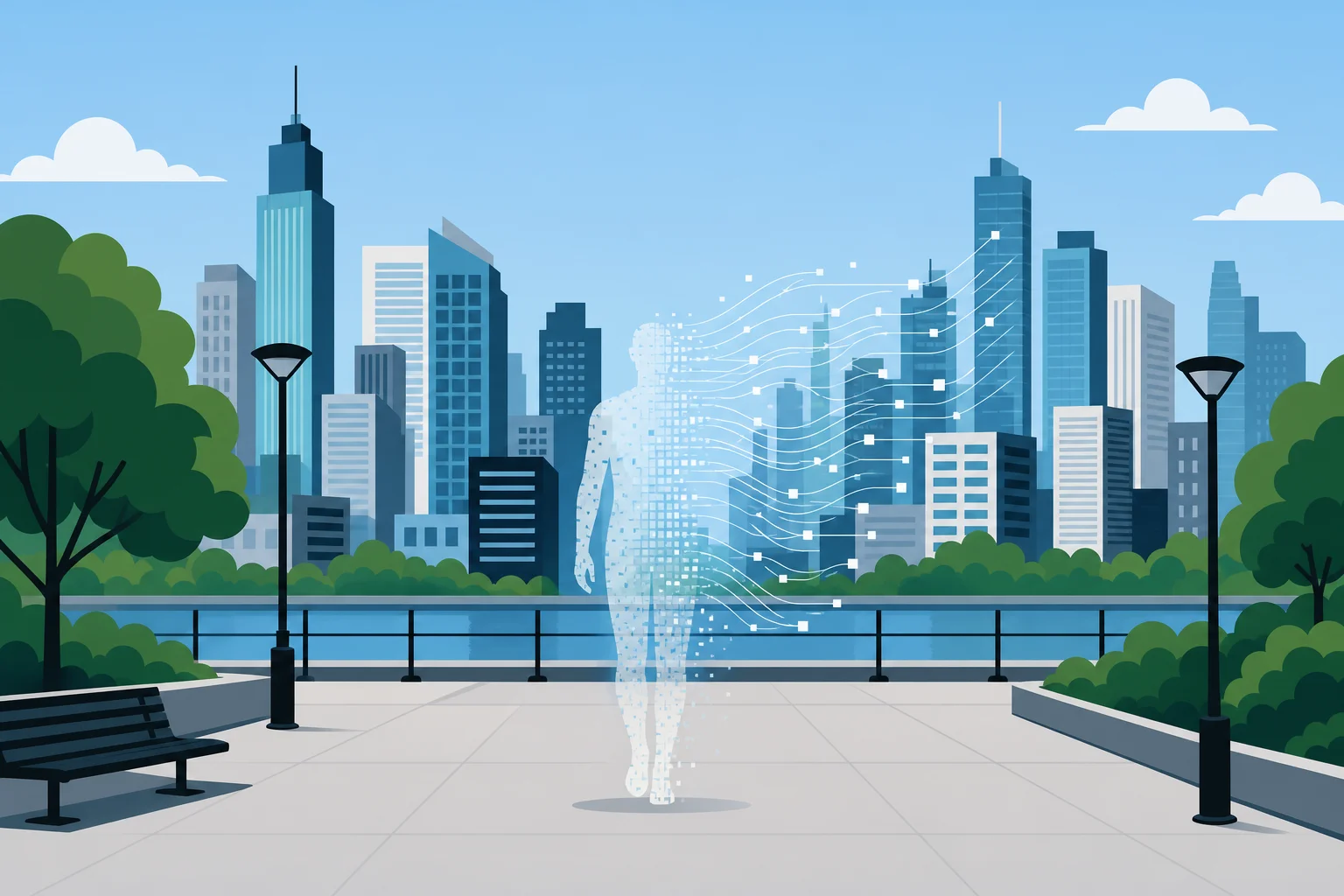
AI seamlessly erases a person, reconstructing the background with digital precision
How AI Detects and Understands Human Figures in Photos
AI models leverage computer vision techniques like segmentation masks and pose estimation to identify human forms regardless of clothing, position, or partial occlusion. These systems don’t just “see” shapes—they interpret posture, limb alignment, and spatial relationships, allowing precise isolation of individuals even in group shots.
From Selection to Seamless Fill: The Behind-the-Scenes of AI Inpainting
Once detected, inpainting algorithms take over. Instead of copying nearby pixels like traditional clone tools, AI generates new content based on learned patterns—recreating bricks, grass, or sky with structural coherence. At Weezard, we’ve optimized this process so creators can erase distractions and restore backgrounds in a single click, delivering studio-quality results without leaving the browser. For deeper control, explore our full guide on how to remove objects from photos.
Step-by-Step: Remove a Person from a Photo Using AI Tools in 2026
Removing someone from a photo no longer requires advanced editing skills—modern AI tools make it fast and intuitive. Whether you're cleaning up a crowded real estate shot or refining social media content, the process is accessible to all creators. Here’s how to do it effectively.
Step 1: Upload Your Image to an AI Editing Platform
Start by selecting a high-resolution image where the background behind the person is visible and relatively consistent—this improves the AI’s ability to reconstruct the space. Open an AI editing tool like Weezard, Adobe Firefly, or Pixelcut, and upload your file. Most platforms support common formats like JPEG, PNG, and even WebP. For best results, ensure your image isn’t overly compressed and avoid blurry or low-light photos, as they reduce detection accuracy.
Step 2: Select the Person or Area to Remove
Once loaded, use the selection tool to mark the individual. Most tools offer an auto-detect function that instantly outlines human figures using pose estimation and segmentation. Click on the person, and the AI will highlight them with a mask. For partial removals or complex scenes, switch to the brush or lasso tool to refine the selection manually. Pay attention to edges—shadows, clothing borders, and overlapping objects can confuse the model if not precisely defined.

Weezard’s one-click detection highlights people with precision
Step 3: Apply AI-Powered Removal and Review Results
With the person selected, click “Remove” or “Erase.” The AI will analyze surrounding pixels and generate new content to fill the void. Processing takes seconds. When complete, inspect the area: does the texture match? Are lines in walls or floors continuous? At Weezard, our inpainting engine uses context-aware synthesis to recreate patterns like brickwork or foliage with structural accuracy, minimizing the need for manual correction.
Step 4: Refine Edges and Enhance Background Details
Even advanced tools can leave subtle artifacts—slight blurring, mismatched tones, or soft edges. Zoom in and use the smoothing brush or contrast adjustment to blend transitions. If part of the background appears stretched, apply a minor warp or use a detail enhancer to restore sharpness. For complex scenes, consider combining object removal with a background refinement tool—check our guide on how to enhance image quality for advanced techniques.
Top 5 AI Tools to Remove People from Photos in 2026
Removing unwanted individuals from photos has evolved from a tedious manual process to a seamless AI-driven task. With precision inpainting and context-aware generation, today’s top tools deliver studio-grade results in seconds. Below, we compare five leading platforms based on accuracy, usability, pricing, and specialized features—ideal for creators, marketers, and real estate professionals who need clean, distraction-free visuals.
Weezard.app: Smart Removal with One-Click Precision
Weezard is built for speed and accuracy, using a proprietary AI model trained on diverse urban and natural environments. With one click, our system detects and removes people while reconstructing complex backgrounds—brick walls, tiled floors, foliage—without visible seams. The interface is intuitive: upload, select the person, and let the AI handle the rest. Processing is cloud-optimized, typically under 10 seconds, and outputs support high-resolution PNG and JPEG formats with no compression artifacts. For users managing bulk edits, Weezard offers batch processing and API access for integration into real estate portals or marketing workflows. Exported images maintain full transparency support, making it easy to repurpose visuals across platforms—learn more in our guide on how to make PNG images with transparent backgrounds.
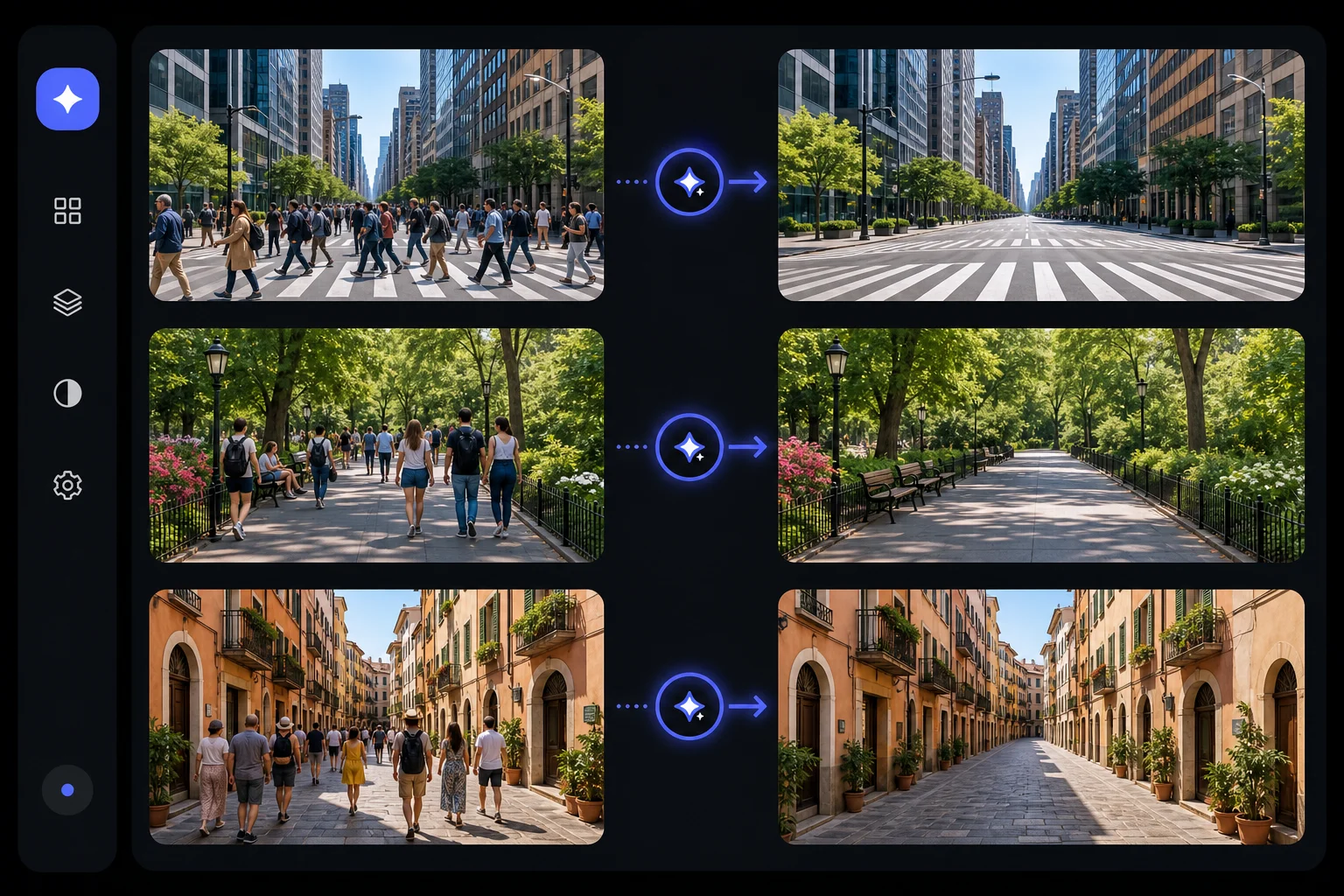
Visual comparison of photos before and after AI-powered person removal
Adobe Firefly: Professional-Grade Control and Creative Flexibility
Firefly excels for users already embedded in the Creative Cloud ecosystem. Integrated directly into Photoshop, it allows granular control over mask refinement and generative fill parameters. The AI leverages deep contextual understanding, making it particularly effective in layered compositions where shadows and perspective matter. Generative Expand further enhances its utility, letting users reframe images after removal. Pricing in 2026 ranges from a free tier to $199.99 per month, with paid plans starting at $9.99/month for Firefly Standard (2,000 premium credits), scaling to $49.99/month for Pro Plus according to G2's pricing analysis. While powerful, the learning curve is steeper for non-designers.
Fotor AI Eraser: Budget-Friendly Option for Casual Users
Fotor offers a streamlined experience ideal for quick fixes on social media or casual snapshots. Its AI Eraser tool works across desktop and mobile, allowing touch-based selection and near-instant removal. At $8.99/month for Pro access, it's one of the most affordable options with a free tier available—though exports are watermarked without a subscription as noted by Tools for Humans AI. Performance dips in crowded scenes or when fine textures like grass or railings require reconstruction. Still, it’s a solid entry point for users new to AI editing.
| Tool | Best For | Starting Price | Key Strength | Limitation |
|---|---|---|---|---|
| Weezard.app | Speed & accuracy | Free tier | One-click removal, batch support | Focused on object removal |
| Adobe Firefly | Creative professionals | $9.99/month | Photoshop integration, precision | Higher cost, complex interface |
| Fotor AI Eraser | Casual, mobile users | Free (watermarked) | Affordable, intuitive | Struggles with complex scenes |
Common Challenges and How to Fix Them When Removing People
Even the most advanced AI tools can struggle with photorealistic reconstruction after removing a person. Issues like ghosting, texture mismatches, or warped geometry often arise when the AI misinterprets depth, lighting, or complex background patterns. Understanding these pitfalls—and how to correct them—ensures clean, believable edits every time you remove people from photos.
Handling Shadows and Lighting Discontinuities
AI models frequently overlook subtle light gradients and cast shadows, leaving flat or unnaturally bright patches where a person once stood. This breaks realism, especially in outdoor shots or scenes with strong directional lighting. To fix this, use a dodge or burn tool to manually reintroduce shadow gradients that match the scene’s light source. In Weezard, we address this by layering AI erasure with optional shadow-aware refinement—preserving ambient occlusion for seamless blends.
Fixing Blurry or Inconsistent Backgrounds
Reconstructed areas sometimes appear softer or lack the grain and detail of the original image, creating a “painted” look. This often happens when the background contains repetitive textures like foliage, brickwork, or carpet. Apply subtle noise matching or sharpen selectively using high-pass filters. For best results, regenerate the area with a context-aware inpainting tool set to “high detail”—Weezard’s AI engine defaults to this mode when detecting fine-textured zones.
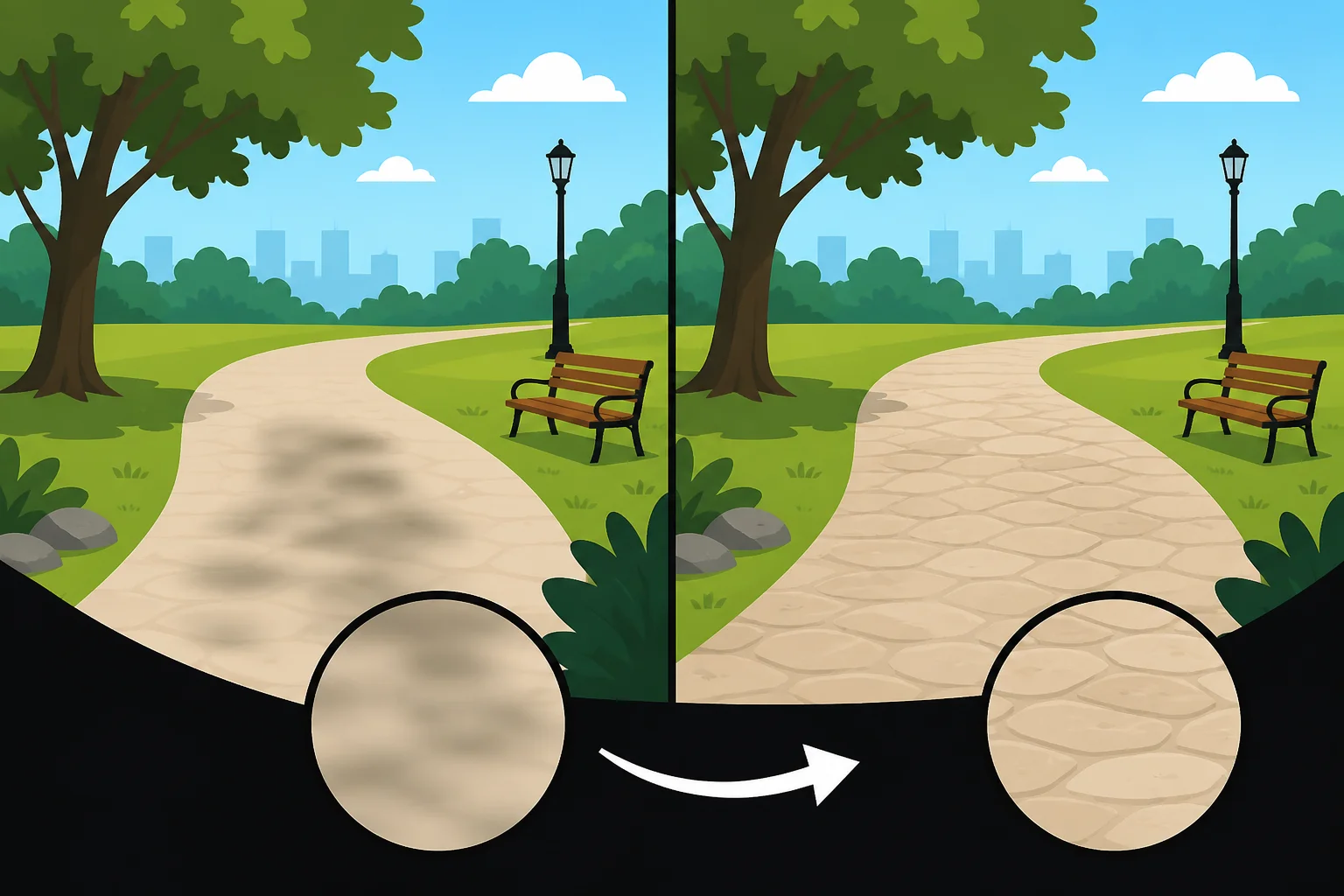
Refining blurry AI reconstructions for photorealistic results
Dealing with Partial Occlusions and Overlapping Objects
When a person partially blocks furniture, signs, or other subjects, the AI must guess what’s hidden. This can lead to distorted or missing elements. Layer-aware tools like Weezard analyze depth cues to reconstruct occluded edges more accurately. For complex overlaps, manually mask the surrounding area first, then use reference-based generation to rebuild the hidden portion from adjacent pixels по данным Adobe / Forbes.
Frequently Asked Questions About Removing People from Photos
Can I completely remove a person from a photo without leaving traces?
Yes—modern AI tools in 2026 can erase individuals seamlessly, especially on clean or repetitive backgrounds like skies, walls, or sidewalks. Advanced models analyze surrounding pixels to reconstruct missing areas with accurate texture, lighting, and perspective. For complex scenes, minor artifacts may appear, but tools like Weezard automatically engage high-detail inpainting to preserve fine elements like grass, tiles, or fabric patterns.
Is it legal to remove people from photos?
While capturing photos in public spaces typically doesn’t require consent in the U.S., modifying and using those images commercially does raise legal and ethical concerns. According to JM Peltier Photography, using someone’s likeness without a model release—especially in advertising—can violate privacy or publicity rights. Always consider context, intent, and consent before editing individuals out of shared or commercial visuals.
Do I need Photoshop skills to remove people now?
No. Today’s AI editors require no prior experience. Platforms like Weezard let users erase people with a single click, handling masking, blending, and texture generation automatically—no layers or brushes needed. This shift has made advanced editing accessible to marketers, real estate teams, and casual creators alike.
Can AI restore what was behind a removed person?
Absolutely. Generative AI predicts occluded content by analyzing spatial context and adjacent details. Whether it’s a hidden doorway, patch of lawn, or part of a storefront, the system fills in realistic geometry and texture. For best results, use tools with depth-aware inpainting, such as those covered in our complete guide to removing objects from photos.
Final Tips for Flawless Person Removal in 2026
For best results when you remove people from photos, start with a high-resolution image and well-defined edges—this gives the AI clearer context to rebuild backgrounds accurately. While tools like Weezard make the process effortless with one-click erasing, always review the output closely, especially in complex scenes with textures like grass, architecture, or crowds, where subtle artifacts may appear. Take a moment to refine edges or regenerate sections if needed, as even advanced systems benefit from human oversight. Ethical considerations remain key: only edit images where you have the right to modify or share the content. For more on responsible editing workflows, see our complete guide to removing objects from photos.
Recommended next steps
Turn this guide into an edit with the most relevant Weezard tools.

Ready to jump in?
Upload a photo, describe a change and review the result. Try 1 credit after signup and email verification.