Mar 25, 2026
How to Remove Objects From Photos: Complete Guide to Photo Editing

You've probably experienced it—that perfect sunset photo ruined by a stranger photobombing in the background, or a beautiful landscape cluttered with power lines and unwanted structures. What if you could simply erase those distractions and restore your image to what you originally envisioned? Object removal has transformed from a complex, time-consuming task requiring advanced editing skills into something accessible to anyone with a photo and the right tool.
Quick Answer: Object removal is the process of deleting unwanted elements from photos using AI-powered editing technology. It matters because it lets you clean up imperfect shots instantly—whether you're erasing photobombers, removing clutter, or depersonalizing real estate listings—without needing professional design experience or hours of manual work.
This guide walks you through everything you need to know about removing unwanted objects from your photos. You'll discover how modern AI tools work, explore different removal techniques, learn best practices for getting professional results, and understand when to use these tools versus manual editing. Whether you're a casual smartphone photographer, a real estate agent preparing listings, or someone simply wanting to salvage a cherished memory, you'll find practical, actionable strategies to clean up your images and make them shine.
Table of Contents
- Why Removing Objects From Pictures Matters in Modern Photo Editing
- Methods to Delete Objects From Photos: Traditional vs. AI-Powered
- Step-by-Step Guide: How to Erase Objects From Photos Using AI Tools
- Best Practices for Removing Items From Photos With Professional Results
- Real-World Applications: Where Object Removal Makes the Biggest Impact
- Common Challenges When Deleting Objects From Photos and How to Solve Them
- Choosing the Right Tool to Remove Objects From Your Photos
- Start Removing Objects From Your Photos Today
Why Removing Objects From Pictures Matters in Modern Photo Editing
Object removal has become essential across multiple industries and personal use cases, driven by the simple reality that perfect shots are rare. Real estate agents face constant pressure to present properties in their best light—removing clutter, personal items, and distracting elements from listing photos can mean the difference between a quick sale and a property languishing on the market. When you need to remove objects from a picture for MLS compliance, every second counts, and manual editing becomes prohibitively time-consuming at scale.
Social media creators encounter a different challenge: the photobomb, the photobomb, the unwanted passerby that ruins an otherwise perfect moment. Professional product photographers deal with reflections, shadows, and background intrusions that undermine product appeal. According to research from Photoroom, the global AI Image Editor Market is valued at USD 88.7 billion in 2025, reflecting how businesses increasingly rely on automated solutions to maintain competitive visual standards.

The democratization of AI-powered editing has transformed object removal from a specialized skill into an accessible feature. Where Photoshop's clone stamp tool once required hours of practice and steady hands, modern AI algorithms can intelligently analyze surrounding pixels and reconstruct missing areas in seconds. This shift matters because it removes the barrier to professional-quality results—whether you're a casual photographer salvaging a cherished memory or a business professional maintaining brand standards. The ability to quickly clean up images directly impacts how your work is perceived and, ultimately, how effectively your content performs.
Methods to Delete Objects From Photos: Traditional vs. AI-Powered
When you need to remove objects from photos, you have three primary approaches, each with distinct tradeoffs between control, speed, and skill requirements. Understanding these methods helps you choose the right tool for your specific situation.
Manual Cloning Tools represent the traditional approach. Photoshop's Clone Stamp tool lets you manually paint over unwanted elements by sampling nearby pixels. This method offers complete creative control—you decide exactly what gets removed and how the area is reconstructed. However, it demands significant skill, steady hands, and patience. A single object removal can take 30 minutes to several hours, depending on complexity and background texture. The learning curve is steep, and results vary dramatically based on the operator's experience.
Content-Aware Fill improved the process considerably. This intelligent algorithm analyzes patterns, textures, and colors in adjacent pixels, generating fills that closely match the original content. It's faster than manual cloning—typically 5 to 15 minutes per image—and requires moderate skill. You still need to make selections and understand when the algorithm works well versus when it struggles with complex backgrounds or intricate patterns.
AI-Powered Object Removal represents the modern standard. These tools use deep learning models to understand context, perspective, and lighting, automatically reconstructing missing areas with minimal user input. According to research from Banana Thumbnail, AI can process 100 product photos in just five minutes compared to manual editing, which takes approximately eight hours for the same batch. No expertise required—point, click, and the object disappears.
| Method | Speed | Skill Level | Cost | Best For |
|---|---|---|---|---|
| Manual Cloning | Slow (hours) | Expert | Free–$55/mo | Precise, artistic control |
| Content-Aware Fill | Moderate (5–15 min) | Intermediate | $20–55/mo | Mixed backgrounds |
| AI-Powered Removal | Fast (seconds) | Beginner | Free–$30/mo | Bulk edits, quick results |
For most users, AI-powered solutions eliminate friction entirely. You delete unwanted objects from photos without needing technical training, making professional-quality results accessible to photographers, real estate agents, e-commerce sellers, and casual users alike.
Step-by-Step Guide: How to Erase Objects From Photos Using AI Tools
Removing unwanted objects from photos has never been more straightforward. Modern AI tools handle the technical complexity, letting you focus on the creative decision of what to remove. Here's how to erase objects from your photos in five simple steps.
Step 1: Upload Your Photo
Start by selecting and uploading your image to an AI photo editor. Most tools accept common formats like JPG, PNG, and WEBP. Drag your file into the editor or click to browse your device. The platform will process your image within seconds, preparing it for editing. At this stage, ensure your photo is well-lit and the object you want to remove has clear edges—this helps the AI understand what needs to go.
Step 2: Select the Object to Remove
Use the selection tool (usually a brush or lasso) to mark the area containing the unwanted object. Be precise but not obsessive—you don't need pixel-perfect accuracy. Most AI tools are forgiving with selection boundaries because they analyze the surrounding context to understand what should be removed. If you're removing a person from a landscape, paint over them. If it's a photobomb in the background, select just that element. The AI will handle the rest.

Step 3: Run the AI Processing
Click the remove or process button and let the algorithm work. This typically takes 5–30 seconds depending on image complexity and file size. The AI analyzes the surrounding pixels, lighting, texture, and perspective to reconstruct the area naturally. According to research from WaveSpeedAI, modern AI background removal tools achieve over 95% accuracy on clear subjects with distinct edges, though performance may vary with complex scenarios like fine hair or cluttered backgrounds.
Step 4: Review and Refine
Examine the result. If the removal looks natural and blends seamlessly, you're done. If you notice artifacts or unnatural blending, most tools let you adjust the selection and reprocess. Some editors offer manual touch-up brushes for fine-tuning edges or blending problem areas.
Step 5: Download Your Edited Photo
Export your image in your preferred quality and format. Choose HD or 4K resolution depending on your needs and plan. Save the file to your device and you're finished.
Best Practices for Removing Items From Photos With Professional Results
Achieving professional results when you remove items from photos requires more than just clicking a button. The quality of your final image depends on preparation, tool selection, and understanding how AI interprets your edits.
Choose the Right Tool for Your Scenario
Not all object removal tools handle every situation equally. Simple, isolated subjects (a photobomb in clear space) work well with any AI editor. Complex scenarios—fine details like hair, reflections in water, or objects embedded in textured backgrounds—demand more sophisticated processing models. Weezard offers multiple processing models including Qwen, Reve, Google, and SeeDream v4, each optimized for different image complexities. Test your specific photo type before committing to bulk edits.
Master Selection Precision
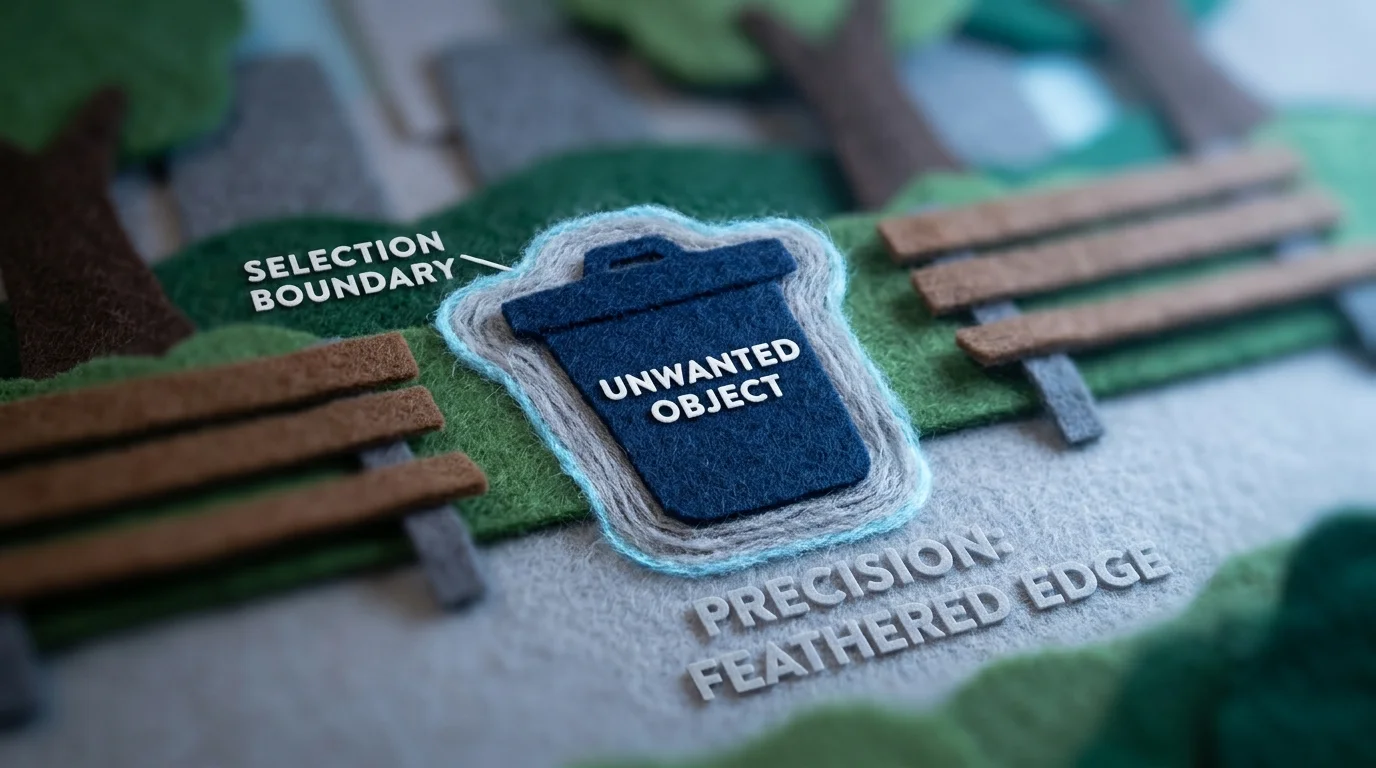
The accuracy of your selection directly impacts output quality. Zoom in and trace the object boundary carefully rather than making rough selections. Include a thin buffer zone around the target (5-10 pixels) to give the AI context for natural reconstruction. Avoid selecting too much surrounding area, which forces the algorithm to invent details rather than blend existing ones.
Account for Lighting and Shadows
Objects cast shadows and reflect light onto surrounding surfaces. When you remove items from photos, these lighting artifacts remain unless addressed. Examine the shadow direction and intensity before processing. Some tools include shadow-removal brushes for post-processing refinement. If shadows persist after AI processing, a manual touch-up takes seconds and dramatically improves realism.
Leverage Batch Processing for Efficiency
Processing multiple photos individually wastes time. According to Pixlr's analysis, AI tools can cut editing time by up to 70% on repetitive tasks. Weezard supports bulk uploads of up to 50 images, applying consistent removal parameters across your entire set—ideal for real estate listings or product photography.
Optimize Export Settings
Always export at the highest quality your plan allows. 4K resolution preserves fine details and provides flexibility for cropping or resizing later. Lower quality exports introduce compression artifacts that compound any imperfections from the removal process itself.
Real-World Applications: Where Object Removal Makes the Biggest Impact
Object removal has transcended hobbyist photo editing to become a cornerstone of professional workflows across multiple industries. The real-world impact is substantial—and measurable in both time savings and revenue impact.
Real Estate Listings and Property Marketing
Real estate agents face consistent pressure to present properties in their best light. Cluttered backgrounds, personal items, and unwanted vehicles distract buyers from the property itself. Depersonalizing listings is essential; it allows potential buyers to envision their own lives in the space rather than seeing someone else's belongings. Agents using AI object removal tools can process entire property portfolios in hours rather than days, enabling faster listing publication and broader market exposure. Tools like Weezard's real estate object removal capabilities support bulk uploads of up to 50 images, applying consistent editing parameters across an entire listing—critical for maintaining professional coherence across MLS platforms.
E-Commerce Product Photography
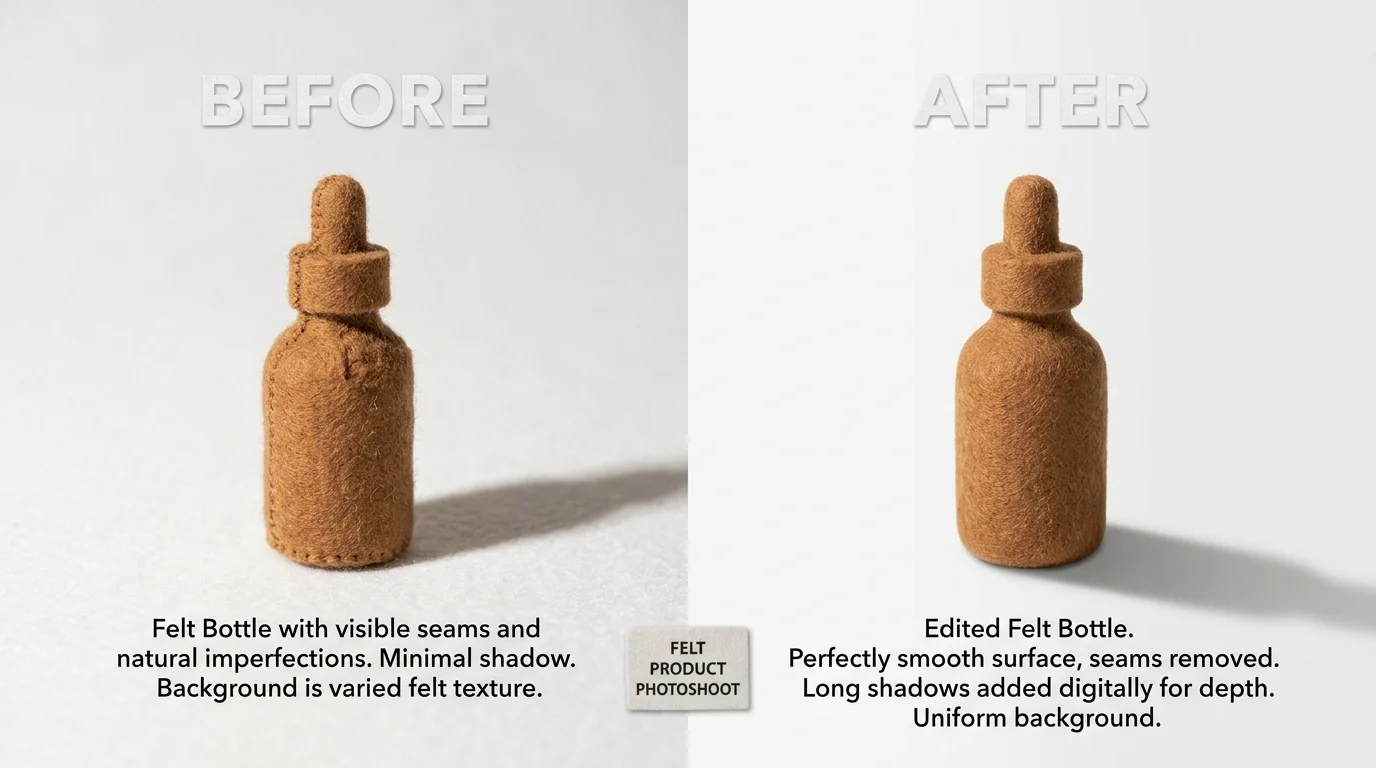
The e-commerce product photography market reflects this urgency. According to ElectroIQ's analysis, the sector was valued at USD 163.91 million in 2025 and is projected to reach USD 275.4 million by 2030. Online retailers now include 6–8 product images per SKU on average, compared to 3–4 just five years ago. Removing stray shadows, reflections, packaging debris, or background distractions directly impacts conversion rates. A clean, distraction-free product image sells more effectively than one cluttered with editing artifacts or environmental noise.
Social Media and Content Creation
Content creators remove photobombers, unwanted signage, and environmental distractions to maintain visual focus on their subject. A single influencer managing hundreds of posts monthly benefits enormously from batch processing capabilities, cutting editing time substantially while maintaining consistent aesthetic.
Portrait Retouching
Photographers remove blemishes, stray hairs, and background intrusions without the uncanny, over-smoothed appearance of older retouching methods. AI-powered object removal preserves skin texture and natural detail while eliminating genuine flaws.
Common Challenges When Deleting Objects From Photos and How to Solve Them
Even with modern AI, removing objects from photos isn't always seamless. Understanding common pitfalls helps you anticipate and prevent them.
Ghosting and Blending Artifacts
When you delete an object from a photo, the AI fills the gap by sampling surrounding pixels. If the background is complex—a busy crowd, textured wall, or dappled sunlight—the algorithm sometimes creates a semi-transparent "ghost" of the removed subject or blends colors unnaturally. Solution: zoom in and inspect edges closely before finalizing. Many AI tools let you manually refine fills or undo and retry with adjusted selection boundaries.
Loss of Fine Detail
Erasing an object near intricate elements—fine hair, delicate fabric, or architectural details—risks smudging or simplifying those areas. The AI struggles when context clues are ambiguous. Solution: use a smaller brush to isolate only the unwanted object, leaving surrounding fine details untouched. Batch processing tools handle this better when you process similar scenes together, as the model learns consistent detail patterns.
Unnatural Lighting and Shadows
Removing an object sometimes leaves behind its shadow or creates lighting inconsistencies. The fill algorithm doesn't always account for directional light sources. Solution: check shadow direction before editing. If shadows remain, use a secondary touch-up pass or layer-based editing to manually darken or lighten problem areas.
Performance Limits on Large Files
Processing high-resolution images—especially 4K or above—can be slow or hit memory constraints. Solution: modern platforms like Weezard support up to 4K quality without quality loss, allowing batch processing of multiple images simultaneously, dramatically reducing per-image processing time.
Start with conservative selections and refine iteratively rather than attempting complex removals in one pass.
Choosing the Right Tool to Remove Objects From Your Photos
Selecting the right software to remove objects from photos depends on your workflow, budget, and technical comfort level. The landscape has shifted dramatically—AI-powered tools now handle what once required hours of manual work, making them the practical choice for most users.
Desktop vs. Mobile vs. Web-Based
Desktop applications offer the most control and processing power, ideal for batch work and high-resolution files. Mobile apps provide convenience for quick edits on-the-go, though they typically handle smaller images. Web-based editors like Weezard strike a balance: no installation required, accessible from any device, and often optimized for speed. Modern platforms support up to 4K quality without sacrificing performance, eliminating the traditional trade-off between resolution and processing time.
AI-Powered vs. Traditional Tools
Learning Photoshop's clone stamp or healing brush takes weeks of practice to achieve professional results. AI tools eliminate that learning curve entirely. They analyze surrounding pixels intelligently, reconstruct missing areas, and handle complex scenarios—fine hair, fabric textures, shadows—with minimal user intervention. Unless you're a professional retoucher requiring pixel-level control, AI delivers faster, cleaner results.
Free Trials and Pricing Models
Test before committing. Most modern tools, including Weezard, offer free previews so you can evaluate quality on your actual photos. Free plans typically provide limited monthly credits; paid subscriptions unlock bulk processing, higher resolution exports, and priority support. For occasional use, free tiers suffice. For photographers and real estate agents processing dozens of images weekly, subscriptions pay for themselves in time saved.
Prioritize tools offering batch processing—removing objects from multiple photos simultaneously reduces per-image costs and dramatically accelerates your workflow.
Start Removing Objects From Your Photos Today
Object removal is no longer the exclusive domain of professional retouchers. Modern AI tools have democratized photo editing, making it genuinely possible to delete unwanted elements from pictures with minimal effort and impressive results. Whether you're cleaning up real estate listings, removing photobombers from vacation shots, or depersonalizing spaces for resale, the barrier to entry has collapsed—you don't need years of Photoshop training or expensive software licenses.
The real advantage isn't just accessibility; it's speed. Removing objects from photos that once demanded hours of painstaking clone-stamp work now takes seconds. This time savings compounds dramatically when you're processing dozens of images weekly. Quality has improved alongside convenience—AI algorithms now handle complex textures, shadows, and lighting with remarkable sophistication.
Start with a free trial. Weezard offers a free plan with monthly credits, letting you test the technology on your actual photos before committing financially. Upload a challenging image, run the removal, and judge the results yourself. Most people are surprised by how naturally the AI reconstructs missing areas.
The transformation happens quickly. Better photos lead to better outcomes—higher real estate sale prices, more engaging social media, professional portfolios that actually represent your work. Stop accepting imperfect shots as inevitable. Your next great photo is waiting; it just needs one small edit.
Recommended next steps
Turn this guide into an edit with the most relevant Weezard tools.


Ready to jump in?
Upload a photo, describe a change and review the result. Try 1 credit after signup and email verification.